




Floyo
Floyo
Workflows
API
定价
Floyo
Floyo
Workflows
API
定价
探索

角色一致性

角色一致性

角色一致性工作流,可直接在 Floyo 中运行。

打开 Workflow

约 2 分 25 秒即可生成

查看全部

角色一致性工作流一览角色一致性工作流

全部 Workflows
Qwen Image Edit 2509: Build a LoRA Dataset

Character consistency

Dataset

Image

Image editing

Image to image

LoRA

Qwen

Create Character LoRA Dataset

Qwen Image Edit 2509: Build a LoRA Dataset

Create Character LoRA Dataset
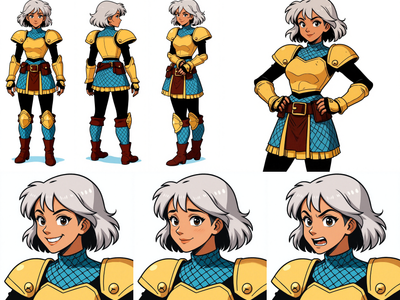
Image to Character Sheet with Kontext

Character consistency

Character Sheet

Flux

Image

Image editing

Image to image

Kontext

Create a character sheet with multiple poses and expressions from a single image!

Image to Character Sheet with Kontext

Create a character sheet with multiple poses and expressions from a single image!
NanoBanana2_Character Sheet
agi

agi

4.2k

Character consistency

Character Sheet

Image

Nano Banana

Nano Banana 2

Reference Sheet

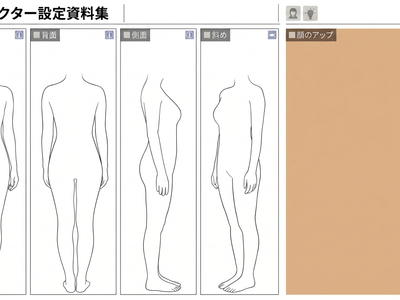
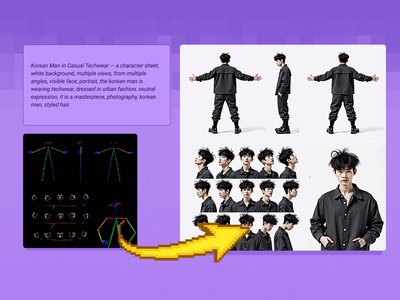
Nanobanana2を使用したキャラクターシート生成ワークフローです。キャラクター画像をアップロードして生成ボタンを押すだけで、顔のアップ、正面図、キャラクターシートを自動生成できます。 This is a character sheet generation workflow using Nanobanana2. Simply upload a character image to the green node, Load Image1, and click Generate to create a face
NanoBanana2_Character Sheet

Nanobanana2を使用したキャラクターシート生成ワークフローです。キャラクター画像をアップロードして生成ボタンを押すだけで、顔のアップ、正面図、キャラクターシートを自動生成できます。 This is a character sheet generation workflow using Nanobanana2. Simply upload a character image to the green node, Load Image1, and click Generate to create a face

Flux Text to Character Sheet

Character consistency

Character Sheet

Controlnet

Flux

Image

Create a character and a range of consistent outputs suitable for establishing character consistency, training a model, and ensuring consistency throughout multiple scenes. Key Inputs Image reference: Use the included pose sheet to show range of positions Prompt: as descriptive a prompt as possible

Flux Text to Character Sheet

Create a character and a range of consistent outputs suitable for establishing character consistency, training a model, and ensuring consistency throughout multiple scenes. Key Inputs Image reference: Use the included pose sheet to show range of positions Prompt: as descriptive a prompt as possible

Seedream 5.0 Pro_Character Sheet
agi

agi

2.0k

Character consistency

Character Sheet

Image

Seedream

Seedream 5.0 Pro

Seedream 5.0 Proを使用したキャラクターシート生成ワークフローです。This is a character sheet generation workflow using Seedream 5.0 Pro.
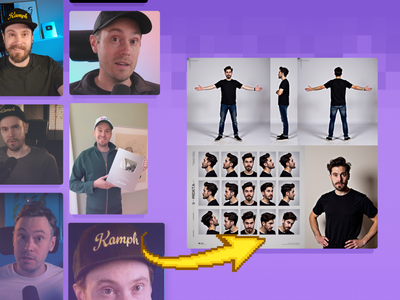
Seedream 5.0 Pro_Character Sheet

Seedream 5.0 Proを使用したキャラクターシート生成ワークフローです。This is a character sheet generation workflow using Seedream 5.0 Pro.

Text to Character Sheet with a reference LoRA

Character consistency

Character Sheet

Controlnet

Flux

Image

LoRA

Generate a character sheet using a prompt and a LoRA model of a particular person for more accurate renders. Key Inputs Load Image: Use any JPG or PNG of your pose sheet Prompt: as descriptive a prompt as possible Width & height: Optimal resolution settings are noted at 1280px x 1280px Denoise: The amount of variance in the new image. Higher has more variance. ControlNet Strength: The amount of adherence to the original image. Higher has more adherence. Start Percent: The point in the generation process where the control starts exerting influence. (Have it start later, to let AI imagine first.) End Percent: The point in the generation process where the control stops exerting influence. (Have it end sooner, to let AI finish it off with some variation.) Flux Guidance: How much influence the prompt has over the image. Higher has more guidance.
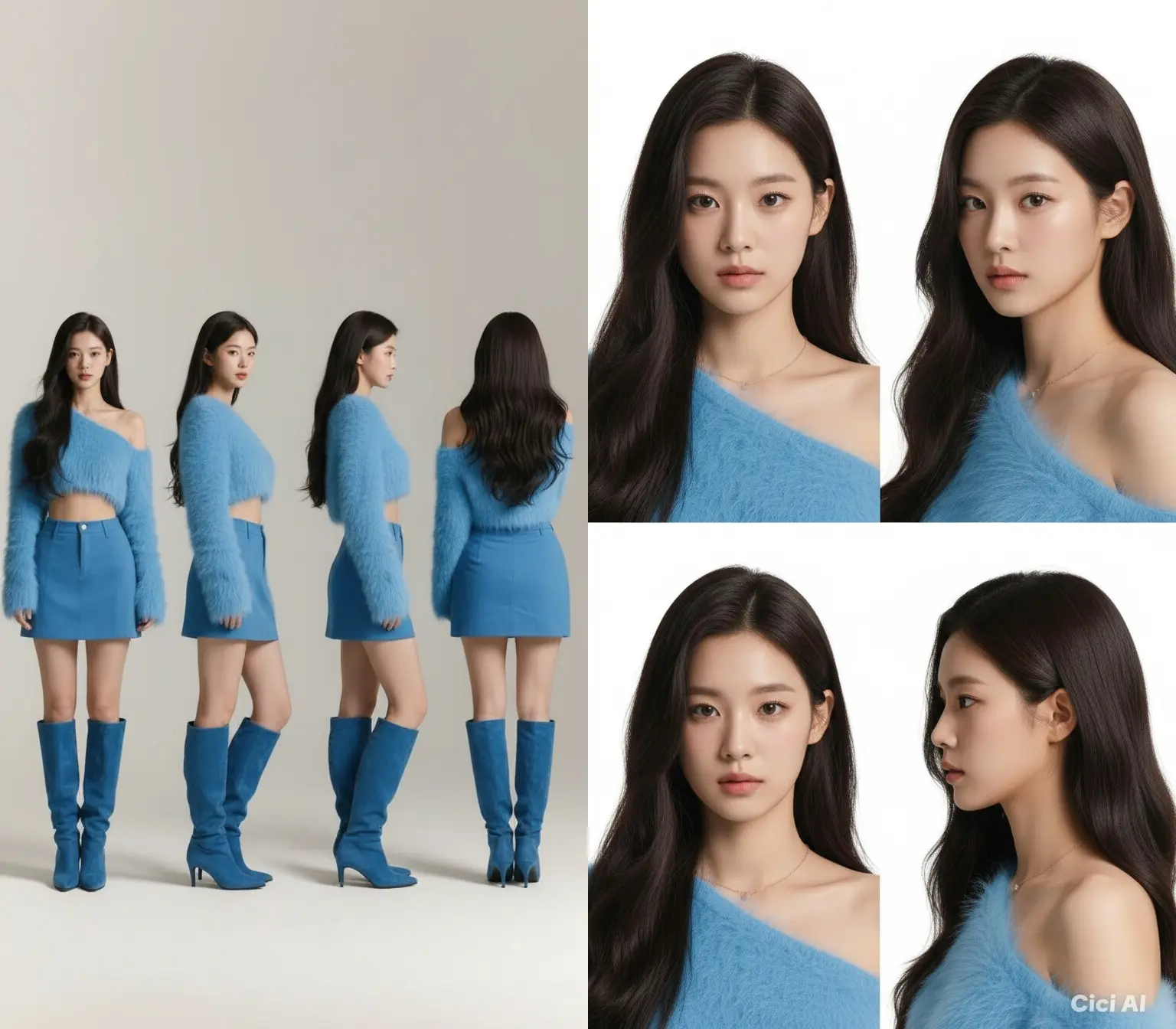
Text to Character Sheet with a reference LoRA

Generate a character sheet using a prompt and a LoRA model of a particular person for more accurate renders. Key Inputs Load Image: Use any JPG or PNG of your pose sheet Prompt: as descriptive a prompt as possible Width & height: Optimal resolution settings are noted at 1280px x 1280px Denoise: The amount of variance in the new image. Higher has more variance. ControlNet Strength: The amount of adherence to the original image. Higher has more adherence. Start Percent: The point in the generation process where the control starts exerting influence. (Have it start later, to let AI imagine first.) End Percent: The point in the generation process where the control stops exerting influence. (Have it end sooner, to let AI finish it off with some variation.) Flux Guidance: How much influence the prompt has over the image. Higher has more guidance.

360° Character Turnaround & Sheet Workflow
360 TurnAround

Character consistency

Image

Nano Banana

360° Character Turnaround & Sheet Workflow

Character Consistency - 1 image only. Flux Ace++

Ace

Character consistency

Flux

Flux Ace

Image

LoRA

Load 1 image and use natural language to get variations of your input image. Works great for character consistency to generate a dataset for loras.
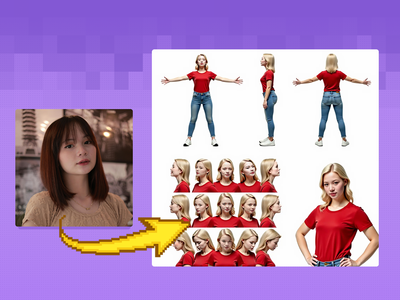
Character Consistency - 1 image only. Flux Ace++

Load 1 image and use natural language to get variations of your input image. Works great for character consistency to generate a dataset for loras.

Image to Image Character Sheet Face Swap with Ace+

Character consistency

Character Sheet

Face swap

Flux

Image

Image editing

Take a character sheet and use a reference image to replace all the faces with that new person. Key Inputs Load Image: Use any JPG or PNG showing your pose sheet Load New Face: Use any JPG or PNG showing your subject clearly that you would like to swap into the pose sheet. Prompt: as descriptive a prompt as possible Width & height: Optimal resolution settings are noted at 1024px x 1024px Keep Proportion: Enable keep_proportion if you want to keep the same size with input and output Denoise: The amount of variance in the new image. Higher has more variance.
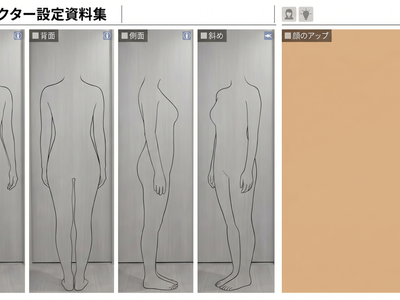
Image to Image Character Sheet Face Swap with Ace+

Take a character sheet and use a reference image to replace all the faces with that new person. Key Inputs Load Image: Use any JPG or PNG showing your pose sheet Load New Face: Use any JPG or PNG showing your subject clearly that you would like to swap into the pose sheet. Prompt: as descriptive a prompt as possible Width & height: Optimal resolution settings are noted at 1024px x 1024px Keep Proportion: Enable keep_proportion if you want to keep the same size with input and output Denoise: The amount of variance in the new image. Higher has more variance.

Seedream5.0Hot_Character Sheet
agi

agi

1.4k

Character consistency

Character Sheet

Image

Reference Sheet

Seedream

Seedream 5.0

Seedream5.0を使用したキャラクターシート生成ワークフローです。キャラクター画像をアップロードして生成ボタンを押すだけで、顔のアップ、正面図、キャラクターシートを自動生成できます。 This is a character sheet generation workflow using Seedream5.0. Simply upload a character image to the green node, Load Image1, and click Generate to create a face
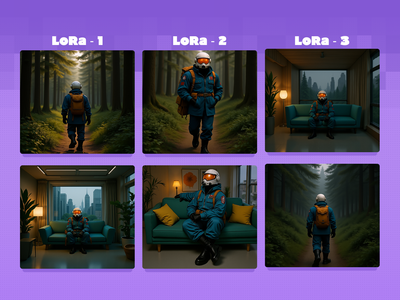
Seedream5.0Hot_Character Sheet

Seedream5.0を使用したキャラクターシート生成ワークフローです。キャラクター画像をアップロードして生成ボタンを押すだけで、顔のアップ、正面図、キャラクターシートを自動生成できます。 This is a character sheet generation workflow using Seedream5.0. Simply upload a character image to the green node, Load Image1, and click Generate to create a face

Flux Character LoRA Test and Compare

Animation

Character consistency

Filmmaking

Flux

Image

Image generation

LoRA training

Text to image

Test and compare multiple epochs of a character LoRA side by side with preset prompts When training a LoRA, you'll usually have a few checkpoints throughout the process to test. This workflow lets you load up to 4 LoRAs to test side by side, making it easier to determine which one is right for you! Key Inputs: LoRA Loaders: Load each LoRA epoch for the same character in up to 4 groups. Groups Bypasser: Enable/disable groups as needed. If you only have 2 epochs to test, disable the back 2 groups! Triggerword: Simply add the trigger word for your LoRA and it will auto-fill in the default prompts. Leave blank if you're using your own custom prompts that include the trigger word. LoRA Testing Prompts: Default prompts work well to get an idea of how your character will look in different situations, but feel free to replace them with your own prompts (max 4).
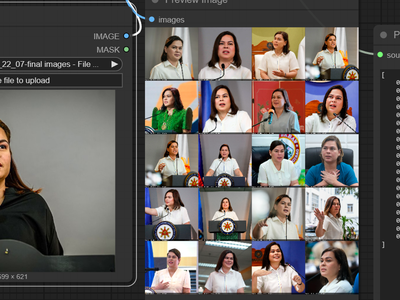
Flux Character LoRA Test and Compare

Test and compare multiple epochs of a character LoRA side by side with preset prompts When training a LoRA, you'll usually have a few checkpoints throughout the process to test. This workflow lets you load up to 4 LoRAs to test side by side, making it easier to determine which one is right for you! Key Inputs: LoRA Loaders: Load each LoRA epoch for the same character in up to 4 groups. Groups Bypasser: Enable/disable groups as needed. If you only have 2 epochs to test, disable the back 2 groups! Triggerword: Simply add the trigger word for your LoRA and it will auto-fill in the default prompts. Leave blank if you're using your own custom prompts that include the trigger word. LoRA Testing Prompts: Default prompts work well to get an idea of how your character will look in different situations, but feel free to replace them with your own prompts (max 4).

InsightFace for Filtering Character LoRA Dataset

Character consistency

Character design

Character sheet

FaceAnalysis

Image

Image editing

Image to image

LoRA training

Upload a reference face, point to your dataset, and InsightFace filters out images that don't match. Cosine, L2 Norm, and Euclidean distance all supported.

InsightFace for Filtering Character LoRA Dataset

Upload a reference face, point to your dataset, and InsightFace filters out images that don't match. Cosine, L2 Norm, and Euclidean distance all supported.

Workflows = API

每个工作流都是一个 API 端点。 无需搭建后端,就能在你的产品中加入 AI 生成功能。 选一个工作流,自定义设置,点击“复制 Floyo API 代码片段”,搞定。

进一步了解 API

MCP

平台上的每个工作流,都能被你自己的智能体和内部工具调用,并受同样的管理员管控。

mcp.floyo.ai/mcp

阅读 MCP 文档

简易模板

打开一个现成的工作流,阅读说明,修改输入,点击 Run。大多数人从来不用打开节点。复杂的部分可有可无,都藏在幕后。

浏览工作流

Trust Center

在任何人运行之前,就知道是否安全。每个模型都标有 Verified Private 和 Commercial Use 状态,团队管控还能屏蔽你未批准的模型。管理员可以选择团队能使用哪些模型、提供商和节点。

查看 Trust Center

立即开始

免费课程

ComfyUI 101

Sebastian Kamph 主讲的免费课程Sebastian Kamph 主讲的免费课程

十节课,从空白画布到 ControlNet。节点、文生图、模型、LoRA、超分辨率放大和 KSampler 设置。无需安装。每节课都在这里运行,学完时你手上就有自己搭建的工作流。

开始课程

Sebastian Kamph 主讲的 ComfyUI 101
