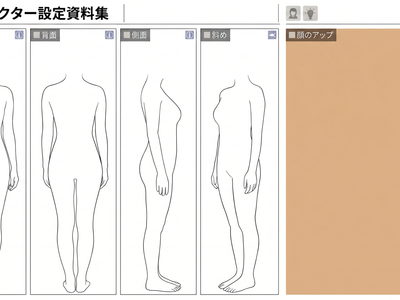
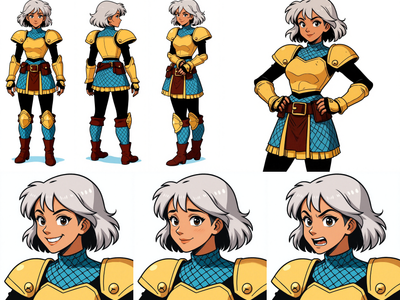
Seedream5.0Hot_Character Sheet
Seedream5.0を使用したキャラクターシート生成ワークフローです。キャラクター画像をアップロードして生成ボタンを押すだけで、顔のアップ、正面図、キャラクターシートを自動生成できます。 This is a character sheet generation workflow using Seedream5.0. Simply upload a character image to the green node, Load Image1, and click Generate to create a face
Character Sheet
Image
Reference Sheet
Seedream5.0
1.3k

1. Overview|概要
このワークフローは、Seedream5.0を使用したキャラクターシート生成用のワークフローです。
This workflow is designed for character sheet generation using Seedream5.0
1枚のキャラクター画像から、顔のアップ、正面図、キャラクターシートを生成できます。
It can generate a face close-up, front view, and character sheet from a single character image.
キャラクターの特徴を整理し、安定したビジュアル資料を作る用途に向いています。
It is useful for organizing character features and creating stable visual reference materials.
キャラクターデザイン、AI画像生成、AI動画制作、企画資料用の素材作成に活用できます。
It can be used for character design, AI image generation, AI video production, and project reference materials.
顔のアップと正面図を個別に生成した後に、キャラクターシート化する構成です。
This workflow first generates the face close-up and front view separately, then turns them into a character sheet.
そのため、高精度なキャラクターシートを安定的に生成しやすくなっています。
This makes it easier to generate accurate and stable character sheets.
2. How It Works|使い方
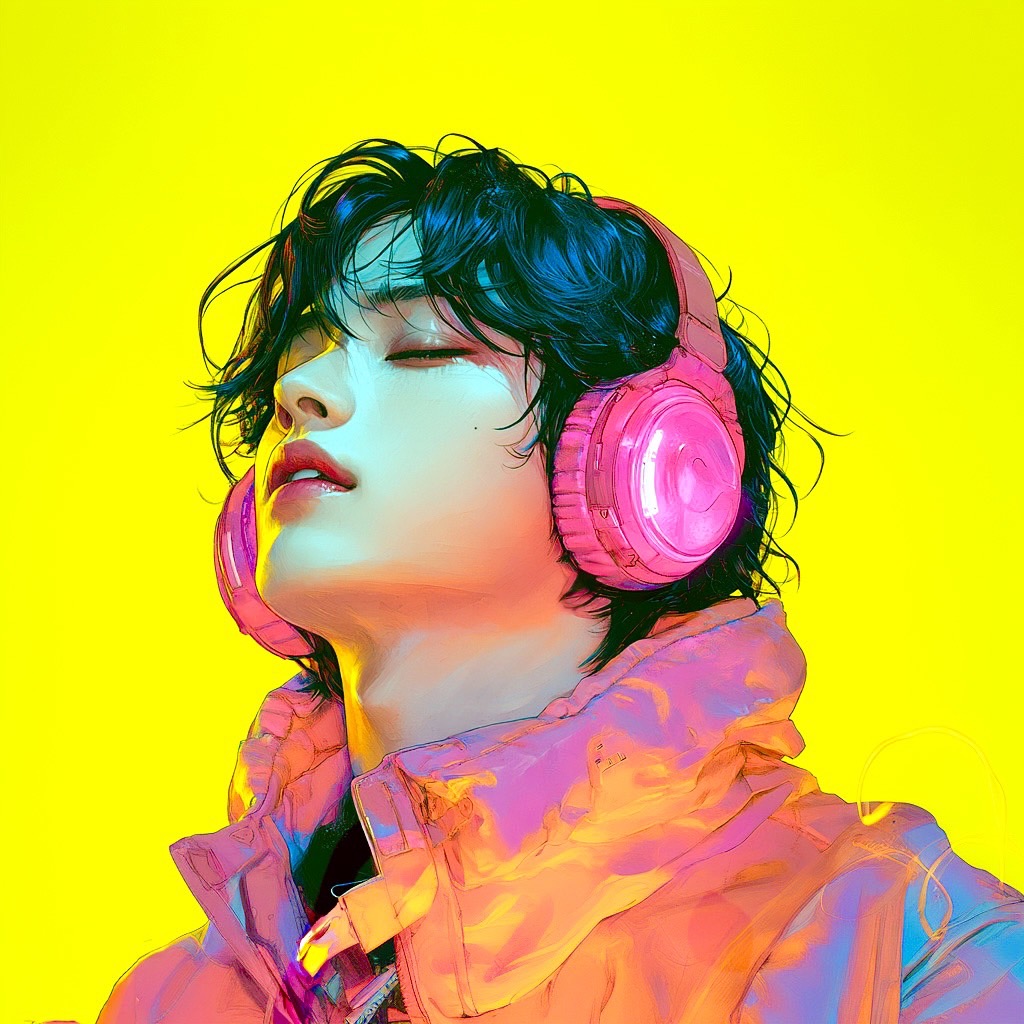
緑色のノード(Load Image1)にキャラクターの画像をアップロードしてください。
Upload your character image to the green node, Load Image1.
画像をアップロードしたら、生成ボタンを押すだけで使用できます。
After uploading the image, simply press the Generate button to use the workflow.
このワークフローでは、顔のアップを自動で生成します。
This workflow automatically generates a face close-up.
このワークフローでは、キャラクターの正面図を自動で生成します。
This workflow automatically generates a front view of the character.
最後に、顔のアップと正面図をもとにキャラクターシートを生成します。
Finally, it generates a character sheet based on the face close-up and front view.
基本的には、緑色のノードに画像を入れて生成するだけで完了します。
Basically, all you need to do is upload an image to the green node and generate.
細かく調整したい場合のみ、青色ノードのプロンプトを変更してください。
Only change the prompts in the blue nodes if you want to make detailed adjustments.
3. Prompt Control|プロンプトによる調整
必要に応じて、青色ノードのプロンプトを変更できます。
If needed, you can change the prompts in the blue nodes.
青色ノードのプロンプトを変更することで、服装変更や微調整が可能です。
By changing the prompts in the blue nodes, you can adjust the outfit or make small refinements.
服装を変えたい場合は、衣装の種類、色、素材、雰囲気を具体的に書いてください。
If you want to change the outfit, describe the clothing type, color, material, and mood clearly.
表情を調整したい場合は、笑顔、無表情、クール、優しい表情などを指定してください。
If you want to adjust the expression, specify details such as smiling, neutral, cool, or gentle.
キャラクター性を保ちたい場合は、髪型、顔立ち、目の形、色味などの特徴を残すように書いてください。
If you want to preserve the character identity, describe the hairstyle, facial features, eye shape, and color traits to keep.
大きく変更しすぎると元のキャラクター性が崩れる場合があります。
Changing too much may reduce consistency with the original character.
まずはデフォルトのプロンプトで生成し、必要に応じて少しずつ調整するのがおすすめです。
It is recommended to generate with the default prompts first, then make small adjustments if needed.
4. Settings|設定
基本設定では、緑色のノード(Load Image1)に画像をアップロードするだけですぐに使えます。
With the basic settings, you can use it immediately by uploading an image to the green node, Load Image1.
生成ボタンを押すだけで、顔のアップ、正面図、キャラクターシートを生成できます。
By pressing the Generate button, you can create a face close-up, front view, and character sheet.
顔のアップ、正面図、キャラクターシートは順番に生成されます。
The face close-up, front view, and character sheet are generated in sequence.
顔のアップと正面図を個別に生成してから統合するため、安定した結果を得やすい構成です。
Because the face close-up and front view are generated separately before being combined, the workflow is designed for stable results.
通常は設定を変更せず、そのまま生成できます。
Usually, you can generate without changing any settings.
服装変更や微調整をしたい場合は、青色ノードのプロンプトを変更してください。
If you want to change the outfit or make small refinements, edit the prompts in the blue nodes.
元画像のキャラクター性を保ちたい場合は、プロンプト変更は最小限にするのがおすすめです。
If you want to preserve the original character identity, it is recommended to keep prompt changes minimal.
より狙ったキャラクターシートにしたい場合は、服装、表情、ポーズ、画風を少しずつ調整してください。
If you want a more targeted character sheet, gradually adjust the outfit, expression, pose, and visual style.
Read more