

Image to Character Sheet with Kontext
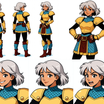
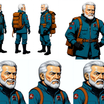
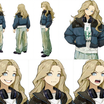
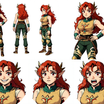
Create a character sheet with multiple poses and expressions from a single image!
Character Sheet
Flux
Image
Image to Image
Kontext
3.8k
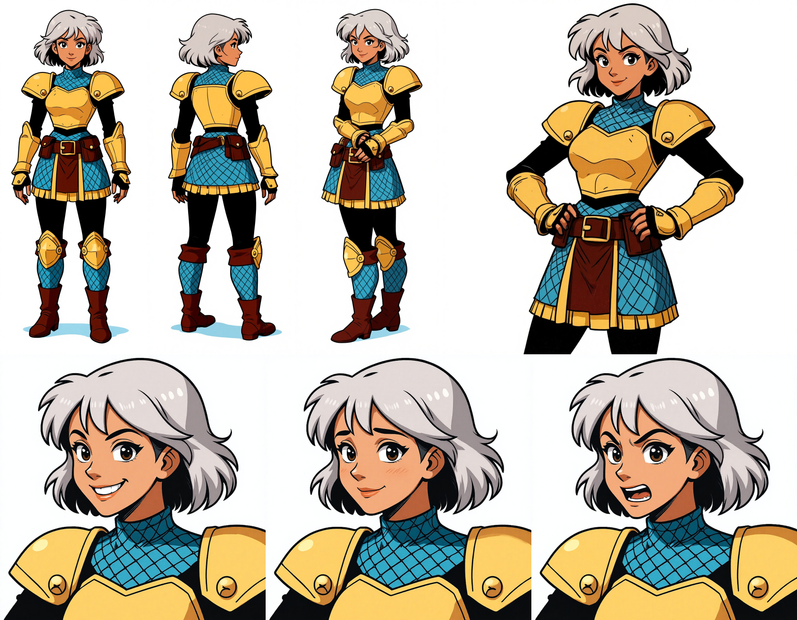
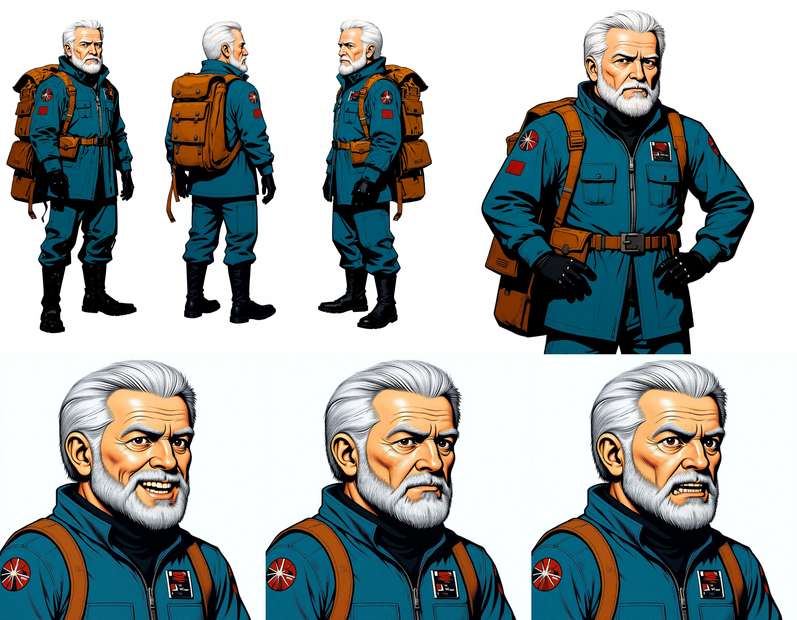
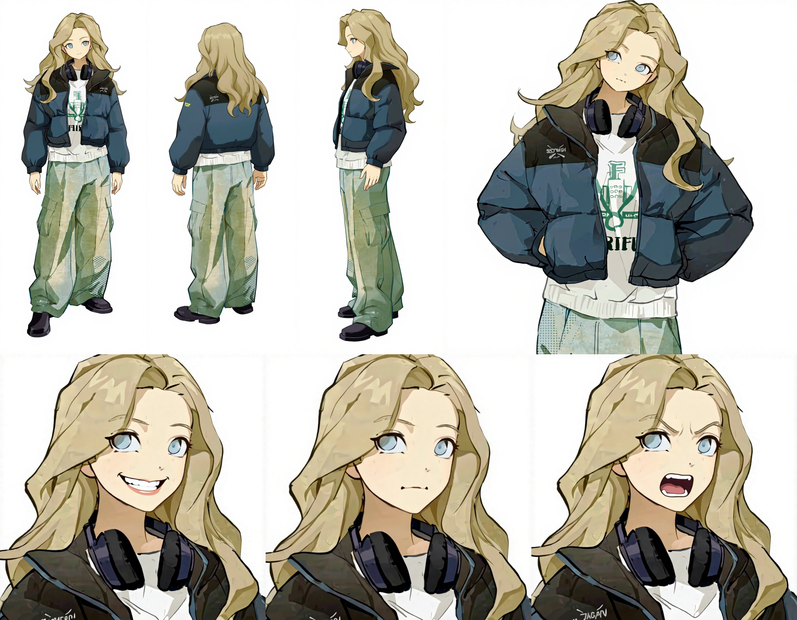
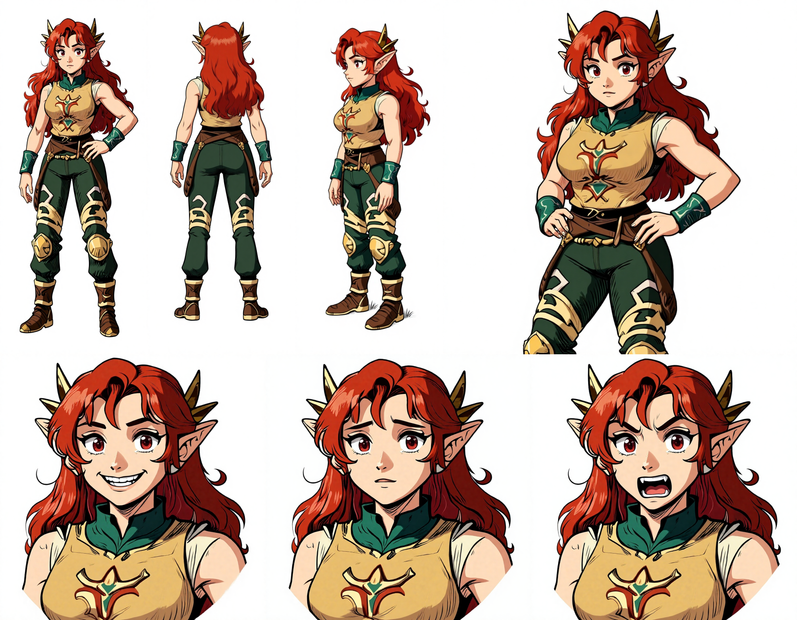
Nodes & Models
EmptyLatentImage
UNETLoader
FLUX1/flux1-dev-kontext_fp8_scaled.safetensors
DualCLIPLoader
clip_l.safetensors
t5xxl_fp16.safetensors
LoadImage
VAELoader
ae.safetensors
CLIPTextEncode
FluxKontextImageScale
ConditioningZeroOut
VAEEncode
ReferenceLatent
FluxGuidance
KSampler
VAEDecode
PreviewImage
SaveImage
CM_SDXLResolution
CR Prompt List
ImageConcatMulti
ImageConcatFromBatch
ImageConcanate
ImageConcatMulti
ImageConcatFromBatch
ImageConcanate
ImageListToBatch+
Turn a single character image into a full character sheet with multiple poses and expressions.
Upload your character (a photo, illustration, or digital art), and Flux Kontext generates a sheet showing that same character from different angles and with different expressions. The face, outfit, proportions, and style stay consistent across every pose. Prompts are pre-loaded, so you can generate with defaults or customize the poses and expressions you want.
Select your image and hit run. Modify the prompts if you want specific poses or expressions.
How do you create a character sheet with Flux Kontext?
Upload a single character image and run the workflow. Flux Kontext reads the character's face, body, outfit, and style from your input, then generates multiple poses and expressions on one sheet. The prompts are pre-configured for common character sheet layouts. Edit them to request specific angles, expressions, or scenarios.
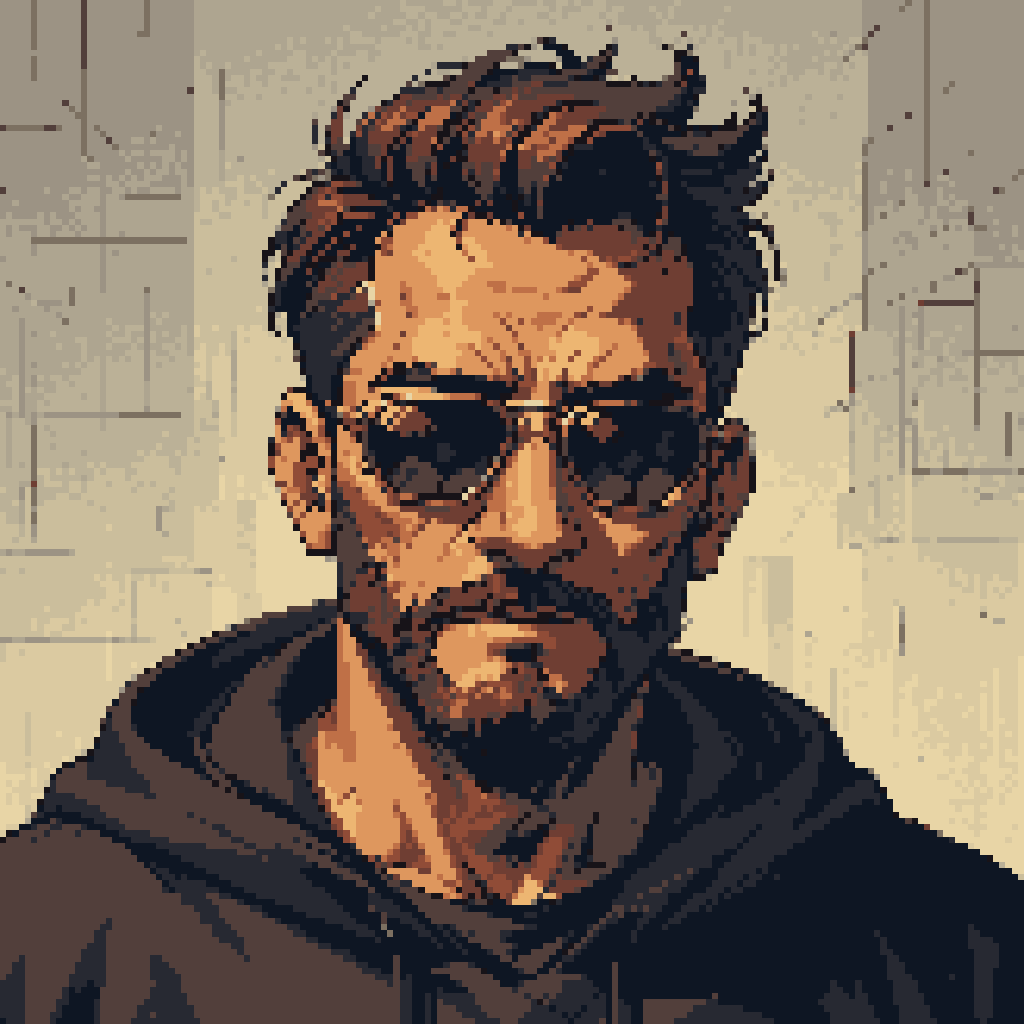
Input image Use a clear, well-lit image where the character's face and body are visible. Front-facing shots with a clean background give the best results. Works with photos, illustrations, anime-style art, and 3D renders. The model reads your character's features and reproduces them across each generated pose.
Prompts The workflow ships with pre-loaded prompts that produce a standard character sheet layout. Want specific views? Edit the prompts. "Front view, standing, neutral expression" for the first pose. "3/4 left, arms crossed, smiling" for the second. "Back view, looking over shoulder" for the third. You control what each slot on the sheet shows.
Want expressions instead of poses? Switch the prompts to focus on face: "Close-up, happy expression," "close-up, angry expression," "close-up, surprised expression." Kontext keeps the face structure locked while changing the expression.
What Kontext does differently Most image generation models lose character identity when you change the pose or angle. Kontext was built for this. It preserves the character's face structure, body proportions, outfit details, and art style across multiple generations. Each pose on the sheet looks like it came from the same model sheet, not from five separate generation runs.
What are character sheets with Flux Kontext good for?
Character sheets from Kontext are useful any time you need the same character shown from multiple angles or with multiple expressions. Game artists use them as reference for 3D modeling. Animators use them to lock in a character's look before starting production. Writers and storytellers use them to visualize characters for comics, children's books, and visual novels.
Game development. You need front, side, and back views of a character before building the 3D model. Upload your concept art and get a consistent turnaround sheet in one run. Faster than drawing each view by hand, and the proportions stay locked.
Animation pre-production. Lock in a character's look across poses and expressions before handing off to animators. The sheet serves as a visual style guide that keeps the team aligned on how the character should look in every frame.
Comics and visual storytelling. Before you draw a full issue, generate a reference sheet showing your character in the key poses and expressions you'll need. Kontext keeps the face consistent, so the character looks like the same person across panels.
LoRA training datasets. Need 20+ images of the same character in different poses for LoRA training? Use this workflow to generate a diverse set from a single reference. Each image maintains character identity, which improves LoRA training quality.
Honest limitations. Kontext is strongest with illustrated and stylized characters. Photorealistic characters may see some drift in fine facial details across extreme angle changes. Complex accessories (detailed armor, jewelry with many small parts) can shift between poses. If you need exact accessory placement, check each generated pose and regenerate any that drifted.
FAQ
What kind of input image works best for character sheets with Flux Kontext?
Clear, well-lit images where the character's full body is visible. Front-facing poses on clean backgrounds give the most consistent results. Works with photos, digital art, anime, and 3D renders. Avoid heavily cropped images or shots where the character's face is partially hidden.
Can I control which poses and expressions appear on the character sheet?
Yes. The workflow includes editable prompts for each pose slot. Change them to any angle, pose, or expression you want. "3/4 view, waving," "back view, walking," "close-up, sad expression" are all valid instructions. Kontext generates each slot separately while keeping the character consistent.
Does Flux Kontext maintain character consistency across all poses?
Kontext is built for exactly this. Face structure, body proportions, outfit, and art style carry across every generation. It handles this better than standard text-to-image models, which tend to lose identity when the angle changes. Some drift can occur with extreme angles or complex accessories, but for most character sheet use cases the consistency is strong.
Can I use the character sheet output for LoRA training?
Yes. The individual poses from the sheet make a good starting dataset for training a character LoRA. Each image maintains the same identity, which helps the LoRA lock onto the character's features. For best results, supplement the sheet output with a few additional manually selected or edited images.
How do I run Image to Character Sheet with Kontext online?
You can run this workflow online through Floyo. No installation, no setup. Open the workflow in your browser, upload your character image, and hit run. Free to try.
Read more
0
Reply




_1786518453053.png?width=400&height=300&quality=80&resize=cover)

