



探索更多应用场景
查看全部



风格迁移工作流一览风格迁移工作流
全部 Workflows

Grok Imagine: Edit Images with a Text Prompt
Edit any image with a text instruction using Grok Imagine. Upload a picture, describe the change, and get a side-by-side comparison back in under a second.

Wan2.1 Fun Control and Flux for V2V Restyle
Create a new video by restyling an existing video with a reference image.
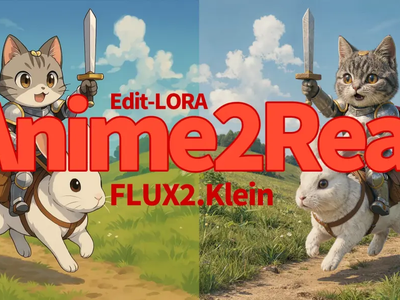

A2R for Klein
A2R Klein
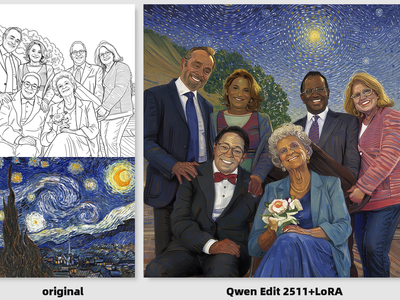
Qwen Image Edit 2511 + Style Transfer LoRA
Create new images from your lineart drawing or sketch using the style transfer LoRA and Qwen Image Edit 2511

Wan 2.1 Vid2Vid Style Transfer with Ditto
Upload any video, describe a new style, and Wan 2.1 rewrites every frame. Ditto keeps motion and structure intact across anime, Pixar, clay, and dozens more.
Wan 3.0 · Reference to Video
Re-render any video in a new visual style using Wan 3.0 by Alibaba. Upload a clip, describe the target look, and hit run. Motion preserved, audio included.


Wan 2.2 and Qwen for V2V Restyle
Create a new video by restyling an existing video with a reference image.

FLUX.2 Klein 9B · Image Editing With KV Cache
Edit images with Flux 2 Klein 9B in 4 steps. KV Cache speeds every run by reusing attention work across steps. Upload an image, describe the edit, hit Run.

LTX 2.3 IC LoRA Union Control - Video to Video
Restyle video with LTX 2.3 using IC-LoRA Union Control for structure guidance

Wan 2.7 · Image Editing
Edit any image with Wan 2.7 Unified, Alibaba's thinking-mode model. Upload a picture, describe the change, and preview the result. Thinking mode on by default.

Wan 2.7 Pro · Image Editing
Edit any image with Wan 2.7 Pro Unified, Alibaba's thinking-mode image model. Upload a picture, describe the change, and get a before-and-after comparison.

Z-Image Base · Text to Image With LoRA
Generate stylized images with Z-Image Base and a community LoRA. Write a prompt starting with the trigger word, pick a size, hit run. Apache 2.0 open weights.
Workflows = API
每个工作流都是一个 API 端点。 无需搭建后端,就能在你的产品中加入 AI 生成功能。 选一个工作流,自定义设置,点击“复制 Floyo API 代码片段”,搞定。

MCP
平台上的每个工作流,都能被你自己的智能体和内部工具调用,并受同样的管理员管控。
mcp.floyo.ai/mcp
简易模板
打开一个现成的工作流,阅读说明,修改输入,点击 Run。大多数人从来不用打开节点。复杂的部分可有可无,都藏在幕后。

Trust Center
在任何人运行之前,就知道是否安全。每个模型都标有 Verified Private 和 Commercial Use 状态,团队管控还能屏蔽你未批准的模型。管理员可以选择团队能使用哪些模型、提供商和节点。

简易模板
打开一个现成的工作流,阅读说明,修改输入,点击 Run。大多数人从来不用打开节点。复杂的部分可有可无,都藏在幕后。
Trust Center
在任何人运行之前,就知道是否安全。每个模型都标有 Verified Private 和 Commercial Use 状态,团队管控还能屏蔽你未批准的模型。管理员可以选择团队能使用哪些模型、提供商和节点。
Workflows = API
每个工作流都是一个 API 端点。 无需搭建后端,就能在你的产品中加入 AI 生成功能。选一个工作流,自定义设置,点击“复制 Floyo API 代码片段”,搞定。
