


COMMUNITY PAGE
Wan Animate VS Wan2.1+Scail-2 VS Minimax H3
Floyo / Pages / AI motion transfer comparison
MODEL COMPARISON
Wan Animate 2 vs Wan 2.1 + SCAIL-2 vs MiniMax H3
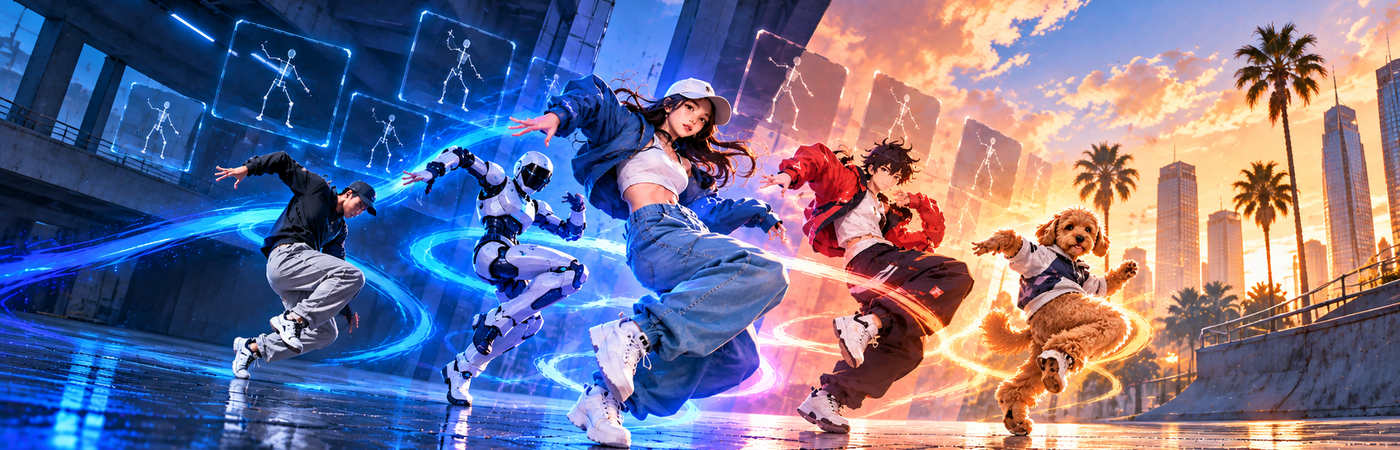
Three character motion transfer workflows, three different bets on what matters. One strips the process down to six sampling steps and no masks. One segments the subject first so your character can step into real footage. One generates an entire scene around the motion, with sound.
All three take the same two inputs — one character image, one driving video — and all three run as open-weight ComfyUI workflows on Floyo's H100 GPUs. No API keys, no per-clip fees. The difference is what survives the trip: the pose, the background, or the whole shot.
Here is how they compare on resolution, clip length, audio, pose control, and what each one is actually built for.
Fastest to a usable take
Wan Animate 2
Image plus pose video, six LCM steps, no skeleton extraction and no masks. Two chained passes in the workflow push clips past the single-pass limit. Apache 2.0.
Tradeoff: 480p default. Hands and long-sequence identity are the weak spots.
Best scene preservation
Wan 2.1 + SCAIL-2
The only one that segments first. SAM 3.1 tracks the subject in both the footage and your image, so the model replaces the person and leaves the plate intact.
Tradeoff: heaviest model stack. Longest cold start of the three.
Best finished shot
MiniMax H3
720p by default and up to 2K, 15-second clips in one run, and the only native stereo audio in the group. Omni-modal reference-to-video.
Tradeoff: 20 steps instead of 6. The prompt does real work — vague prompts show.
· Specifications
The technical details, side by side
All three run open weights on Floyo's H100 GPUs. Every value below is read from the shipped workflow, not from a spec sheet.
| Specification | Wan Animate 2 | Wan 2.1 + SCAIL-2 | MiniMax H3 |
|---|---|---|---|
| Developer | Alibaba Tongyi Lab | Alibaba (Wan 2.1) + Meta SAM 3.1 | MiniMax (Hailuo 3.0) |
| Released | August 7, 2026 | Wan 2.1 lineage + SCAIL-2 | July 31, 2026 |
| License | Open-source (Apache 2.0) | Open weights | H3 Community License (open weights) |
| Parameters | 14B | 14B + SAM 3.1 + 2 LoRAs | Pruned int8 + Qwen3-VL 32B encoder |
| Inputs | Image + pose video | Image + driving video | Image + driving video + prompt |
| Prompt required | Optional | Optional (feeds SAM, not the video model) | Required |
| Background | Rebuilt from the reference image | Original footage preserved | Generated from the prompt |
| Default resolution | 832 × 480 | 512 × 896 | 1280 × 720 (model to 2K) |
| Dimension rule | Multiples of 16 (hard fail otherwise) | Floors to multiples of 32 | Multiples of 32 |
| Clip length | 81 frames per pass, 2 passes chained | 65 frames per pass, 5-frame carry | Up to 360 frames / 15 s in one run |
| Audio | Copied from driving video | Copied from driving video | Generated, native stereo |
| Output | MP4 + side-by-side comparison | MP4 + side-by-side comparison | MP4 with audio + comparison |
| Floyo credits | FloTime GPU credits | FloTime GPU credits | FloTime GPU credits |
None of these are API nodes. All three run open weights locally on Floyo's H100 GPUs and bill FloTime GPU credits, so cost tracks generation time rather than clip count. Every model file is pre-loaded — no downloads, no VRAM ceiling to plan around.
01 · Strengths
Where each model wins
What each workflow does better than the other two, based on architecture and shipped configuration.
| Wan Animate 2 | Wan 2.1 + SCAIL-2 | MiniMax H3 | |
|---|---|---|---|
| Iteration speed | Best (6 steps at 480p) | Good (6 steps + segmentation pass) | Slowest (20 steps at 720p) |
| Pose fidelity | Best (direct pose conditioning at 1.0) | Strong (mask-guided at 0.75) | Good (prompt-mediated) |
| Background control | Regenerated from image | Best (original plate survives) | Fully generated, prompt-directed |
| Resolution ceiling | 480p tested default | Up to 1280 × 704 tested | Best (720p default, 2K capable) |
| Clip duration | Short passes, chained | Short passes, 5-frame carry | Best (15 s in one run) |
| Audio | Passthrough only | Passthrough only | Best (generated stereo) |
| Setup simplicity | Best (no prompt, no masks) | SAM prompts to set | Structured prompt required |
| Model load weight | Lightest (1 model + 1 LoRA) | Heaviest (3 models + 2 LoRAs) | Heavy (model + 32B encoder + 2 VAEs) |
02 · What we measured
Benchmark criteria
Eight things we looked at across every output. These are the questions you ask when reviewing a motion transfer take.
Motion accuracy
Does the character hit the same beats as the driving video? Timing, weight shifts, limb extension.
Identity hold
Is it still the same face, hair, and outfit at the last frame as at the first?
Hands and extremities
Do fingers stay separate and countable, or melt into mittens during fast motion?
Temporal consistency
Does the clip flicker, drift, or shift colour between passes and context windows?
Cloth and hair physics
Do fabric and hair react to the motion, or stay welded to the body like paint?
Background integrity
Does the environment hold still and stay coherent, or warp as the subject moves through it?
Edge quality
Where the character meets the background, is the boundary clean or does it halo and smear?
Production readiness
Would you cut this into a timeline without a roto pass or a second take?
03 · Benchmark tests
Same clip, all three models
Same character image and same driving video across all three workflows. No per-model tuning. What you see is what each one did with the exact same reference.
Benchmark 1 · Full-body dance
Fast, continuous motion with arm and hand detail
What to look for
Does the character land on the same beats? Do the hands survive the fast sections? Does the face hold from the first frame to the last?
Wan Animate 2
Wan 2.1 + SCAIL-2
MiniMax H3
Benchmark 2 · Character replacement
Swapping a subject into existing footage
What to look for
Does the original background survive untouched? Is the edge where the character meets the scene clean, or does it halo? Does the lighting match the plate?
Wan Animate 2
Wan 2.1 + SCAIL-2
MiniMax H3
Benchmark 3 · Stylised character
Illustrated or 3D-rendered subject, not a photo
What to look for
Does the art style hold, or does the model drift toward photoreal? Do flat colours stay flat? Does the character keep its proportions under human motion?
Wan Animate 2
Wan 2.1 + SCAIL-2
MiniMax H3
Benchmark 4 · Long take
Ten seconds or more of continuous motion
What to look for
Can you see the seam where passes join? Does identity drift across the clip? Does colour or exposure shift between chained segments?
Wan Animate 2
Wan 2.1 + SCAIL-2
MiniMax H3
04 · Results
Output quality
How each workflow performs across the eight criteria, read from architecture and shipped settings.
| Wan Animate 2 | Wan 2.1 + SCAIL-2 | MiniMax H3 | |
|---|---|---|---|
| Motion accuracy | Best (direct pose conditioning) | Strong (mask-guided) | Good (prompt-mediated) |
| Identity hold | Drifts on long sequences | Best (reference mask anchors it) | Strong within a single pass |
| Hands and extremities | Known weak point | Good | Best (720p gives more pixels to work with) |
| Temporal consistency | Good (context windows + continue_motion) | Good (5-frame carry) | Best (no pass seams in a single run) |
| Background integrity | Regenerated, can wander | Best (original pixels untouched) | Coherent but fully synthetic |
| Edge quality | Good | Best (explicit SAM masks) | Good (no compositing boundary) |
| Production readiness | Previz and blocking | Best for compositing into a plate | Best for standalone delivery |
These are capability reads from the workflow architecture and shipped defaults, not scores from a matched render test. The benchmark clips in section 03 are where measured results come from once each row has been reviewed.
05 · Speed & cost
What drives generation time
All three run on Floyo's H100 GPUs and bill FloTime credits, so cost is generation time. These are the factors that set it.
| Model | Sampling cost | Pre-processing | Speed lever |
|---|---|---|---|
| Wan Animate 2 | 6 steps × 2 passes at 832 × 480 | None | Drop the second pass for a short take |
| Wan 2.1 + SCAIL-2 | 6 steps at 512 × 896 | SAM 3.1 tracks every frame, twice | Shorter driving clip cuts the tracking pass |
| MiniMax H3 | 20 steps at 1280 × 720, up to 360 frames | Audio VAE decode on top of video | Turbo LoRA drops 20 steps to 4 |
Wan Animate 2 is the cheapest pass by a clear margin — six LCM steps at 480p. SCAIL-2 matches it on sampling but adds a segmentation stage the others don't have, plus the longest cold start from loading three models and two LoRAs. MiniMax H3 is the expensive one on every axis: more steps, higher resolution, more frames, and a second VAE. The Turbo LoRA is the main lever if you want H3's output without H3's bill.
06 · Model by model
The three workflows
What each one is like to run on Floyo, and when to pick it.
Pose in, character out. The lowest-friction route from a photo to a moving character on Floyo.
Wan Animate 2 released on August 7, 2026 from Alibaba Tongyi Lab as part of the Wan 2.2 video series. It is a 14B model that takes a single character image and a driving video with no skeleton extraction step in between — the pose is read directly from the footage. A distilled lightx2v LoRA ships with the weights, which is what brings sampling down to six LCM steps at cfg 1.
On Floyo, the workflow runs the generation subgraph twice. The first pass hands its last frames and a video frame offset to the second through continue_motion, so the clip extends past the 81-frame single-pass default without an obvious seam. Context windows are set to 21 with 8 overlap and pyramid fusion, the cache runs int8 on GPU, and pose_strength sits at 1.0 with a full 0–100% window. Audio is lifted straight off the driving video and muxed back in, and both the character clip and a side-by-side stitch are saved.
Reach for it when
Dance and performance clips. Previz and blocking where you want several takes cheaply. Stylised characters, since the prompt field describes character and background to hold the look.
Skip it when
You need the original background kept (SCAIL-2 does that) or a finished 720p shot with sound (MiniMax H3 does that). Also skip for close-ups on hands, which are a known weak point.
The only workflow here that knows who it is replacing. Segmentation first, generation second.
SCAIL-2 is a Wan 2.1 14B fine-tune that takes explicit masks as a conditioning input. The Floyo workflow runs SAM 3.1 twice — once over every frame of the driving video, once over your reference image — then feeds both tracks into SCAIL2ColoredMask, which produces the colored mask pair the video model consumes. Two LoRAs stack on top: a DPO LoRA at full strength and the lightx2v distill at 0.8, which is what keeps it to six euler steps.
One boolean changes the whole job. With replacement_mode on, your character steps into the original footage and the background comes through untouched. With it off, the same graph does plain motion transfer. The workflow runs at 512 × 896 with pose_strength 0.75 and a 5-frame carry between passes; the note node lists 512 × 896, 704 × 1280, 896 × 512 and 1280 × 704 as the tested resolutions, and anything else floors to a multiple of 32. Both mask passes preview on canvas, so you can confirm it tracked the right subject before committing.
Reach for it when
Compositing a character into footage you already shot. Vertical and social video, since the default is portrait-first. Multi-subject shots where you need to target one person out of several.
Skip it when
You want the quickest possible take (Wan Animate 2 skips the whole segmentation stage) or you are building a scene that does not exist yet (MiniMax H3 generates one).
Omni-modal reference-to-video. The only one that builds a scene and scores it at the same time.
MiniMax H3, also known as Hailuo 3.0, released on July 31, 2026 as an omni-modal video model: it generates picture and synchronised audio in one pass from text, images, or reference video. Resolution goes to 2K at 24 fps with clips from 4 to 15 seconds. The Floyo workflow uses the reference-to-video pipeline, driven by a Qwen3-VL 32B text encoder and decoding through two VAEs — one for video, one for audio.
The prompt is doing real work here, not decorating. It uses tagged references — <Subject 1> for the character, <Picture 1> for the image, <Video 1> for the motion — which is how the model binds appearance to movement while ignoring the person in the driving clip. Defaults are 1280 × 720 at 20 res_multistep steps with a beta scheduler and no negative conditioning. The driving video is forced to 24 fps and capped at 360 frames, and clip length snaps to a 17-frame latent boundary, so output can run slightly past the input. A Turbo LoRA ships with the workflow but is off by default; switching it on drops 20 steps to 4.
Reach for it when
Finished shots that need to ship with sound. Clips over ten seconds where chained passes would show. Any case where the scene has to be built rather than borrowed.
Skip it when
You are iterating and want several cheap takes (Wan Animate 2 is a fraction of the cost) or you need the original footage preserved (only SCAIL-2 does that).
Final takeaway
These three do not really compete — they sit at different points in a shot's life. Wan Animate 2 is the iteration choice: six steps, no setup, two chained passes, and the lightest load on the GPU. Wan 2.1 + SCAIL-2 is the compositing choice: SAM 3.1 masks let your character step into footage you already shot, and one boolean flips it between replacement and plain motion transfer. MiniMax H3 is the delivery choice: 720p by default, fifteen seconds in one run, and the only generated audio in the group.
The right pick depends on whether your priority is cheap takes, a preserved background, or a finished shot with sound. In a real pipeline you will likely use two of them — block with Wan Animate 2, finish with whichever of the other two matches the delivery.
All three run as open-weight ComfyUI workflows on Floyo's H100 GPUs. Upload a character image and a driving video, hit Run, and compare the takes side by side in your browser.
Frequently asked questions
Which motion transfer workflow should I start with?
Start with Wan Animate 2 if you want a usable take in the fewest moves — six sampling steps, no masks, no prompt required. Start with Wan 2.1 + SCAIL-2 if you need your character dropped into footage you already shot with the background left intact. Start with MiniMax H3 if the output has to be a finished shot: 720p by default, up to fifteen seconds in one run, and generated audio.
Can I run all three on Floyo right now?
Yes. All three are available as ComfyUI workflows on Floyo. Open a workflow in your browser, upload a character image and a driving video, and click Run. Every model file is pre-loaded on Floyo's H100 GPUs, so there is nothing to download. Each workflow returns two MP4 files: the generated clip and a side-by-side comparison against the driving video. No local install and no API key required.
Are these free to use on Floyo?
None of these three are API nodes, so there is no per-clip fee and no API Wallet charge. All three run open weights locally on Floyo's H100 GPUs and bill FloTime GPU credits, which are metered by compute time. That means cost tracks how long a generation runs rather than how many clips you make, so resolution, step count, and clip length are what move the number.
Can I use the generated videos commercially?
Wan Animate 2 is released under Apache 2.0, which permits commercial use with no attribution required. Wan 2.1 + SCAIL-2 runs on open weights, as does the SAM 3.1 segmentation stage. MiniMax H3 ships under the MiniMax H3 Community License, which carries its own terms — check those before commercial release. Separately, you are responsible for rights to the character image and driving footage you feed in.
Which one keeps the original background?
Only Wan 2.1 + SCAIL-2. It runs SAM 3.1 over every frame of the driving video and over your reference image, producing explicit masks that tell the model exactly which pixels to replace. With replacement_mode on, your character steps into the original footage and the plate comes through untouched. Wan Animate 2 rebuilds the background from your reference image, and MiniMax H3 generates a new scene from your prompt.
How long does each one take to generate?
Wan Animate 2 is the cheapest pass — six LCM steps at 832 × 480, run twice to extend the clip. SCAIL-2 matches that sampling cost at 512 × 896 but adds a segmentation stage, and loads three model files plus two LoRAs, giving it the longest cold start. MiniMax H3 is the slowest on every axis: twenty steps instead of six, 1280 × 720 instead of 480p, up to 360 frames, and a second VAE decode for audio. Its Turbo LoRA drops twenty steps to four if you need the output faster.
Do I need to write a prompt?
Only for MiniMax H3, where the prompt does real work. It uses tagged references — <Subject 1> for the character, <Picture 1> for the image, <Video 1> for the motion — and that is how the model binds appearance to movement while ignoring the person in the driving clip. Keep those tags. Wan Animate 2 takes an optional prompt describing character and background. SCAIL-2's two text fields feed SAM rather than the video model, so they name what to track, such as "person".
How long can the output clip be?
MiniMax H3 generates up to 360 frames at 24 fps — fifteen seconds — in a single pass, with no seams to hide. Wan Animate 2 produces 81 frames per pass and the Floyo workflow chains two of them through continue_motion, so length costs you passes rather than hitting a wall. SCAIL-2 runs 65 frames per pass with a five-frame carry between them. One quirk on H3: clip length snaps to a 17-frame latent boundary, so output can run slightly past your driving video.
Which one generates audio?
MiniMax H3 is the only one. It is an omni-modal model that produces picture and synchronised stereo audio in the same pass, decoding through a separate audio VAE. Wan Animate 2 and SCAIL-2 both lift the audio track off your driving video and mux it back into the output, so what you hear is your source footage rather than anything the model created.
What resolution should I use?
Each has its own rule. Wan Animate 2 requires multiples of 16 and fails the run outright on anything else; its tested default is 832 × 480. SCAIL-2 floors to multiples of 32, and the workflow lists 512 × 896, 704 × 1280, 896 × 512 and 1280 × 704 as the tested sizes — the portrait defaults make it the natural pick for vertical video. MiniMax H3 takes multiples of 32, defaults to 1280 × 720, and the model goes up to 2K.
Can I combine these with other AI models in the same workflow?
Yes. Because these run as ComfyUI nodes on Floyo, you can chain them with any other node in the same workflow. Generate your character with Z-Image or Flux and pipe it straight into the reference image input. Pull a driving clip from a video workflow instead of uploading one. Send the output into an upscaler or a reframing workflow before you export. The SCAIL-2 workflow already chains SAM 3.1 segmentation ahead of generation, which is the same pattern.
Explore More On Floyo

floyoofficial
2.6k
character animation
character replacement
LoRAs
motion transfer
scail 2
Video
video to video
wan 2.1
Transfer the motion from any video onto your own character with SCAIL 2, Z.ai's end-to-end character animation model built on Wan 2.1. Upload a video and a character photo, then hit run.
Wan2.1 + SCAIL-2 for Character Motion Transfer
Transfer the motion from any video onto your own character with SCAIL 2, Z.ai's end-to-end character animation model built on Wan 2.1. Upload a video and a character photo, then hit run.
character animation
motion transfer
wan 2.2
wan animate 2
Transfer the motion from any reference video onto a character photo using Wan Animate 2, Alibaba's open-source 14B video model. Upload an image, upload a video, and hit run.
Wan Animate 2 · Motion Transfer R2V
Transfer the motion from any reference video onto a character photo using Wan Animate 2, Alibaba's open-source 14B video model. Upload an image, upload a video, and hit run.

ashree
82
character motion transfer
hailuo3
image to video
minimax h3
video generation
Upload a character image and a driving video. MiniMax H3 maps the motion onto the character and returns a new video with AI-generated stereo audio.
MiniMax H3 · Character Motion Transfer
Upload a character image and a driving video. MiniMax H3 maps the motion onto the character and returns a new video with AI-generated stereo audio.
%20(1)_1785310497269.webp?width=400&height=300&quality=80&resize=contain&format=origin)
Audio
LoRAs
ltx
motion transfer
Video
video to video
Transfer the movement from any reference video onto your portrait with LTX-2.3 by Lightricks, audio and all. Upload a photo and a clip, then hit run.
LTX-2.3 · Motion Transfer (Pose)
Transfer the movement from any reference video onto your portrait with LTX-2.3 by Lightricks, audio and all. Upload a photo and a clip, then hit run.
_1783174306365.webp?width=400&height=300&quality=80&resize=contain&format=origin)
ashree
237
image to video
kling 3.0
motion control
motion transfer
Video
Upload a character image and a motion reference video, and Kling 3.0 Pro generates a new video of your character performing the referenced action with the option to keep the original audio.
Kling 3.0 Pro Motion Control · Image to Video
Upload a character image and a motion reference video, and Kling 3.0 Pro generates a new video of your character performing the referenced action with the option to keep the original audio.
animation
character design
image to video
kling
Video
video generation
Apply motion from a reference video to a still image with Kling 3.0 Pro.
Kling 3.0 Pro Motion Control
Apply motion from a reference video to a still image with Kling 3.0 Pro.
_1783698095782.gif?width=400&height=300&quality=80&resize=contain&format=origin)
aimotionstudio
1.5k
character-animation
full-length
image-to-video
motion-transfer
pose-transfer
scail-2
Video
video-to-video
wan2.1
Transfers the motion of a driving video onto a reference character image
SCAIL-2 bf16 Loop FullLength Motion Transfer
Transfers the motion of a driving video onto a reference character image
_1783028563354.gif?width=400&height=300&quality=80&resize=contain&format=origin)

agi
5.8k
Motion Control
SCAIL2
Video
SCAIL2を使用したモーションコントロール用のワークフローです。動画をモーション元としてアップロードし、入れ替えたい人物画像をアップロードすることで、動画内の動きをキャラクターへ転送できます。緑色のノードだけ設定すればすぐ使えます。 This is an Image-to-Video motion control workflow using SCAIL2.
SCAIL2_Motion_Control
SCAIL2を使用したモーションコントロール用のワークフローです。動画をモーション元としてアップロードし、入れ替えたい人物画像をアップロードすることで、動画内の動きをキャラクターへ転送できます。緑色のノードだけ設定すればすぐ使えます。 This is an Image-to-Video motion control workflow using SCAIL2.
floyoofficial
2.6k
character design
consistency
film production
image to video
Video
video generation
wan
Wan 2.7 Reference to Video with Motion Control
Wan 2.7 Reference to Video with Motion Control
Wan 2.7 Reference to Video with Motion Control
Ready to test them yourself?
The best model for your workflow depends on your own images, prompts and production requirements.
Start creating on Floyo >Compare three powerful open-weight character motion transfer workflows — **Wan Animate 2, Wan 2.1 + SCAIL-2, and MiniMax H3**. See how they differ in motion accuracy, identity preservation, background control, resolution, speed, clip length, and audio to find the right model for your workflow.