
API ACCESS IS LIVE!
Every workflow is an API endpoint.
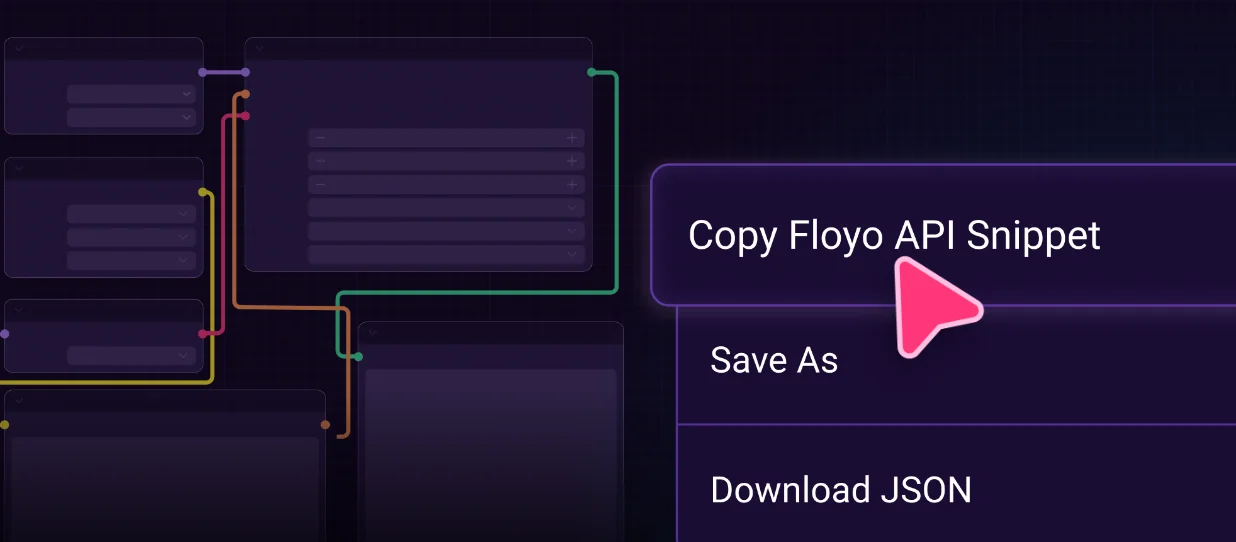
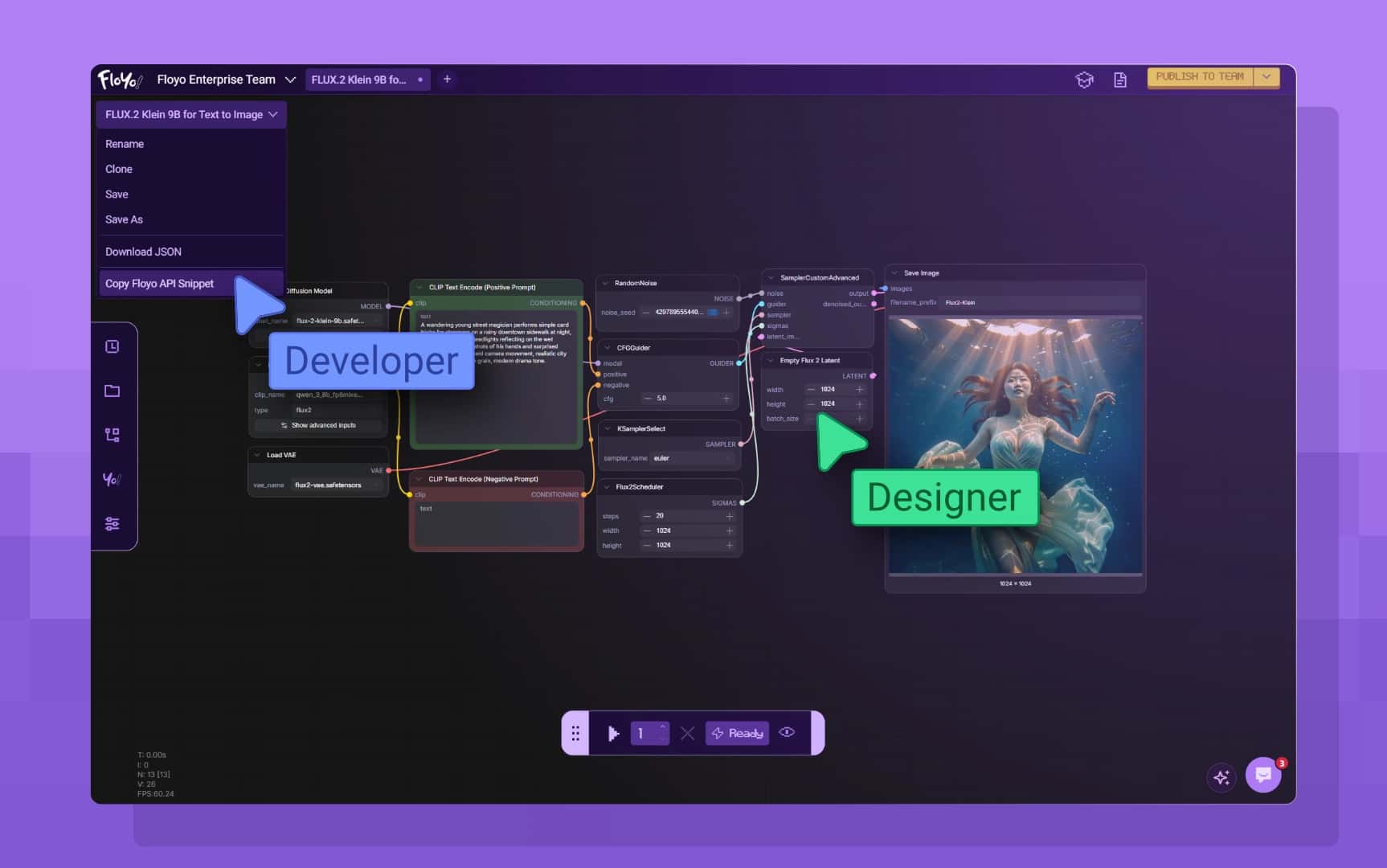
Ship world-class AI visual assets in your app without rolling your own backend. Pick a workflow, tinker, click “Copy API Snippet” - done.
One API
Convert ComfyUI workflows into apps.
Use any visual workflow you can imagine. You never need another API endpoint to access AI visual asset generation again.
Any workflow → Endpoint
Premade or custom. The moment you save a workflow, it has an API endpoint.
Every model, one place
Closed-source frontier models + open-source checkpoints. Swap in one click.
Daisy-chain anything
Compose workflows out of workflows. Nest, branch, loop. Still one endpoint.
Upload your own model
Bring LoRAs or other fine-tuned models. Use them in any workflow.
Thousands of nodes
Tap the entire community node ecosystem to power your workflow.
One account, one bill
Same account as non-dev users. No separate API tier dance.
Any workflow → Endpoint
Premade or custom. The moment you save a workflow, it has an API endpoint.
Every model, one place
Closed-source frontier models + open-source checkpoints. Swap in one click.
Daisy-chain anything
Compose workflows out of workflows. Nest, branch, loop. Still one endpoint.
Upload your own model
Bring LoRAs or other fine-tuned models. Use them in any workflow.
Thousands of nodes
Tap the entire community node ecosystem to power your workflow.
One account, one bill
Same account as non-dev users. No separate API tier dance.
From Workflow to Endpoint, Instantly.
Just a workflow and a URL. No backend, infra or Devops.
From Workflow to Endpoint, Instantly.
Just a workflow and a URL. No backend, infra or Devops.

1
Pick or build a workflow
Use a premade template, customize one, or upload your own. Add nodes, swap models, set parameters.
2
Tinker until it’s right
Run it in the canvas. See outputs live. Iterate on prompts, models, and node graphs.
3
“Copy Floyo API Snippet”
Paste into your app. Send POST. Get back assets. That’s it.
1
Pick or build a workflow
Use a premade template, customize one, or upload your own. Add nodes, swap models, set parameters.
2
Tinker until it’s right
Run it in the canvas. See outputs live. Iterate on prompts, models, and node graphs.
3
“Copy Floyo API Snippet”
Paste into your app. Send POST. Get back assets. That’s it.

What it looks like.
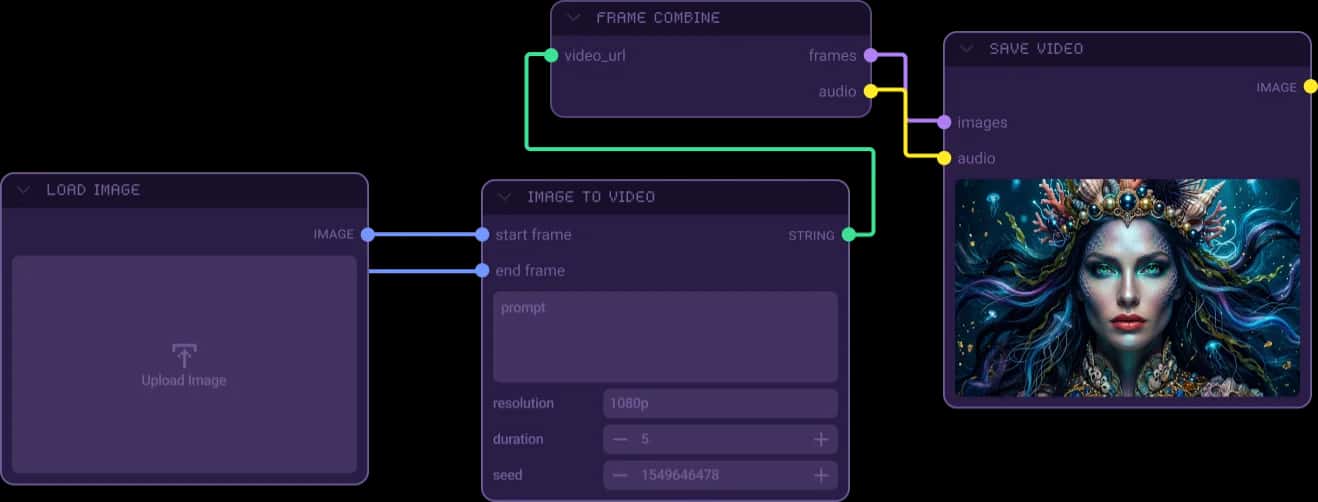
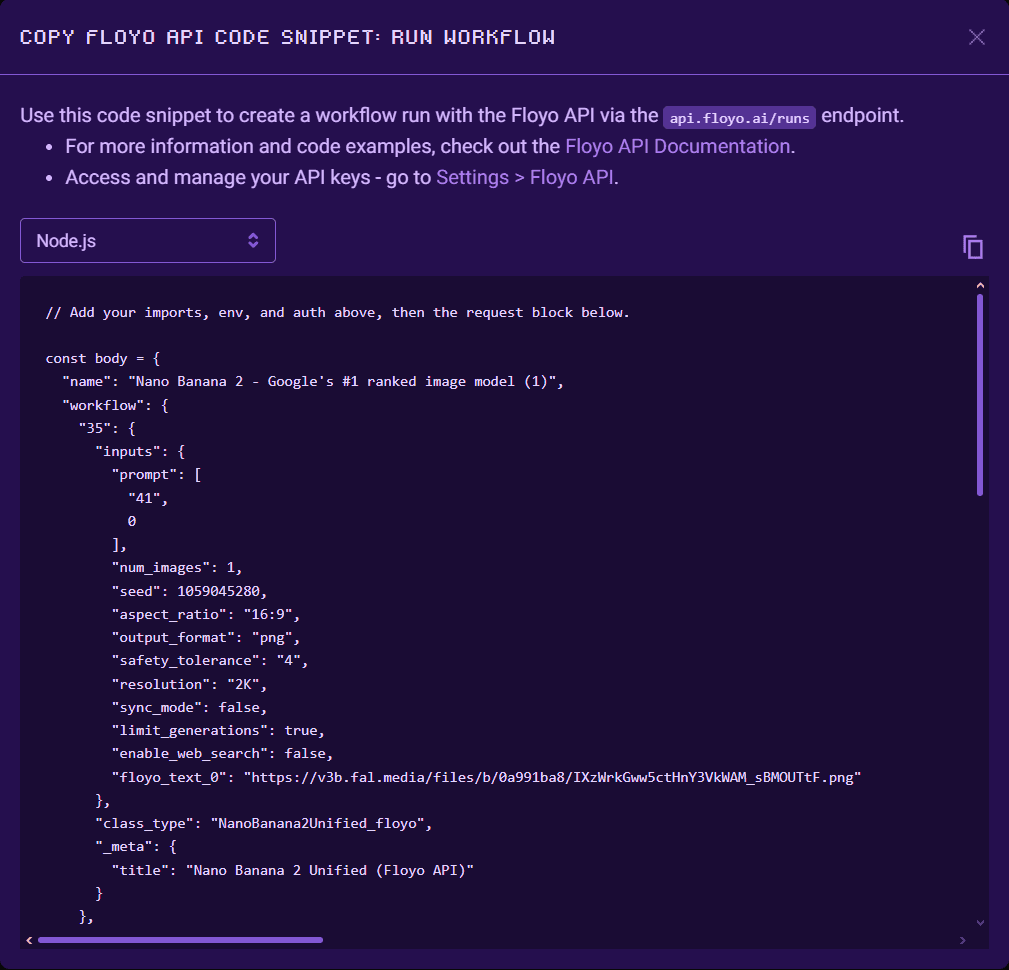
A workflow graph on the left, the resulting endpoint on the right.

What it looks like.
A workflow graph on the left, the resulting endpoint on the right.

Bring any model
Use every model.
Closed-source frontier. Open-source checkpoints. Your own proprietary LoRAs. All from one API.
Closed-source
Top frontier image, video, and audio models - pay-as-you-go through Floyo.
Seedance
Kling
Seedream
Nano Banana
VEO
+ many
Open-source
Models that power entire ecosystems and infinitely big pipelines.
Wan 2.2
LTX
Z-Image
Qwen
+ many
Upload your own
Custom checkpoints, LoRAs, fine-tunes, embeddings - secure, private to your account.
your-lora.safetensors
brand_style.gguf
Closed-source
Top frontier image, video, and audio models - pay-as-you-go through Floyo.
Seedance
Kling
Seedream
Nano Banana
VEO
+ many
Open-source
Models that power entire ecosystems and infinitely big pipelines.
Wan 2.2
LTX
Z-Image
Qwen
+ many
Upload your own
Custom checkpoints, LoRAs, fine-tunes, embeddings - secure, private to your account.
your-lora.safetensors
brand_style.gguf
Roll your own backend vs. Floyo API
Without Floyo
Stand up GPU infra. Pin model versions. Manage queueing. Wire 6+ vendor APIs. Maintain workflow logic. Re-do it every time a model improves.
Weeks of eng time. Forever ongoing.
With Floyo
Build the workflow visually. Click “Copy API endpoint.” Swap models when better ones drop without changing your code.
One afternoon. Forever upgradeable.
Without Floyo
Stand up GPU infra. Pin model versions. Manage queueing. Wire 6+ vendor APIs. Maintain workflow logic. Re-do it every time a model improves.
Weeks of eng time. Forever ongoing.
With Floyo
Build the workflow visually. Click “Copy API endpoint.” Swap models when better ones drop without changing your code.
One afternoon. Forever upgradeable.
Same account as your non-dev teammates.
Designers prototype workflows in the canvas. Engineers ship them as endpoints. No separate “developer plan” or duplicate billing — one Floyo account, one workspace.

Makea workflow.Hit the endpoint.
One Floyo subscription covers your team and your API. Credits included, top up anytime.
Getting Started
No. If you can build a workflow in Floyo, you already have an API endpoint. There's no extra step.
Every workflow you create or customize on Floyo can be called as an API right away. Just hit "Copy API endpoint" in the canvas and plug it into your app. Floyo runs everything on cloud GPUs, manages the queue, and scales for you. Most platforms make you export your workflow, write config files, and wrestle with deployment before you can even test a single call. Here, the workflow you're already using IS the endpoint.
Yes. Floyo's API is built for developers and teams who want to ship AI-powered products without building the AI infrastructure.
You call a workflow from your backend, pass in your user's inputs, and hand them back the result. They only ever see your product, your brand, your interface. The workflow stays locked in your private workspace, accessible only through your API key. People are already building real businesses on top of this: AI photo booth apps, automated video tools, design pipeline products.
Hundreds of open-source models plus closed-source ones from 20+ providers. Image, video, 3D, audio, text, upscaling, model training. All accessible through the same workflow.
That includes Google, OpenAI, ByteDance, Black Forest Labs, Runway, Kling, Luma, ElevenLabs, Topaz, and more. You can also bring your own custom models. The real power is chaining: generate an image, upscale it, and style-transfer it, all in one workflow, one API call, one bill. Instead of stitching together six different vendor APIs, you build one workflow and call it.
How It Compares
Floyo is the only platform where you can turn a ComfyUI workflow into a live API endpoint in seconds, with no deployment, no Docker, and no infrastructure to manage.
- RunPod: Generates a Dockerfile, sets up a GitHub repo, deploys a serverless worker. You manage the container and troubleshoot dependencies.
- RunComfy: Export your workflow, configure scaling rules, pick GPU tiers, manage deployment versions.
- ComfyDeploy: Assign machines, set up staging and production environments, handle rollbacks.
- Self-hosting: Provision GPUs, manage drivers, build a queue, handle auth, pay for idle time.
- Floyo: Build your workflow in the browser. Click "Copy API endpoint." Call it. That's the whole process.
The workflow you're already using IS the endpoint. What you see in the canvas is exactly what the API runs. No export step, no config files, no wondering why production behaves differently from your test.
You can try. Most teams that go down this road find it costs 3-5x more than Floyo once they account for engineering time, idle GPU bills, and all the tooling they have to build themselves.
Self-hosting sounds simple until you're deep in it: GPU provisioning, driver updates, scaling, queue management, dependency conflicts when models update, user auth, file storage, and the endless "it works on my machine" cycle. Before you know it, you've built an internal platform team just to keep the lights on. On Floyo, you pay only for the seconds your workflows are actually generating. No idle charges, no runtime caps.
Building With the API
You send your workflow to api.floyo.ai, check back until it's done, and download the output. It's a standard web request. Nothing custom to learn.
You send a request, the job runs through the queue, and the API returns a "done" status when the workflow finishes. Your result comes back either as a hosted URL or as the raw file in the response body. Any language or tool that speaks HTTP works: Python, JavaScript, curl, whatever your stack uses.
Requests are rate limited to 100 requests per minute, per API key. If you exceed this limit, the API will return a 429 Too Many Requests response. Wait for the next minute window to resume making requests.
Floyo handles it. Workflows run in parallel across available GPUs, and you don't have to configure anything for that to work.
When demand spikes, Floyo queues and distributes requests automatically. You don't pre-allocate machines or worry about cold starts breaking your users' experience. If you're expecting consistently high traffic, we can set up dedicated capacity so your jobs always get priority processing.
Costs and Controls
You only pay for the seconds a workflow is actually running. Building and editing the workflow in the browser is free. Also, you of course do not need to pay for GPU Idle time like on your own servers.
It works the same way as a standard subscription. Pick a self-service tier, then fund your account with FloTime (generation time) and Partner Nodes credits (access to third-party closed-source models in your workflows).
On Enterprise, it's usage-based only. No subscriptions, no seats. Higher spend commitments unlock bonus credits.
Security and Privacy
Yes, completely. Everything is private by default. Using the API doesn't expose your workflows to anyone.
Your workflow logic, settings, and outputs stay invisible to everyone outside your workspace. API keys are shown once when created and can never be retrieved again. Not by other users, not by the Floyo team, not by anyone. If you're building proprietary pipelines that give you a competitive edge, they stay yours. Enterprise accounts add role-based permissions so you control exactly who on your team can view, run, or edit each workflow.
No. Never. Your inputs and outputs are never used for training, by Floyo or anyone else.
This is standard for every account on Floyo:
- No training on your inputs or outputs
- Third-party closed-source models route through Floyo Partner Nodes with contractual no-training commitments, verified per model in our Trust Center ("Verified Private")
- You own everything you create: outputs, LoRAs, workflows
- Workspaces are private by default and each run is isolated
- Full audit trail of every run (who, when, which model)
- US data residency for storage, compute, and execution
Enterprise clients add MSA and DPA agreements, private GPU pools with full isolation, and custom model registries scoped to their team. This is the standard Hollywood studios and global agencies require before approving a platform, and Floyo meets it by default.
Reliability and Support
Yes. This isn't a beta. Hollywood studios, global ad agencies, and Fortune 500 companies run real, revenue-generating work on Floyo every day.
Standard users reach us through the in-platform support channel.
Enterprise clients get:
- Dedicated Slack channel with a 1-hour target response
- Direct access to Floyo engineers for integration and troubleshooting
- Onboarding support and integration guidance
- Studio compliance support: security briefs and guidance for your vetting team
Building on the API and need uptime guarantees? SLA terms are available as part of your enterprise agreement. Talk to us.
No. Your workflows run on ComfyUI, which is an open standard. The workflow JSON is yours. You can export it and run it anywhere.
There's no proprietary format and nothing tying you down. If you leave, your workflow still works on any ComfyUI setup. What you'd lose is the managed infrastructure, the model library, team collaboration, and run history. But your actual workflow IP is yours. We'd rather earn your business than trap it.