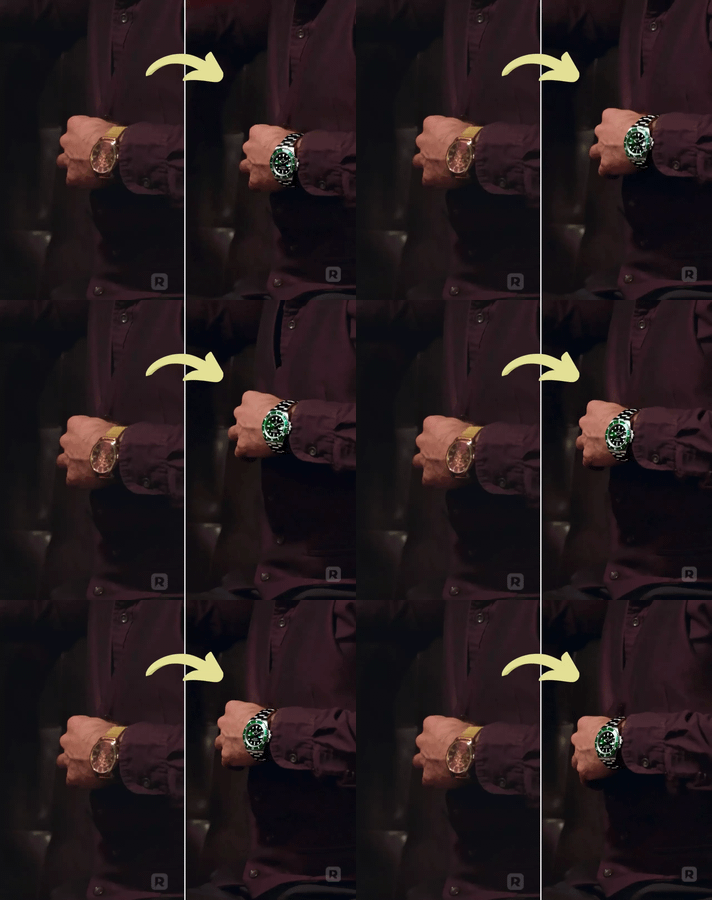
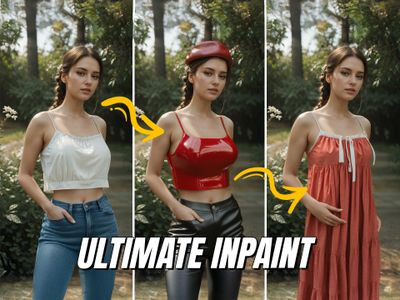
The ComfyUI Inpaint Crop and Stitch nodes provide a streamlined method for inpainting specific areas of an image while preserving the surrounding context. This tool enhances the inpainting process by allowing users to crop the image around a masked area, apply inpainting, and seamlessly stitch the modified section back into the original image.
- Enables targeted inpainting by cropping only the masked area, significantly speeding up the process compared to sampling the entire image.
- Allows for adjustments in context and resolution, enhancing detail in the inpainted area while preserving the integrity of the unmasked portions.
- Integrates automatic blending of the inpainted section to eliminate seams and artifacts, ensuring a natural appearance in the final output.
Context
The ComfyUI Inpaint Crop and Stitch tool is designed to optimize the inpainting workflow within the ComfyUI environment. Its primary function is to allow users to focus on specific areas of an image for modification, enhancing both efficiency and quality in the image generation process.
Key Features & Benefits
This tool offers several practical features that contribute to its effectiveness:
- Masked Area Focus: By cropping only the relevant sections, users can work more quickly and avoid unnecessary processing of the entire image.
- Contextual Awareness: Users can specify a context area to improve the accuracy of the inpainting, ensuring that the generated content aligns better with the surrounding image.
- Flexible Resolution Handling: The ability to upscale or downscale images before inpainting allows for better detail management and prevents common artifacts, such as double features.
Advanced Functionalities
The Inpaint Crop and Stitch nodes include advanced capabilities such as:
- Mask Manipulation Options: Users can expand, invert, and fill mask holes, providing greater control over which areas are affected during inpainting.
- Resolution Control: The tool allows users to enforce specific output resolutions, accommodating different model requirements and ensuring compatibility with various workflows.
- Device Mode Selection: Users can choose between CPU and GPU modes for processing, with GPU mode offering significantly faster performance for larger images or more complex tasks.
Practical Benefits
This tool enhances workflow efficiency by allowing users to focus on specific areas of an image without the overhead of processing the entire canvas. It provides greater control over the inpainting process, resulting in higher quality outputs with fewer artifacts. The integration of automatic blending further streamlines the workflow, making it easier to achieve seamless results.
Credits/Acknowledgments
The development of this tool is credited to Luis Quesada Torres, with contributions from various open-source projects, including comfy_extras, KJNodes, and Efficiency Nodes. It is licensed under the GNU General Public License Version 3.

_1767704595216.png?width=400&height=300&quality=80&resize=cover)