NVIDIA PiD for 4k Image Upscale
Upload any image and NVIDIA PiD rebuilds it at 4K in four diffusion steps. No tiling, no separate upscale model. Add a caption for guidance, or leave it blank.
4k
concept art
flux
Image
image to image
product photography
upscaling
214



Nodes & Models
Note
LoadImage
VAELoader
ae.safetensors
PiDTextPrompt
VAEEncode
PiDPrepare
PiDSample
PiDFinalize
SaveImage
NVIDIA PiD upscaling that takes any image to 4K in one pass.
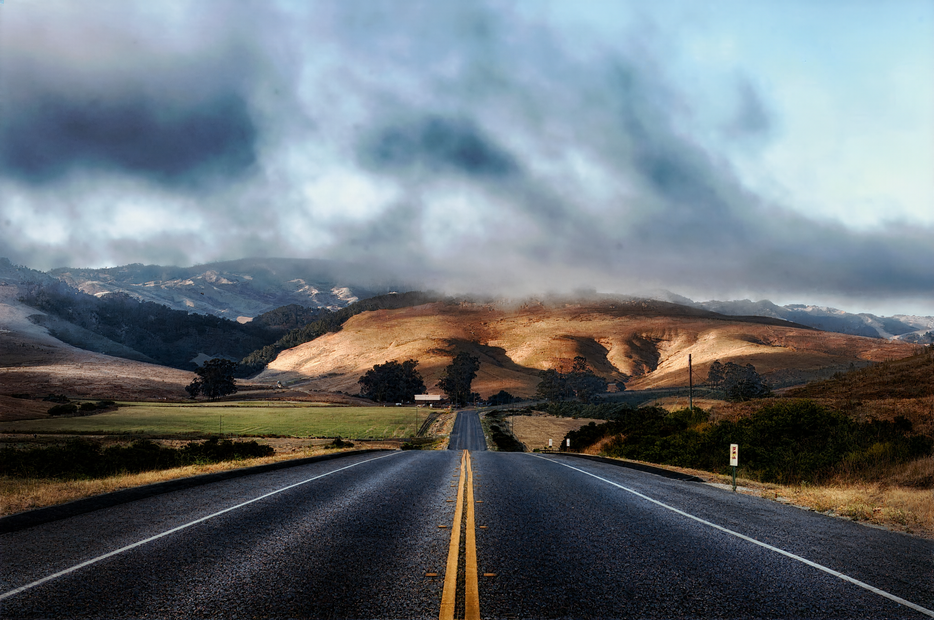
Upload an image and PiD rebuilds it at four times the resolution. A 1024px source comes back at 4096px with sharper edges, cleaner textures, and fewer of the smeared artifacts older upscalers leave behind. PiD is a 4-step distilled diffusion decoder from NVIDIA's research lab, so the whole run takes seconds, not minutes.
No prompt required. Upload, hit run, download your 4K image.
How do you upscale an image to 4K with NVIDIA PiD?
Upload your image, leave the settings at their defaults, and run. The workflow resizes your image to a 1024px long edge, then PiD decodes it back out at 4x scale for a roughly 4096px result. The caption field is optional. Everything else is already set to NVIDIA's recommended values.
Input image Any image works: a render, a phone photo, a generation from another workflow. The workflow resizes it to a 1024px long edge before processing, so detail beyond that gets normalized first. Clean, well-exposed sources give the sharpest 4K output.
Caption Empty by default, and empty works fine. Want to steer how PiD reconstructs detail? Add a short description of what's in the image, like "portrait of a woman, soft studio light" or "forest path, morning fog". Keep it factual and brief. The caption guides reconstruction, it does not edit the image.
Scale Set to 4, which is the native scale for the 2kto4k checkpoint. That means 1024px in, 4096px out. Lower it to 2 or 3 if you hit memory limits or only need a moderate bump. The catch: this checkpoint is trained for the 1024-to-4K path, so 4 is where it performs best.
Seed Randomized on every run by default. Got a result you like and want to test caption tweaks against it? Lock the seed so the only thing changing between runs is your input. For one-off upscales, leave it on randomize.
Steps Set to 4. The released PiD checkpoints are distilled for exactly four steps, so this is not a quality dial like sampler steps in a normal workflow. Leave it alone.
Start with defaults, then play with the caption and seed once you see your first result.
What is NVIDIA PiD good for?
PiD is built for fast, clean 4K upscaling. It shines when you need print-ready or display-ready resolution from a 1K or 2K source: final renders, AI generations, product shots, concept frames. It runs in seconds where tile-based upscalers take minutes, and it holds structure instead of inventing new content.
Use it as the last step in your pipeline. Generate at 1024px in your favorite model, then send the keeper through PiD for delivery resolution. Product photography that needs to hold up at zoom. Concept art headed for a pitch deck. Renders going to print.
Because PiD decodes rather than hallucinates, it stays faithful to your source. That is the strength and the limit. It will not repaint a blurry face into a sharp one or restore a heavily degraded photo. For restoration-style upscaling where you want the model to invent detail, a tool like SUPIR is the better fit. For making a good image bigger and crisper, PiD is faster and more faithful.
FAQ
What is NVIDIA PiD and how is it different from a normal upscaler? PiD (Pixel Diffusion Decoder) is an open source decoder from NVIDIA research. Instead of enlarging pixels like an ESRGAN-style upscaler, it decodes your image's latent representation directly at high resolution using a 4-step diffusion process. The result is sharper detail with fewer upscaling artifacts, in a fraction of the time tile-based methods take.
What resolution does this NVIDIA PiD workflow output? About 4096px on the long edge. The workflow resizes your upload to a 1024px long edge, then the 2kto4k checkpoint decodes it at 4x scale. Non-square aspect ratios are supported, so a landscape or portrait source keeps its proportions.
Do I need to write a prompt for NVIDIA PiD upscaling? No. The caption field can stay empty and the upscale works fine. A short factual caption describing the image can nudge how detail gets reconstructed, but it is guidance, not editing. Anything you write will not add or remove objects from the image.
How fast is NVIDIA PiD compared to other 4K upscalers? Fast. PiD checkpoints are distilled to four diffusion steps, so a full 4K decode finishes in seconds on a modern GPU. Community comparisons have measured it several times faster than diffusion upscalers like SeedVR2 while holding better visual consistency.
How do you run NVIDIA PiD online? You can run NVIDIA PiD online through Floyo. No installation, no setup. Open the workflow in your browser, upload your image, and hit run. Free to try.
Read more