

LTX 2.3 Image + Audio to Video · Image to Video
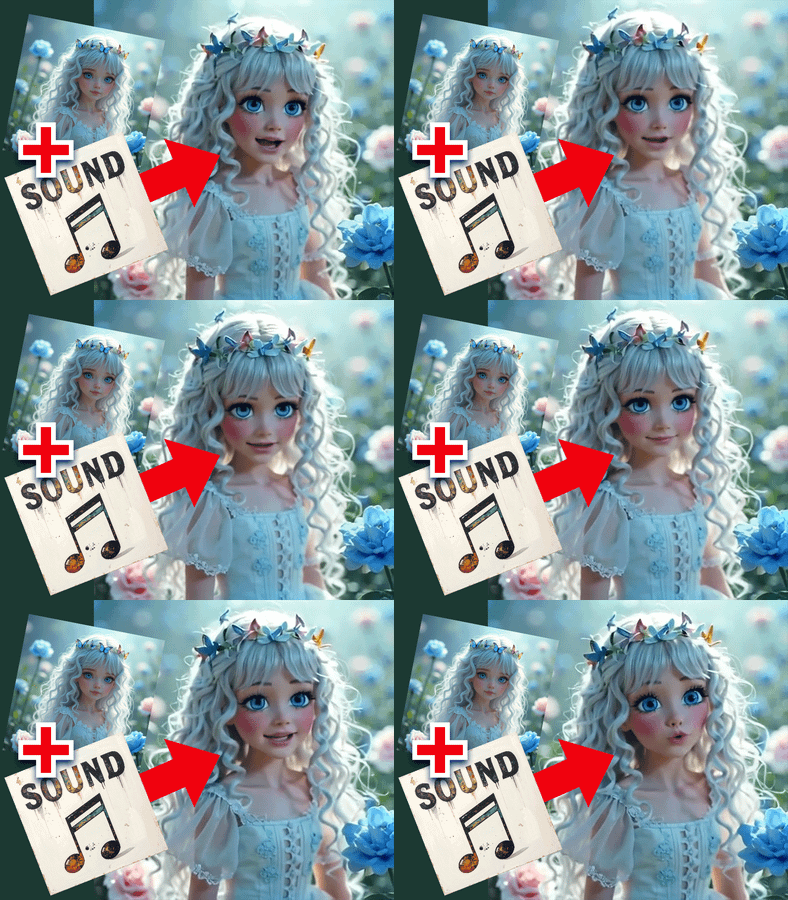
Upload an image and an audio track, describe the scene, and LTX Video 2.3 22B generates a video where the motion, energy, and pacing sync to your audio.
Audio
audio sync
audio to video
image to video
ltx2.3
Video
676
_1783074667020.webp)

ABOUT THE WORKFLOW
Generate a Video from Image and Audio
Upload a starting image and an audio file. Write a prompt describing the scene, action, and camera movement. LTX Video 2.3 encodes the audio and the image together, then generates a video where the visual motion matches the rhythm and energy of your audio track. The output is an MP4 with your uploaded audio embedded.
Model
LTX Video 2.3 22B Dev by Lightricks. An open-source audio-visual video model that generates synchronized video from image, text, and audio inputs in a single pass. Paired with a Gemma 3 12B text encoder and a distilled LoRA for 9-step generation.
HOW IT WORKS
Step 1. Upload your image
The visual anchor for the video. The model preserves the subject, lighting, and composition from this image throughout the clip.
Works great with: concert stills · character art · product shots · landscapes · AI-generated images
Step 2. Upload your audio
A music track, sound effect, voiceover, or any audio you want the video to sync to. The workflow trims it to 5 seconds by default.
Works great with: music clips · beats · voiceovers · sound effects · ambient recordings
Step 3. Write your prompt
Describe the scene, motion, and camera work. Match the energy of the prompt to the energy of the audio. "Energetic synchronized choreography, concert lights flashing through smoke, camera pushes upward from low angle" works for a high-energy track. "Slow dolly through a quiet forest, soft fog, gentle wind" works for ambient audio.
Step 4. Hit run and download
LTX 2.3 generates the video synced to your audio and returns an MP4 at 24fps.
Ready for: Premiere · DaVinci Resolve · After Effects · TikTok · YouTube · Instagram
First time? Upload an image and an audio clip. Leave every setting as-is. The defaults (5 seconds, 768x512 base, distilled LoRA at 0.7) handle most cases.
RECOMMENDED SETTINGS
Quick-start guide. Find the goal that matches yours and copy the settings.
Standard audio-synced video — 5-second duration, LoRA at 0.7, 9-step sigmas, seed randomized. Upload your image and audio and run.
Different audio segment — Adjust the audio trim start and end values to select a different section of your track. The default trims from 0 to 5 seconds.
Longer clip — Increase the duration value beyond 5 seconds. The audio trim end extends to match. Generation time scales with duration.
Stronger motion sync to the audio — Write a prompt that matches the audio's rhythm and energy. The model reads both the audio waveform and the prompt, so alignment between the two produces tighter sync.
Less stylization, closer to the source image — Lower the LoRA strength from 0.7 toward 0.4. The model stays closer to the input image at the cost of less dynamic motion.
Motion does not match the audio energy — Rewrite the prompt to match the intensity. A calm prompt over a high-energy beat produces a mismatch. "Fast motion, dynamic camera, flashing lights" over a dance track gives the model matching cues from both the audio and the text.
Prompt: Match the prompt energy to the audio energy. "Explosive stage performance, backup dancers, spinning disco ball, intense amber lights" over a funk track gives the model aligned cues. "A person standing still" over the same track creates a conflict between what the audio and the text are asking for.
LEARN
📹 Videos
ComfyUI 101 Free Course ft. Sebastian Kamph
Floyo 101 for Team Collaboration
✨ Quick links
USE CASES
🎵 Music Video Clips
Upload album art or a concept frame alongside a music track and generate a synced visual performance clip with motion that follows the beat.
🎬 Sound-Driven Scene Animation
Animate a still photograph or concept art with motion that responds to the rhythm, intensity, and mood of an uploaded audio track.
📱 Social Media Content with Custom Audio
Generate scroll-stopping video content from a single image and a trending sound, beat, or voiceover for TikTok, Reels, and Shorts.
🎨 Motion Graphics with Soundtrack
Turn a design, illustration, or brand asset into a motion piece where the visual energy matches a provided audio track.
WHAT WORKS BEST / WHAT TO AVOID
✅ Works great
Clear, well-lit source images with defined subjects
Audio tracks with distinct rhythm, beats, or vocal patterns
Prompts that match the energy and mood of the uploaded audio
Music, sound effects, and voiceovers with clear dynamics
⚠️ May produce softer results
Flat, monotone audio with no dynamic variation
Prompts that contradict the audio energy (calm prompt over fast beat)
Very low-resolution or heavily compressed source images
Audio longer than the configured duration (gets trimmed silently)
FAQ
What is LTX Video 2.3 audio-visual generation?
LTX Video 2.3 is Lightricks' open-source video model with a native audio-visual architecture. It encodes both video and audio into a shared latent space, so the model generates video that is synchronized to the audio input. In this workflow, you provide the audio rather than having the model generate it from scratch.
Does the video motion actually sync to the uploaded audio?
Yes. The model encodes your audio through a dedicated Audio VAE and processes it alongside the video latent. The generated motion, camera energy, and visual pacing respond to the rhythm, intensity, and dynamics of the audio track. Matching your text prompt to the audio mood strengthens the sync.
What audio formats does this workflow accept?
Standard audio formats work: MP3, WAV, OGG, M4A, AAC. The workflow trims the audio to 5 seconds by default starting from the beginning of the file. Adjust the trim start and duration to select a different section.
Can I use this for a full music video?
Each run generates a clip up to the configured duration (default 5 seconds). For a longer music video, generate multiple clips with the same image and consecutive audio segments, then edit them together. Keep the prompt consistent across runs for visual continuity.
What resolution does the output have?
The model generates at 768x512 base resolution and the workflow resizes the final output to 1920x1088. The image input is scaled to 1536px on the longest edge before processing. Output is an H264 MP4 at 24fps.
Is LTX Video 2.3 licensed for commercial use?
LTX Video 2.3 is an open-source model by Lightricks. Check the current license terms on the model page for commercial use in your specific project. Make sure you have the rights to any audio you upload.
How to run LTX 2.3 image and audio to video online?
You can run LTX 2.3 image and audio to video online through Floyo. No installation, no setup, no local GPU needed. Open the workflow in your browser, upload your inputs, and hit run. Free to try.
WHY FLOYO?
Floyo is the only platform with team collaboration for ComfyUI in the browser. You run workflows with no install. You share run history, assets, and models across your team. You pay only when you generate. Floyo supports open-source and closed-source models.
A designer runs an edit and likes the result. A teammate opens that exact run from shared history and keeps going. No file handoffs. No version confusion.
For studios and enterprise teams, Floyo adds private workspaces, pooled resources, and a team usage dashboard. Other ComfyUI cloud tools run for one person at a time. Floyo runs for the whole team, with transparent per-generation costs.
Ready to try it?
Upload an image and an audio track, describe the scene, and hit run.
Questions? Watch the free course or check the FAQ above.
Read more





_1783028563354.gif?width=400&height=300&quality=80&resize=contain&format=origin)



