Anima Preview 3 · Text to Image
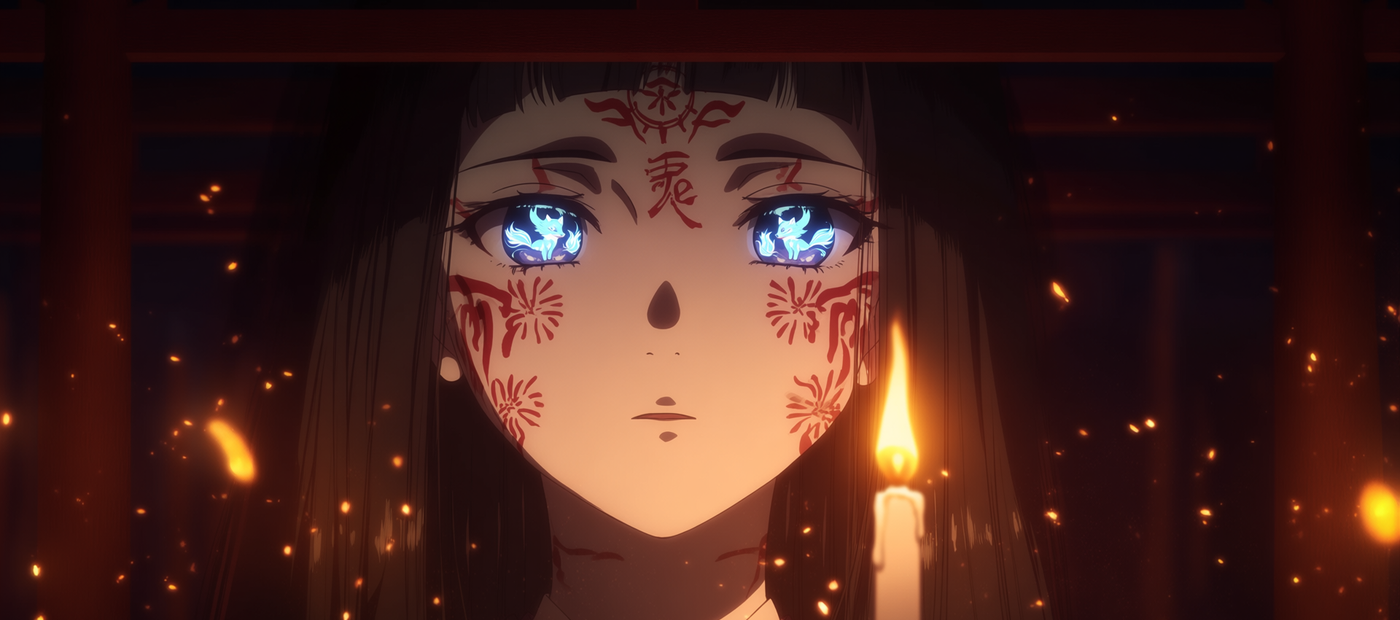
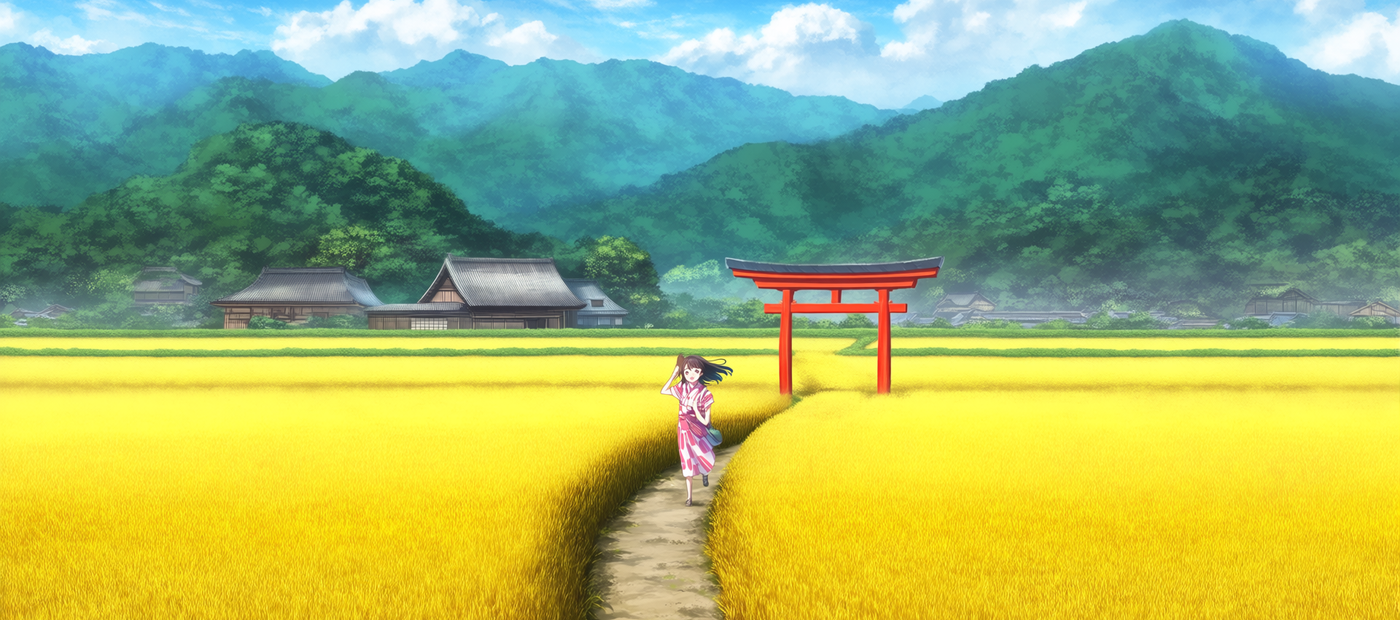
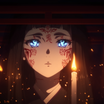
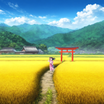
Write a prompt using natural language or Danbooru tags and Anima Preview 3 generates four anime-style illustrations at once, using a 2-billion-parameter model built specifically for anime, character art, and non-photorealistic styles.
anima
anime
character art
illustration
text to image
0
7
_1783492112609.png?width=1400&height=620&quality=80&resize=cover)
_1783492112609.png?width=1400&height=620&quality=80&resize=cover)
_1783492112609.png?width=1400&height=620&quality=80&resize=cover)
_1783492112609.png?width=1400&height=620&quality=80&resize=cover)
_1783492112609.png?width=104&height=104&quality=80&resize=cover)
_1783492112609.png?width=104&height=104&quality=80&resize=cover)
_1783492112609.png?width=104&height=104&quality=80&resize=cover)
_1783492112609.png?width=104&height=104&quality=80&resize=cover)

Nodes & Models
PrimitiveNode
FloyoStickyNote
UNETLoader
anima-preview3-base.safetensors
CLIPLoader
qwen_3_06b_base.safetensors
VAELoader
qwen_image_vae.safetensors
EmptyLatentImage
ModelSamplingAuraFlow
PreviewImage
CLIPTextEncode
KSampler
VAEDecode
ABOUT THE WORKFLOW
Generate Anime Art from Text
Write a prompt describing the character, scene, and style you want. Anima Preview 3 generates four images per run at 1920x1280 in 30 steps. The model understands Danbooru-style tags, natural language descriptions, or a mix of both. It handles anime characters, series references, and artist styles well. This is not a photorealism model. It is built for anime, illustration, and artistic content.
Model
Anima Preview 3 Base (2B) by CircleStone Labs and Comfy Org. A 2-billion-parameter text-to-image model trained on several million anime images and approximately 800K non-anime artistic images. Built on NVIDIA Cosmos with a Qwen 3 0.6B text encoder for fast inference. Knows a wide vocabulary of anime characters, series, and artist styles with training data up to September 2025.
HOW IT WORKS
Step 1. Write your prompt
Describe the character, scene, and style. Use Danbooru/Gelbooru tags, natural language, or combine both. "A teenage wizard in dark robes floats above a moonlit library of infinite magical books, spell circles glowing beneath his feet, dramatic shadows, fantasy anime style" gives the model clear direction. Add quality tags like "masterpiece, best quality, score_9" to push output quality.
Works great with: anime characters · fantasy scenes · character sheets · book covers · fan art
Step 2. Hit run
Anima generates four images per run at 1920x1280 in 30 steps. Compare the results and pick the strongest.
Step 3. Download
Preview all four outputs and save the ones you want.
Ready for: portfolio · social media · print · webtoon backgrounds · character references
First time? Write a detailed prompt, add "masterpiece, best quality" at the start, and hit run. Leave all settings as-is.
RECOMMENDED SETTINGS
Quick-start guide. Find the goal that matches yours and copy the settings.
Standard anime generation — 1920x1280, 30 steps, CFG 4, er_sde sampler, batch of 4. Write your prompt and run.
Different aspect ratio — Change the latent dimensions. 1024x1024 for square, 896x1152 for portrait, 1152x896 for landscape. Stay around 1MP total for the most stable results. Going above 2MP can cause breakdowns.
Specific artist style — Prefix the artist name with @. "@big chungus" activates a trained artist style. Works best for established Danbooru/Gelbooru contributors.
Different sampler for a different look — er_sde gives neutral style with flat colors and sharp lines. euler_a produces softer, thinner lines with a 2.5D tendency. dpmpp_2m_sde_gpu is more creative and varied but can get unpredictable.
Fewer images per run — Lower the batch size from 4 to 1 for faster single-image generation. Keep batch at 4 when exploring prompt variations.
Unwanted elements appearing in the image — Add them to the negative prompt. Anima responds well to negative prompt correction. "No wings, no hat, no extra arms" in the negative prompt removes unwanted additions.
Prompt weighting — Use parentheses with weights higher than typical SDXL values. "(chibi:2)" or "(dramatic lighting:1.5)" to emphasize specific elements.
Prompt: Structure it as: quality tags, character count, character description, series, artist, then general scene tags. "masterpiece, best quality, score_9, 1girl, long silver hair, red eyes, dark uniform, @artist_name, moonlit rooftop, dramatic shadows, wind blowing hair" follows the recommended order. When using a tag that differs between Danbooru and Gelbooru, prefer the Gelbooru version.
LEARN
📹 Videos
ComfyUI 101 Free Course ft. Sebastian Kamph
Floyo 101 for Team Collaboration
✨ Quick links
USE CASES
🎨 Anime Character Design
Generate character concepts with specific poses, outfits, expressions, and art styles. The model knows a wide vocabulary of anime characters and series for reference-based generation.
📚 Webtoon and Manga Illustration
Produce scene illustrations, chapter covers, and background art with consistent anime aesthetic across an entire project.
🖼️ Fan Art and Portfolio Work
Generate high-quality anime illustrations of original or existing characters for portfolios, commissions, and social media.
🎮 Visual Novel and Game Art
Create character sprites, CG scenes, and UI art in consistent anime style for visual novels, RPGs, and indie game projects.
WHAT WORKS BEST / WHAT TO AVOID
✅ Works great
Detailed prompts with character descriptions, scene context, and style tags
Danbooru/Gelbooru tag vocabulary for precise control
Quality tags (masterpiece, best quality, score_9) in the positive prompt
Resolutions around 1MP (1024x1024, 896x1152, 1152x896)
⚠️ May produce softer results
Photorealistic prompts (the model is not built for realism)
Resolutions above 2MP (images may break down)
Very short prompts with no quality tags or detail
Complex text rendering (single words work, longer text does not)
FAQ
What is Anima Preview 3?
Anima Preview 3 is a 2-billion-parameter text-to-image model by CircleStone Labs and Comfy Org, built on NVIDIA Cosmos. It is trained on several million anime images and about 800K non-anime artistic works, with a training data cutoff of September 2025. It is focused on anime, illustration, and non-photorealistic artistic content. This is a preview checkpoint; the model is still in active training.
Can Anima generate realistic images?
No. The model is trained on anime and artistic images and does not produce photorealistic output. This is by design. For realism, use a different model like FLUX, Z-Image Turbo, or Stable Diffusion 3.5.
Does Anima support Danbooru tags or natural language prompts?
Both. You can use Danbooru/Gelbooru-style tags, natural language descriptions, or combine them in the same prompt. When a tag differs between Danbooru and Gelbooru, prefer the Gelbooru version. The model also responds to artist style tags prefixed with @ (e.g., "@artist_name").
What sampler works best with Anima Preview 3?
er_sde is a good default for clean, sharp anime lines with flat colors. euler_a produces softer output with a 2.5D tendency. dpmpp_2m_sde_gpu is more creative and varied but can get unpredictable. All three work well at CFG 4 and 30 steps.
Does Anima Preview 3 support LoRAs?
Yes. Community LoRAs trained on Anima are available on CivitAI and HuggingFace. The model's architecture supports LoRA fine-tuning for custom characters, styles, and concepts. LoRA compatibility between Preview versions is not guaranteed.
Is Anima Preview 3 licensed for commercial use?
Anima is licensed by CircleStone Labs LLC under a custom license. Review the full license terms on the CivitAI model page or the CircleStone Labs Hugging Face repo for commercial use in your specific project.
How to run Anima Preview 3 online?
You can run Anima Preview 3 online through Floyo. No installation, no setup, no local GPU needed. Open the workflow in your browser, write your prompt, and hit run. Free to try.
WHY FLOYO?
Floyo is the only platform with team collaboration for ComfyUI in the browser. You run workflows with no install. You share run history, assets, and models across your team. You pay only when you generate. Floyo supports open-source and closed-source models.
A designer runs an edit and likes the result. A teammate opens that exact run from shared history and keeps going. No file handoffs. No version confusion.
For studios and enterprise teams, Floyo adds private workspaces, pooled resources, and a team usage dashboard. Other ComfyUI cloud tools run for one person at a time. Floyo runs for the whole team, with transparent per-generation costs.
Ready to try it?
Write your prompt with quality tags and character details, and hit run. Four images generate per run.
Questions? Watch the free course or check the FAQ above.
Read more

_1782111515139.png?width=400&height=300&quality=80&resize=cover)
_1783028563354.gif?width=400&height=300&quality=80&resize=cover)