


圖片的更多應用
探索全部

所有「畫質放大」工作流程「畫質放大」工作流程
所有 Workflows

Z Image Turbo Text to Image ( Latent + Model Upscale
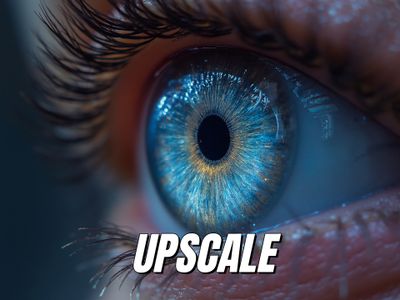
Ultimate Upscaler
Flux ultimate SD upscaler with detailer daemon and tile controlnet. Easy but extremely powerful.
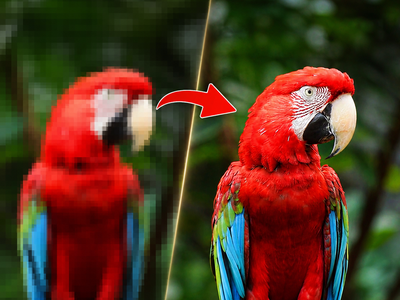

SeedVR2 Video Upscaler
Upscale low-resolution videos, old clips, and AI-generated footage for FREE using SeedVR2.5 in ComfyUI


Upscaling Images to 4k using Qwen Image Edit 2511
Upscale to 2k to 4k

SeedVR2 and TTP Toolset 8k Image Upscale
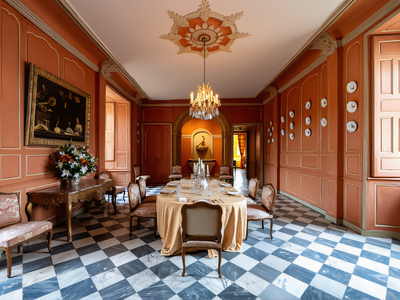
FLUX.1 Dev · Image Upscaler
Double any image's resolution with FLUX.1 Dev and 4x-UltraSharp. Upload a picture, hit run, and get a sharp 2x upscale refined tile by tile. Open weights.

FlashVSR for Video Upscale
Upscale your videos

FLUX.1 Dev · Upscale With LoRA
Double any image's resolution with style-guided detail using FLUX.1 Dev and a LoRA. Upload a picture, load your adapter, and hit run. 2x upscale, tile by tile.
Image to 3D with Hunyuan3D w/ Texture Upscale
Create a 3D model from a reference image with Flux Dev texture upscaling.

Z Image Turbo Ipainting + Upscale
A workflow process of recreating, filling in, or fixing missing, damaged, or undesirable portions of any image to generate a smooth, complete vision

Z-Image Turbo - 2K Upscaler
Z-Image Turbo - 2K Upscaler

Z-Image Turbo + SDA LoRA for Diverse Text to Image
Generate images with Z-Image Turbo while the SDA diversity LoRA stops every seed from producing the same pose and composition. 8 steps, 2x upscale to 2048.
Workflows = API
每個工作流程都是一個 API 端點。 無需建構後端,就能把 AI 生成整合進您的產品。 選擇工作流程、自訂設定,點擊「複製 Floyo API 程式碼片段」,就完成了。

MCP
平台上的每個工作流程,都能讓您自己的 AI 代理與內部工具存取,並受相同的管理員控制。
mcp.floyo.ai/mcp
簡易範本
開啟現成的工作流程,閱讀說明,更換輸入內容,點擊 Run。大多數人從來不需要打開任何節點。複雜的部分是選用的,都藏在幕後。

Trust Center
在任何人執行之前,就知道哪些是安全的。每個模型都標示 Verified Private 與 Commercial Use 狀態,還有團隊管控功能,可封鎖您未核准的模型。管理員可選擇團隊能使用哪些模型、供應商與節點。

簡易範本
開啟現成的工作流程,閱讀說明,更換輸入內容,點擊 Run。大多數人從來不需要打開任何節點。複雜的部分是選用的,都藏在幕後。
Trust Center
在任何人執行之前,就知道哪些是安全的。每個模型都標示 Verified Private 與 Commercial Use 狀態,還有團隊管控功能,可封鎖您未核准的模型。管理員可選擇團隊能使用哪些模型、供應商與節點。
Workflows = API
每個工作流程都是一個 API 端點。 無需建構後端,就能把 AI 生成整合進您的產品。選擇工作流程、自訂設定,點擊「複製 Floyo API 程式碼片段」,就完成了。
