


Floyo
Floyo
Workflows
API
料金
Floyo
Floyo
Workflows
API
料金
探索

LoRA 学習

LoRA 学習

LoRA 学習のワークフローを Floyo で実行できます。

Workflow を開く

約 2 分 25 秒で生成

すべて見る

LoRA 学習のワークフロー一覧LoRA 学習のワークフロー

すべての Workflows
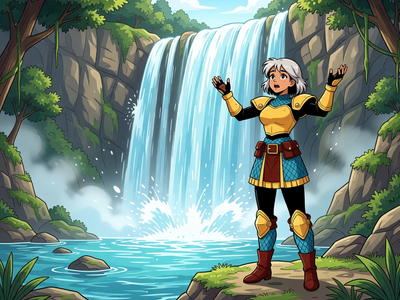
Qwen 2511 Edit - Single Image to Character Dataset

Character Dataset

Image

LoRA training

Prompt List

Qwen

Qwen 2511

Create a 60 image character dataset from one character image or sheet.

Qwen 2511 Edit - Single Image to Character Dataset

Create a 60 image character dataset from one character image or sheet.

Wan 2.1 FusionX · Image to Video

FusionX

Image to video

LoRA training

Video

Video generation

Wan

Animate a still into a cinematic clip with Wan 2.1 FusionX, a community fine-tune of Alibaba's 14B video model. Upload your image, describe the shot, hit run.
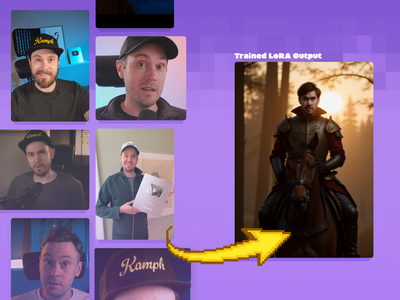
Wan 2.1 FusionX · Image to Video

Animate a still into a cinematic clip with Wan 2.1 FusionX, a community fine-tune of Alibaba's 14B video model. Upload your image, describe the shot, hit run.

Fast LoRA Training for Flux via Floyo API

Flux

LoRA

LoRA training

FLUX is great at generating images, but locking in a specific aesthetic or character is easier with a  LoRA. Here's how to create your own.
Fast LoRA Training for Flux via Floyo API

FLUX is great at generating images, but locking in a specific aesthetic or character is easier with a  LoRA. Here's how to create your own.

Z-Image Base: High-Detail Text to Image

Concept art

Fine-tuning

Image

Image generation

LoRA training

Text to image

Z-Image

Z-Image-base

Create sunning images using z-image base model (non distlled).

Z-Image Base: High-Detail Text to Image

Create sunning images using z-image base model (non distlled).
LoRA Training Video with Hunyuan

Hunyuan

LoRA

LoRA training

Hunyuan is great at generating videos, but locking in a specific aesthetic or character is easier with a  LoRA.

LoRA Training Video with Hunyuan

Hunyuan is great at generating videos, but locking in a specific aesthetic or character is easier with a  LoRA.

 Qwen  LoRA Trainer with Auto-Caption
ashree

ashree

1.8k

Image

Image editing

Image to image

LoRA

Lora Trainer

LoRA training

Qwen

Train a custom Qwen Image Edit 2511 LoRA from a folder of images. Florence 2 auto-captions, Musubi trains, and a built-in test section previews results.

Qwen LoRA Trainer with Auto-Caption

Train a custom Qwen Image Edit 2511 LoRA from a folder of images. Florence 2 auto-captions, Musubi trains, and a built-in test section previews results.

Musubi Tuner - Wan LoRA Trainer
jacob

jacob

1.5k

LoRA

LoRA training

Musubi Tuner

Training

Wan

Train Wan LoRAs directly on Floyo with this simple all-in-one custom node.

Musubi Tuner - Wan LoRA Trainer

Train Wan LoRAs directly on Floyo with this simple all-in-one custom node.
Flux Character LoRA Test and Compare

Animation

Character consistency

Filmmaking

Flux

Image

Image generation

LoRA training

Text to image

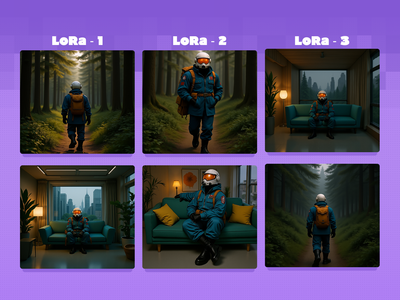
Test and compare multiple epochs of a character LoRA side by side with preset prompts When training a LoRA, you'll usually have a few checkpoints throughout the process to test. This workflow lets you load up to 4 LoRAs to test side by side, making it easier to determine which one is right for you! Key Inputs: LoRA Loaders: Load each LoRA epoch for the same character in up to 4 groups. Groups Bypasser: Enable/disable groups as needed. If you only have 2 epochs to test, disable the back 2 groups! Triggerword: Simply add the trigger word for your LoRA and it will auto-fill in the default prompts. Leave blank if you're using your own custom prompts that include the trigger word. LoRA Testing Prompts: Default prompts work well to get an idea of how your character will look in different situations, but feel free to replace them with your own prompts (max 4).
Flux Character LoRA Test and Compare

Test and compare multiple epochs of a character LoRA side by side with preset prompts When training a LoRA, you'll usually have a few checkpoints throughout the process to test. This workflow lets you load up to 4 LoRAs to test side by side, making it easier to determine which one is right for you! Key Inputs: LoRA Loaders: Load each LoRA epoch for the same character in up to 4 groups. Groups Bypasser: Enable/disable groups as needed. If you only have 2 epochs to test, disable the back 2 groups! Triggerword: Simply add the trigger word for your LoRA and it will auto-fill in the default prompts. Leave blank if you're using your own custom prompts that include the trigger word. LoRA Testing Prompts: Default prompts work well to get an idea of how your character will look in different situations, but feel free to replace them with your own prompts (max 4).

InsightFace for Filtering Character LoRA Dataset

Character consistency

Character design

Character sheet

FaceAnalysis

Image

Image editing

Image to image

LoRA training

Upload a reference face, point to your dataset, and InsightFace filters out images that don't match. Cosine, L2 Norm, and Euclidean distance all supported.
InsightFace for Filtering Character LoRA Dataset

Upload a reference face, point to your dataset, and InsightFace filters out images that don't match. Cosine, L2 Norm, and Euclidean distance all supported.

Sulphur 2 - Text to Video
jacob

jacob

1.3k

Animation

Image to video

LoRA training

LTX

LTX 2

Text to video

Video

Video generation

Generate video with synced audio from a text prompt using Sulphur 2, a stylized cinematic finetune built on Lightricks' LTX 2.3 video model.

Sulphur 2 - Text to Video

Generate video with synced audio from a text prompt using Sulphur 2, a stylized cinematic finetune built on Lightricks' LTX 2.3 video model.

Qwen 2511 · Single Image to Character Dataset
ashree

ashree

1.1k

Character consistency

Character dataset

Image

Image editing

LoRA

Lora dataset

LoRA training

Qwen

Upload a single character image and Qwen Image Edit 2511 generates a full multi-pose training dataset automatically, saving each image with a matching caption file ready for LoRA training.
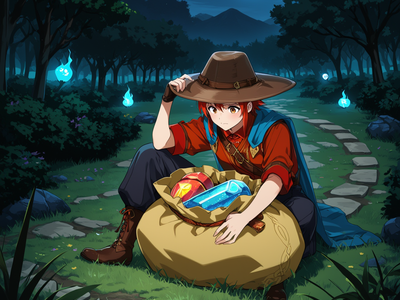
Qwen 2511 · Single Image to Character Dataset

Upload a single character image and Qwen Image Edit 2511 generates a full multi-pose training dataset automatically, saving each image with a matching caption file ready for LoRA training.

NetaYume Lumina Text to Image

Animation

Character design

Concept art

Image

Image generation

LoRA training

Lumina

Text to image

Generate high-quality anime images with NetaYume Lumina, a fine-tuned model built on Lumina Image 2.0. Describe a scene, hit run, get detailed anime art.

NetaYume Lumina Text to Image

Generate high-quality anime images with NetaYume Lumina, a fine-tuned model built on Lumina Image 2.0. Describe a scene, hit run, get detailed anime art.

Workflows = API

すべてのワークフローが API エンドポイントです。 バックエンドを作らずに、AI 生成を自社のプロダクトに組み込めます。 ワークフローを選んでカスタマイズし、「Floyo API スニペットをコピー」をクリックすれば完了です。

API について詳しく見る

MCP

プラットフォーム上のすべてのワークフローに、自分のエージェントや社内ツールから、同じ管理設定のもとでアクセスできます。

mcp.floyo.ai/mcp

MCP のドキュメントを読む

かんたんテンプレート

既製のワークフローを開き、説明を読んで入力を変え、Run をクリックするだけ。ほとんどの人はノードを開くこともありません。複雑な部分は、必要なときのために裏側にあります。

ワークフローを見る

Trust Center

誰かが実行する前に、安全かどうかがわかります。すべてのモデルに Verified Private と Commercial Use のステータスがあり、承認していないモデルはチームの管理設定でブロックできます。管理者は、チームが使えるモデル、プロバイダー、ノードを選べます。

Trust Center を見る

はじめよう

無料コース

ComfyUI 101

Sebastian Kamph による無料コースSebastian Kamph による無料コース

白紙のキャンバスから ControlNet まで、全 10 回のレッスン。ノード、テキストから画像、モデル、LoRA、アップスケール、KSampler の設定を学べます。インストールは不要。すべてのレッスンがここで動くので、自分で作ったワークフローが手元に残ります。

コースを始める

Sebastian Kamph による ComfyUI 101
Floyo | LoRA 学習
