


Do more with Videos
Explore All



All camera control workflowsCamera control workflows
All Workflows

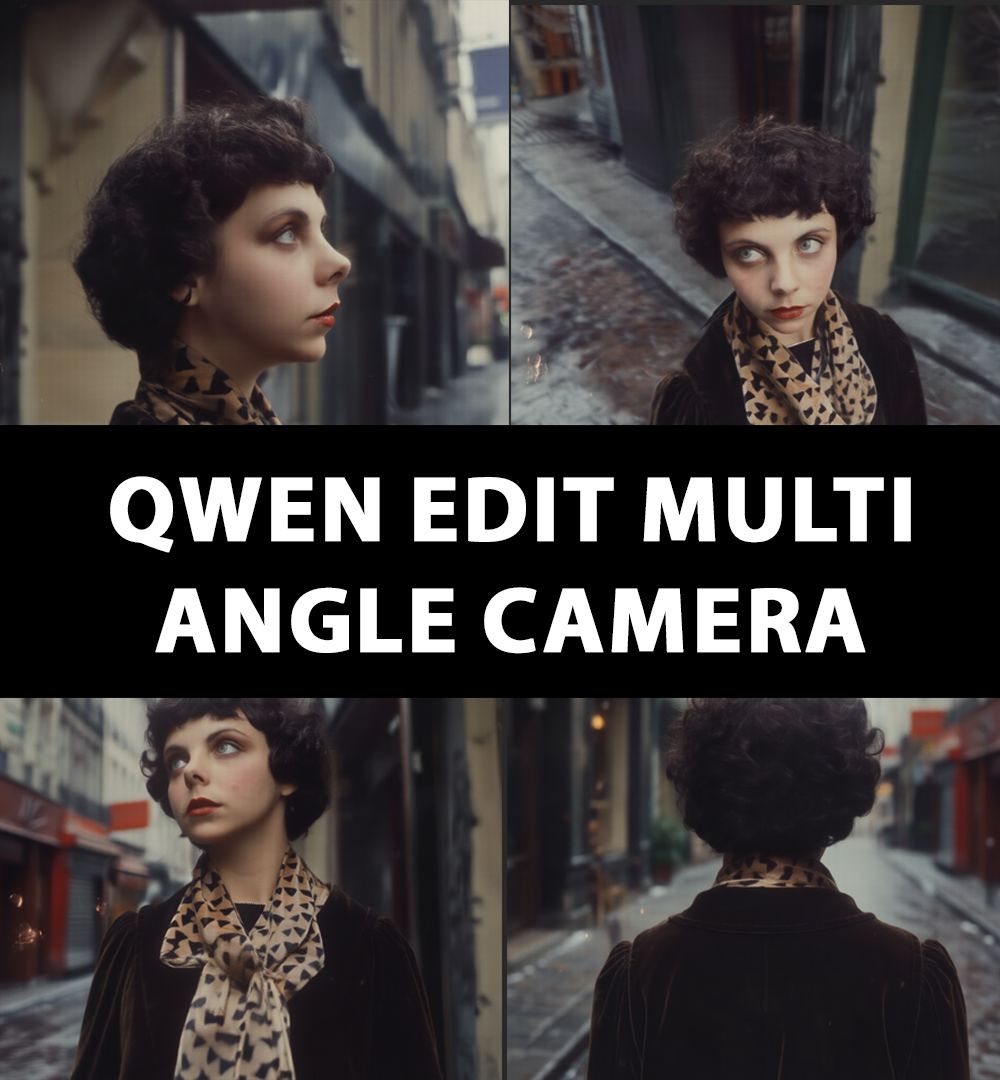
Qwen Image Edit 2509 · Change Camera Angle
Re-render any subject from a new camera angle with Qwen Image Edit 2509 and a Multi-Angle LoRA. Upload one image, name the view, and hit run. Apache 2.0.
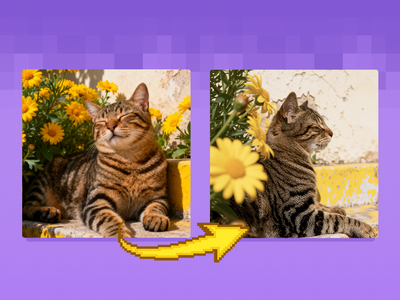
Qwen Image Edit 2509 + Multi-Angle LoRA for Camera
Re-render your subject from any camera angle with Qwen Image Edit 2509 and a Multi-Angle LoRA. Pan, tilt, rotate, wide-angle, or close-up. No trigger word.

LITTLE_ISSN
A 26-scene Seedance 2.0 workflow that reimagines the Japanese folktale Issun-boshi, blending dry-brush textures, ink bleeds, and expressive linework from traditional Japanese painting with dynamic camera moves and high-impact action animation.
Wan2.2 Fun Camera for Camera Control
Wan2.1 and RecamMaster for V2V Camera Control
Adjust the camera angle of an existing video, like magic.

Qwen Image Edit 2511 · Camera Angle Control
Set a precise camera angle with yaw, pitch, and distance using Qwen Image Edit 2511 and the Multi-Angle LoRA. Upload an image, dial in the view, hit run.

Qwen 2511 Multi-Angle Camera · I2I For Kids Edu
Re-render any photo from a new camera angle using Qwen Image Edit 2511 with the Multi-Angle LoRA. Upload a photo, set horizontal and vertical rotation, and hit run.

Qwen Image Edit – Multi-Angle Camera View
Video to Video with Camera Control with Wan
Adjust the camera angle of an existing video, like magic.


Camera Angle Control with Qwen
Qwen
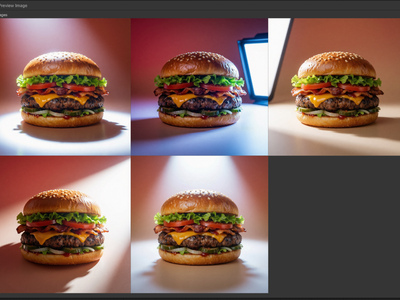
Qwen Multiangle Light with Qwen Image Edit 2511
Relighting images using Qwen multiangle light node

Camera Angle Creation using Image2Vid
Using witness cameras to recreate additional shots that were not captured by principal photography
Workflows = APIs
Every workflow is an API endpoint. Ship AI generation in your product without building a backend. Pick a workflow, customize, click "Copy API Snippet," done.

MCP
Every workflow on the platform, reachable by your own agents and internal tools, under the same admin controls.
mcp.floyo.ai/mcp
Easy templates
Open a ready-made workflow, read the instructions, change your input, click Run. Most people never open a node. Complexity is optional and lives under the hood.

Trust Center
Know what's safe before anyone runs it. Verified Private and Commercial Use status for every model, plus team controls to block the ones you don't approve.Admins choose which models, providers and nodes the team can use.

Easy templates
Open a ready-made workflow, read the instructions, change your input, click Run. Most people never open a node. Complexity is optional and lives under the hood.
Trust Center
Know what's safe before anyone runs it. Verified Private and Commercial Use status for every model, plus team controls to block the ones you don't approve.Admins choose which models, providers and nodes the team can use.
Workflows = APIs
Every workflow is an API endpoint. Ship AI generation in your product without building a backend.Pick a workflow, customize, click "Copy API Snippet," done.
get Started
Free Course
ComfyUI 101
free course by Sebastian KamphFree course by Sebastian Kamph
Ten lessons from a blank canvas to ControlNet. Nodes, text to image, models, LoRA, upscaling and KSampler settings. Nothing to install. Every lesson runs here, so you finish with workflows you built yourself.
