



Mach mehr mit Bildern
Alle entdecken


Alle Workflows für BildbearbeitungWorkflows für Bildbearbeitung
Alle Workflows

Nano Banana Pro: Generate & Edit Images
Google just released Nano Banana Pro, and honestly, it's a pretty big step up from the original Nano Banana. The main thing? It can actually put legible text in images now. Like, real text that you can read, not the garbled nonsense most AI models spit out.


Flux 2 Klein 9b - Perfect Face swap
Instead of using outdated or unstable techniques, this workflow was designed to take full advantage of FLUX 2 KLEIN's editing capabilities—using a face image and a reference character image to produce clean, highly consistent results.

Z-Image Turbo · Text or Image to Image
Z-Image Turbo is Alibaba's open-source 6B model that turns a text prompt into photorealistic images in about 8 steps. Type a prompt, or rework an image.

Qwen Image Edit 2509: Build a LoRA Dataset
Create Character LoRA Dataset

FLUX.2 Klein 9B · Image to Image
Edit images with consistency of the subject or things using Flux.2 Klein 9B and a LoRA

Qwen Image Edit 2509 · Face Swap
Swap a face between two photos with Qwen Image Edit 2509. Upload a main image and a reference, paint a mask on each face, hit run. Apache 2.0 open weights.

FLUX.2 Klein 9B: Realistic Photo Enhancer
Create realistic image but in an enhanced details using FLUX.2 Klein 9B and with LoRA

SeedVR2 · Image Upscaler
Upscale to Extreme Clarity

FLUX.2 Klein 9B: Image Inpainting
Inpainting image using Flux.2 Klein and LanPaint

Z-Image Turbo: ControlNet Image to Image
Image to Image
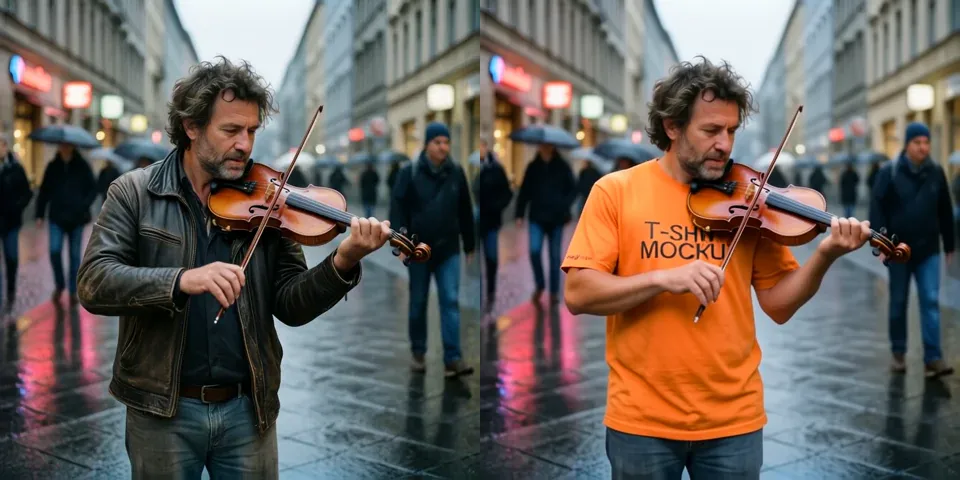
FLUX.2 Klein 4B · Swap Clothes
Swap clothes on any person using FLUX.2 Klein 4B and LanPaint. Upload a person and a garment photo, describe the swap, and hit run. Apache 2.0 open weights.

Nano Banana 2 · Image Generation & Editing
The top-ranked image model on Artificial Analysis and LM Arena. 4K output, text rendering, and subject consistency across 5 characters.
Workflows = APIs
Jeder Workflow ist ein API-Endpoint. Bring KI-Generierung in dein Produkt, ohne ein Backend zu bauen. Wähle einen Workflow, pass ihn an, klicke auf „Snippet für die Floyo API kopieren“, fertig.

MCP
Jeder Workflow auf der Plattform, erreichbar für deine eigenen Agents und internen Tools, mit denselben Admin-Kontrollen.
mcp.floyo.ai/mcp
Einfache Vorlagen
Öffne einen fertigen Workflow, lies die Anleitung, ändere deine Eingabe und starte ihn mit einem Klick. Die meisten öffnen nie einen Node. Komplexität ist optional und bleibt unter der Haube.

Trust Center
Du weißt, was sicher ist, bevor es jemand ausführt. Status Verified Private und Commercial Use für jedes Modell, dazu Team-Kontrollen, mit denen du nicht freigegebene Modelle blockierst.Admins legen fest, welche Modelle, Anbieter und Nodes das Team nutzen darf.

Einfache Vorlagen
Öffne einen fertigen Workflow, lies die Anleitung, ändere deine Eingabe und starte ihn mit einem Klick. Die meisten öffnen nie einen Node. Komplexität ist optional und bleibt unter der Haube.
Trust Center
Du weißt, was sicher ist, bevor es jemand ausführt. Status Verified Private und Commercial Use für jedes Modell, dazu Team-Kontrollen, mit denen du nicht freigegebene Modelle blockierst.Admins legen fest, welche Modelle, Anbieter und Nodes das Team nutzen darf.
Workflows = APIs
Jeder Workflow ist ein API-Endpoint. Bring KI-Generierung in dein Produkt, ohne ein Backend zu bauen.Wähle einen Workflow, pass ihn an, klicke auf „Snippet für die Floyo API kopieren“, fertig.
Leg los
Kostenloser Kurs
ComfyUI 101
kostenloser Kurs von Sebastian KamphKostenloser Kurs von Sebastian Kamph
Zehn Lektionen, vom leeren Canvas bis zu ControlNet. Nodes, Text-zu-Bild, Modelle, LoRA, Upscaling und KSampler-Einstellungen. Nichts zu installieren. Jede Lektion läuft hier, also hast du am Ende Workflows, die du selbst gebaut hast.
