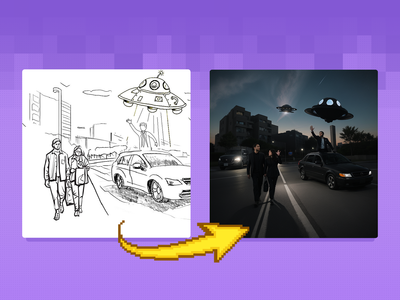
A collection of custom nodes designed for ComfyUI, aimed at enhancing workflow efficiency and minimizing the overall number of nodes required. These nodes facilitate various tasks in the AI art generation process, making it easier for users to manage their projects.
- Offers specialized nodes for loading and caching models, enabling faster access and improved performance.
- Includes advanced sampling options that allow for real-time previews and enhanced seed management.
- Features nodes that support complex operations, such as image upscaling and noise control, providing users with greater creative flexibility.
Context
This repository contains a set of custom nodes specifically developed for ComfyUI, a user-friendly interface for Stable Diffusion. The primary goal of these nodes is to streamline user workflows and reduce the total number of nodes needed for various tasks, thereby improving the overall efficiency of the AI art generation process.
Key Features & Benefits
The custom nodes offer practical functionalities like efficient model loading and caching, which significantly speeds up the process of accessing different models. Additionally, the inclusion of advanced sampling nodes allows for live previews and better seed management, enhancing user control over the generation process. The nodes also provide various options for image manipulation, such as upscaling and noise control, which are crucial for achieving high-quality outputs.
Advanced Functionalities
Some nodes come equipped with specialized capabilities, such as the HighRes-Fix node, which enables users to upscale images using different methods, including ControlNet guided latent upscaling. The Noise Control node allows users to manage noise sources effectively, facilitating the replication of results from other popular models like Automatic1111. Furthermore, the Tiled Upscaler node integrates workflows from other systems into a single node, simplifying the process of handling complex tasks.
Practical Benefits
This tool significantly enhances the user experience within ComfyUI by providing a more organized and efficient way to manage nodes. Users can expect improved workflow efficiency, allowing for more creative exploration and faster iterations on their projects. The ability to preview changes in real-time and manipulate various parameters directly contributes to higher quality outputs, making it a valuable addition to any ComfyUI user's toolkit.
Credits/Acknowledgments
The development of these nodes is attributed to various contributors, with specific nodes linked to external repositories for additional functionalities. The repository operates under open-source licenses, encouraging community collaboration and ongoing improvements.