Wan 3.0 Prime · Reference to Video
Place a character into any video using Wan 3.0 Prime by Alibaba. Upload a face, a reference clip, and describe the scene. Prime fidelity, audio included.
multi-reference
reference to video
video to video
wan 3.0 prime
1.6k

Nodes & Models
AlibabaWan30PrimeReferenceToVideo_floyo
VideoToFrames
LoadVideo
LoadImage
CreateVideo
SaveVideo
ABOUT THE WORKFLOW
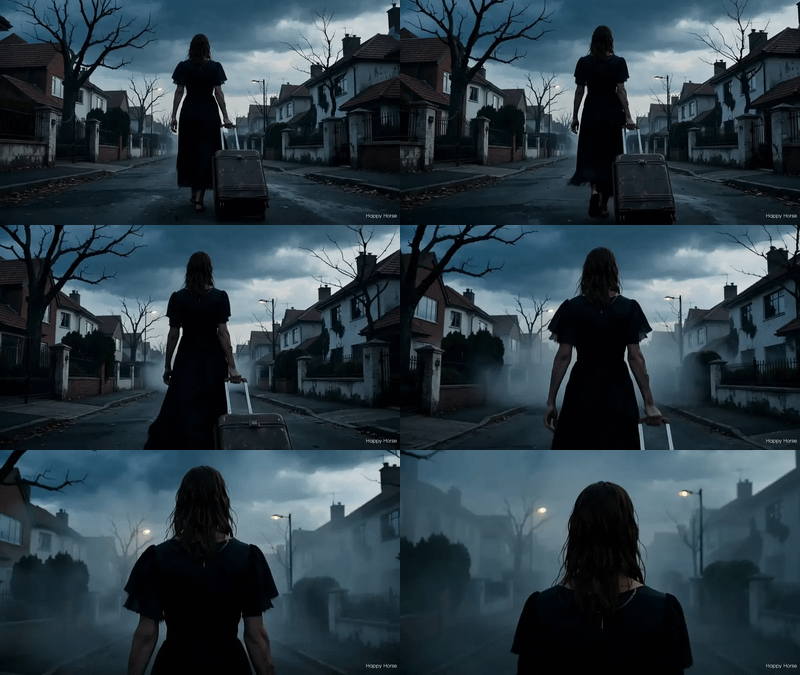
Place a Character Into a Video Upload a character image and a reference video. Wan 3.0 Prime maps your character onto the motion in the video, keeping the movement and the scene while replacing the subject. Prime quality. The result comes back with sound.
Partner node. This workflow calls an external API, so each run uses credits from your API wallet. No API key needed. Floyo handles the connection.
Model
Wan 3.0 Prime by Tongyi Lab at Alibaba. Public beta 6 August 2026. Running in reference-to-video mode: the model reads a character image and a reference video, maps the character onto the video's motion, and re-renders at Prime fidelity with audio. Up to 1080p, up to 30 seconds. Closed model with no open weights.
HOW IT WORKS
Step 1. Upload your character image The face or figure you want placed into the video. A clear front or three-quarter view works best. Works great with: headshots · character art · portraits · product mascots
Step 2. Upload the reference video The clip whose motion and scene the character will follow. The model keeps the blocking and the camera.
Step 3. Describe the placement Say how the character should appear. "Animate the girl into the reference video" or "place this character into the scene, match the motion and the lighting."
Step 4. Hit run and download The model maps the character onto the video motion and saves the clip under video/Wan3.0. Ready for: Premiere · DaVinci Resolve · CapCut · After Effects
First time? Leave every setting as-is. The defaults (1080P · 5 seconds · adaptive ratio · audio on · watermark off · random seed) are the right starting point for almost everyone.
RECOMMENDED SETTINGS
Quick-start guide. Find the goal that matches yours and copy the settings.
Standard replacement (most people) — 1080P · 5 seconds · adaptive · audio on · watermark off · random seed. The right starting point for almost everyone.
The character does not look like the reference — Try a cleaner, front-facing reference image. The model reads the character's features from the still.
Motion does not match — Say "maintain original motion" in the prompt. The model sometimes drifts when the character and the video subject differ in build.
Need a longer result — Raise duration up to 30 seconds. Duration and resolution together drive cost.
Want silent output — Turn audio off. The model skips the sound pass.
Repeat a result you liked — Set a fixed seed. The same inputs and seed give you the same clip back.
Testing before a Prime run — Run the same setup on the standard Wan 3.0 Reference to Video workflow first. Standard is cheaper. Switch to Prime for the final render.
Prompt: Keep it simple. "Animate the character from the image into the reference video, match the motion and the lighting" is enough. Add detail about style or atmosphere only when you want the output to diverge from the reference video's look.
LEARN
📹 Videos
ComfyUI 101 Free Course ft. Sebastian Kamph
Floyo 101 for Team Collaboration
✨ Quick links
USE CASES
🎭 Character Replacement Drop a different character into existing footage while the blocking, camera, and expressions hold at Prime fidelity.
🛍️ Product and Brand Swaps Replace a placeholder model or mascot with the final asset across clips from one reference image.
🎬 Reshoots Without a Camera Change who appears in a scene when a reshoot is out of budget or the location is gone. Prime quality for delivery.
🎨 Motion Transfer Map a character from concept art onto a live-action performance for hybrid animation at high fidelity.
WHAT WORKS BEST / WHAT TO AVOID
✅ Works great
Front-facing, well-lit character images
Reference videos with clear, steady motion and one readable subject
Characters whose build matches the video subject's proportions
Clips of 5 to 10 seconds as a starting range
⚠️ May produce softer results
Characters with an extreme style difference from the reference video
Reference videos with fast cuts or many overlapping subjects
Side-profile or heavily occluded character images
Running Prime for early tests when standard would confirm the idea first
FAQ
What is Wan 3.0 Prime reference to video? Wan 3.0 Prime reference-to-video mode takes a character image and a reference video, maps the character onto the video's motion, and re-renders the clip at Prime fidelity with audio. The motion, camera, and scene from the reference are preserved while the character is replaced. Prime adds higher fidelity and smoother character integration over the standard tier.
What is the difference between this and standard Wan 3.0 reference to video? Same model, two tiers. Prime renders at higher fidelity with smoother character integration. Standard is cheaper per second. Use standard to test the concept and Prime for the final delivery.
What is the difference between this and Wan 3.0 Prime image to video? Image to video animates a single still into a new clip. This workflow takes an existing video and replaces the subject in it with a character from your image, keeping the original motion. Use I2V to animate a still and this one to change who appears in footage you already have.
Does the output include audio? Yes, by default. The model generates audio that matches the re-rendered visuals. Turn audio off if you want a silent clip.
How does this compare to Wan 2.7 reference to video? Wan 3.0 Prime is one generation ahead. It goes up to 30 seconds (vs 15), renders at Prime fidelity, and runs on the unified Wan 3.0 architecture. Wan 2.7 reference to video is the standard tier of the previous generation. Pick 3.0 Prime for the highest quality character replacement.
Is Wan 3.0 open source? No. Wan 3.0 is API-only with no published weights. Open weights in the Wan family stop at Wan 2.2, which is released under Apache 2.0.
How to run Wan 3.0 Prime reference to video online? You can run Wan 3.0 Prime reference to video online through Floyo. No installation, no setup, no API key to wire up. Open the workflow in your browser, upload a character and a video, and hit run. Free to try.
WHY FLOYO?
Floyo is the only platform with team collaboration for ComfyUI in the browser. You run workflows with no install. You share run history, assets, and models across your team. You pay only when you generate. Floyo supports open-source and closed-source models.
A designer runs an edit and likes the result. A teammate opens that exact run from shared history and keeps going. No file handoffs. No version confusion.
For studios and enterprise teams, Floyo adds private workspaces, pooled resources, and a team usage dashboard. Other ComfyUI cloud tools run for one person at a time. Floyo runs for the whole team, with transparent per-generation costs.
Ready to try it? Upload a character and a reference video, and run it. The clip comes back at Prime fidelity.
Questions? Watch the free course or check the FAQ above.
Read more