Text to Video and Wan with optional LoRA
Generate a high-quality video from a text prompt and add in a LoRA for extra control over character or style consistency. Key Inputs Prompt: as descriptive a prompt as possible Load LoRA: Load your reference model here Width & height: Optimal resolution settings are noted File Format: H.264 and more
LoRa
LoRAs
Text2Video
Video
Wan2.1
1.2k


Nodes & Models
WanVideoTeaCache
WanVideoBlockSwap
WanVideoVAELoader
wan_2.1_vae.safetensors
Ver Private
Comm Use
WanVideoEnhanceAVideo
LoadWanVideoT5TextEncoder
umt5_xxl_fp16.safetensors
Ver Private
Comm Use
WanVideoEmptyEmbeds
WanVideoLoraSelect
wan_flat_color_v2.safetensors
Ver Private
Comm Use
WanVideoTextEncode
WanVideoModelLoader
Wan2_1-T2V-14B_fp8_e4m3fn.safetensors
Ver Private
Comm Use
WanVideoSampler
WanVideoDecode
WanVideoBlockSwap
WanVideoVAELoader
wan_2.1_vae.safetensors
Ver Private
Comm Use
LoadWanVideoT5TextEncoder
umt5_xxl_fp16.safetensors
Ver Private
Comm Use
WanVideoLoraSelect
wan_flat_color_v2.safetensors
Ver Private
Comm Use
WanVideoModelLoader
Wan2_1-T2V-14B_fp8_e4m3fn.safetensors
Ver Private
Comm Use
Label (rgthree)
RIFE VFI
rife47.pth
VHS_VideoCombine
Generate a high-quality video from a text prompt and add in a LoRA for extra control over character or style consistency.
Key Inputs
Prompt: as descriptive a prompt as possible
Load LoRA: Load your reference model here
Width & height: Optimal resolution settings are noted
File Format: H.264 and more
Uploading LoRAs to Floyo
Launch App or Run Workflow
On the left side of the canvas, click the middle file button
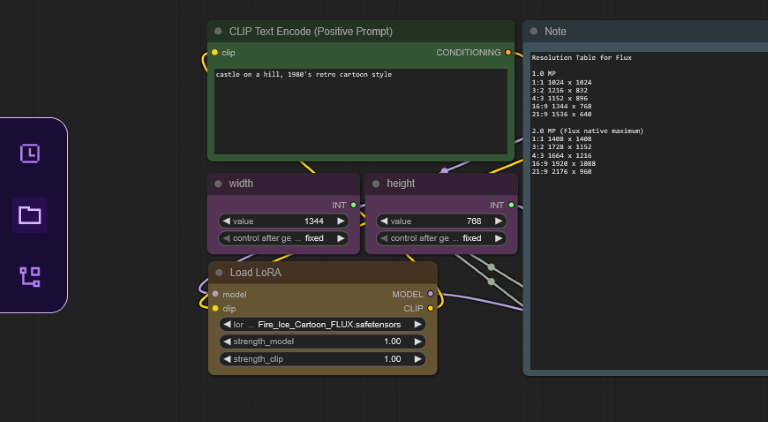
In "My Files" navigate to models/loras, select "Upload a File" and choose a LoRA file
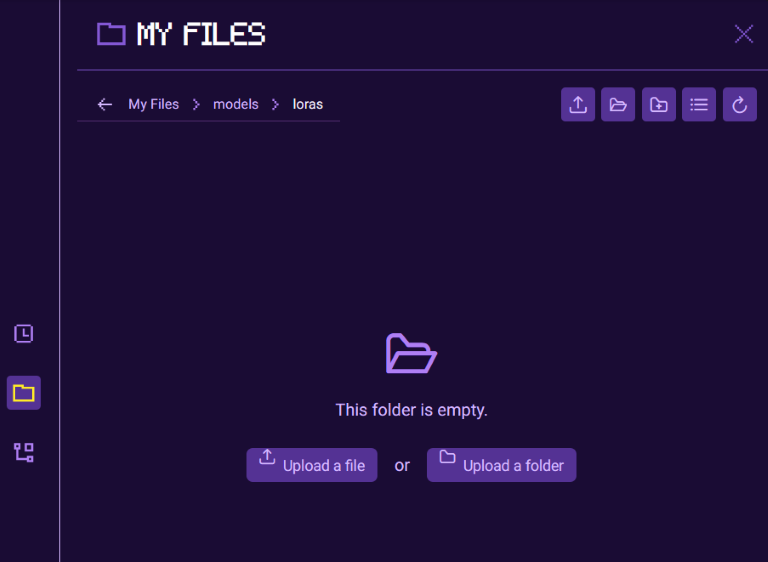
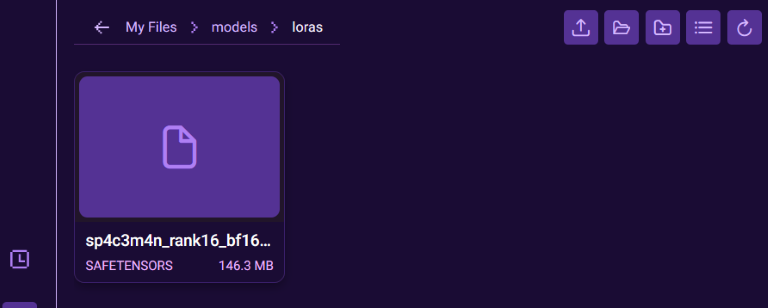
Once your LoRA is uploaded, close the file browser and refresh your ComfyUI canvas by pressing "R", this will update all model lists
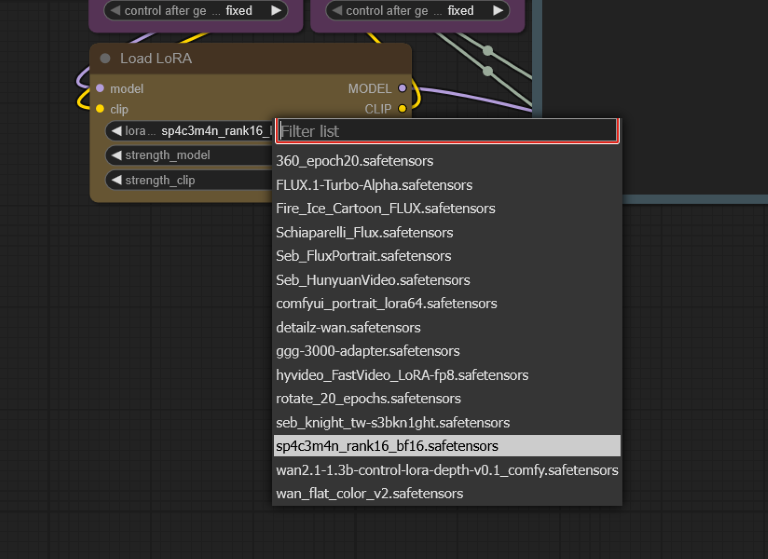
Select your LoRA in the Load LoRA node
Read more
N