Seedream 5.0 Lite: Generate, Edit & Fuse Images
ByteDance's latest image model. Text-to-image, image editing, and multi-reference composition in one workflow.
Image2Image
Image Editing
Seedream 5.0
Text2Image
6
3.9k







Nodes & Models
SeedreamV50LiteUnified_floyo
LoadImage
PreviewImage
HOW IT WORKS
Step 1. Write your prompt Describe the image you want to make, or the edit you want to apply. Seedream reasons through the prompt, so spatial, logical, and physical details land instead of getting approximated. Works great with: detailed scenes · text and posters · style transfers · multi-image composites
Step 2. Add reference images (optional) Feed in up to 14 images to edit one, fuse several together, or pull a style. Leave them out to generate from the prompt alone.
Step 3. Hit run and download You get back a 2K image. Preview it in the workflow, then download. Ready for: Photoshop · Figma · Canva · any editor
First time? Leave every setting as-is. The defaults (2K · 2048 x 2048 · single · JPEG · prompt optimizer on) are the right starting point for almost everyone.
RECOMMENDED SETTINGS
Quick-start guide. Find the goal that matches yours and copy the settings.
Standard generation (most people) Start here — 2K · single image · prompt optimizer on · JPEG. The right starting point for almost everyone.
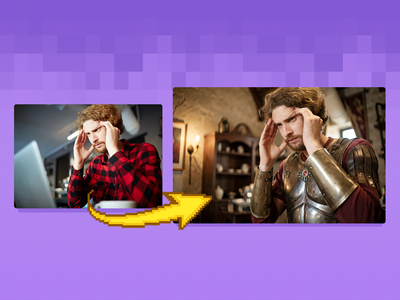
Edit an existing image — Load it as the first reference and describe the change. Seedream applies the edit while holding the rest of the image.
Combine several images — Add more references, up to 14, and say what comes from which. Good for compositing a subject, a product, and a scene into one frame.
Want a specific size or shape — Set the width and height, or pick a size preset. Seedream supports a wide range of aspect ratios.
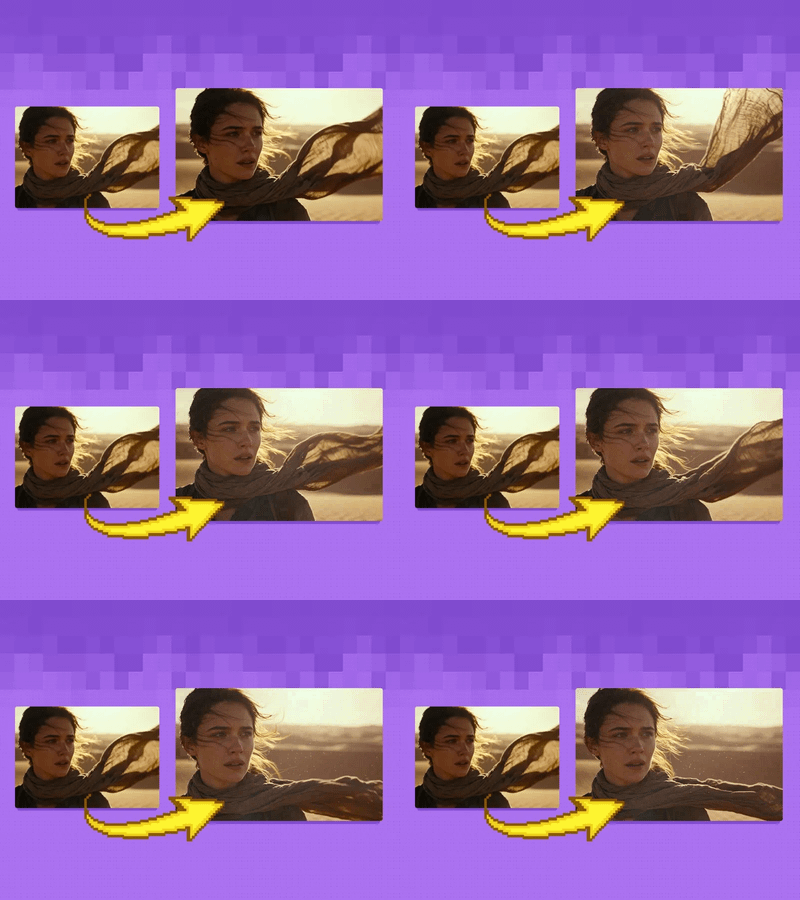
Generate a batch — Switch batch mode on and raise the batch size for a set of coherent variations in a single run.
Want real-world accuracy — Seedream can ground a generation with web search, so it can reflect current facts and trends rather than only its training data.
Let the model refine your prompt — The prompt optimizer is on by default and tightens a short prompt. Turn it off when you want your exact wording.
Prompt: Describe the logic of the scene, not only the look. Seedream reasons through relationships like scale, position, and physics, so things like "a clock showing 3:15" or "objects balanced on a seesaw" come out right when you spell them out. When you use references, point to them by figure, like "the jacket from image 2."
USE CASES
🎨 Design & Marketing Make posters, infographics, and layouts with short text and accurate composition, where the elements have to sit in the right place.
🛍️ Product & E-commerce Composite a product into a styled scene, or batch out a set of consistent variations for a listing or campaign.
🧩 Multi-image Composites Fuse a subject, an outfit, and a background from separate references into one coherent image.
📊 Smart Visuals Build diagrams and concept images where the spatial and logical details need to be correct, not only plausible.
WHAT WORKS BEST / WHAT TO AVOID
✅ Works great
Detailed prompts with clear logic and layout
Short text like signs, labels, and titles
Multi-image composites and style transfers
Batch sets of consistent variations
⚠️ May produce softer results
Long paragraphs of dense in-image text
Vague prompts with no structure
Too many conflicting reference images at once
Low-resolution or unclear reference inputs
NEW TO COMFYUI?
Start with the free ComfyUI for Beginners Course on Floyo. Sixteen short videos take you from zero to running your own AI workflows. No setup headaches, no jargon, clear hands-on lessons. Watch the course, then run any workflow here in your browser.
👉 Watch the free ComfyUI for Beginners Course →
FAQ
What is Seedream 5.0 Lite? Seedream 5.0 Lite is a unified image model from ByteDance's Seed team, released in early 2026. It does text-to-image, image editing, and multi-image fusion in one model, and it adds two things most image models lack: step-by-step visual reasoning and real-time web search. This workflow runs the unified node, so you can generate or edit from a single setup.
What does the reasoning in Seedream 5.0 Lite do? Seedream uses a chain-of-thought process to reason through a prompt before it renders, which helps it get spatial relationships, logic, and simple physics right. In practice that means it follows detailed instructions more faithfully: object positions, counts, weight balance, clock hands, and step-by-step scenes come out closer to what you described instead of being approximated.
How many reference images can I use, and what for? Up to 14. You can load one to edit it, several to fuse into a single composition, or a set to pull a style from. To edit, load your image as a reference and describe the change in the prompt. For composites, reference each image by figure so the model knows what to take from where.
What resolution and formats does it output? This workflow defaults to 2K at 2048 x 2048, saved as JPEG, and you can set other sizes and aspect ratios. The Seedream 5.0 Lite model supports higher resolutions on some platforms, and PNG output when you need it, so adjust the size and format to fit your destination.
How does Seedream 5.0 Lite compare to Nano Banana 2? They aim at slightly different jobs. Seedream 5.0 Lite leans on reasoning, strong text rendering, multi-image input, and versatility, which suits layered design and production work. Nano Banana 2 is cheaper and fast, and tends to shine on stylized and figurine-style art. Pick Seedream for complex, knowledge-grounded composition, and Nano Banana 2 for quick, stylized generation.
Can I use the results commercially? Yes. Images you generate on Floyo carry full commercial rights, so you can use them in client work, products, and marketing. You are responsible for having the right to use any images you upload as references.
How to run Seedream 5.0 Lite online? You can run Seedream 5.0 Lite online through Floyo. No installation, no setup, no API keys to wire up. Open the workflow in your browser, write a prompt, add any reference images, and hit run. Free to try.
WHY FLOYO?
Floyo is the only platform with team collaboration for ComfyUI in the browser. You run workflows with no install. You share run history, assets, and models across your team. You pay only when you generate. Floyo supports open-source and closed-source models.
A designer runs a prompt and likes the result. A teammate opens that exact run from shared history and keeps going. No file handoffs. No version confusion.
For studios and enterprise teams, Floyo adds private workspaces, pooled resources, and a team usage dashboard. Other ComfyUI cloud tools run for one person at a time. Floyo runs for the whole team, with transparent per-generation costs.
Ready to try it? Write a prompt or add your reference images, and run it. The settings are already set.
Questions? Watch the free course or check the FAQ above.
Read more
0
Reply