LTX 2.3 Advanced · Image to Video
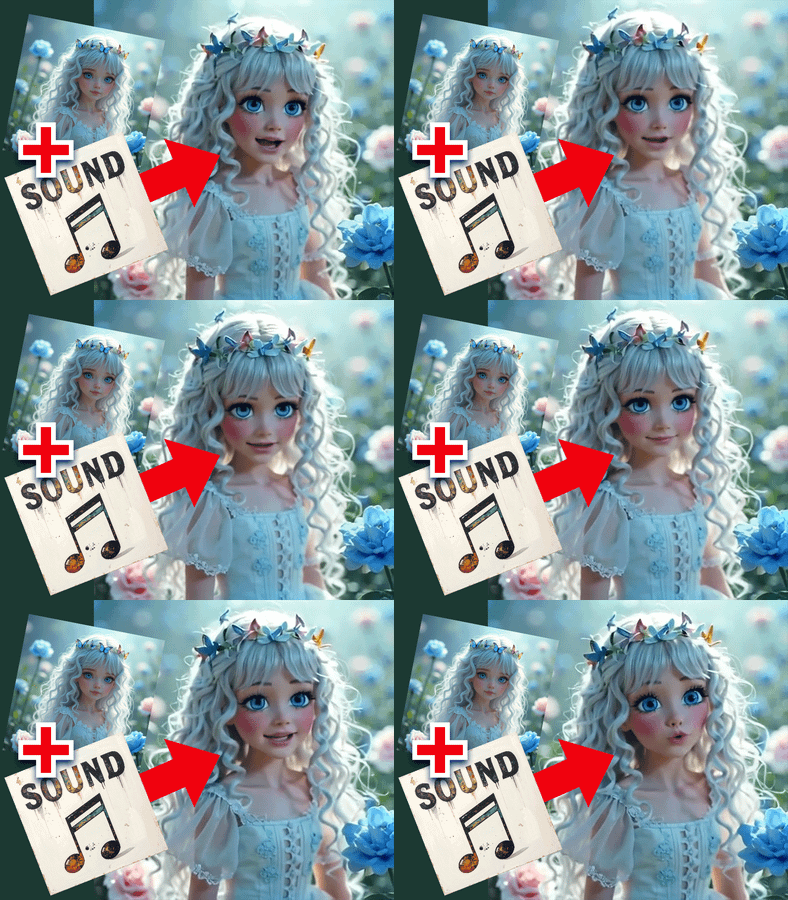
Upload an image and LTX 2.3 22B animates it into a 10-second cinematic video at 1080p with synchronized audio, using a three-pass generation pipeline with spatial upscaling and Negative Attention Guidance for maximum quality.
advanced
Audio
image to video
LoRAs
ltx2.3
Video
367
_1782907563844.webp)
_1782907563845.webp)
_1782907563845.webp)

ABOUT THE WORKFLOW
Animate an Image at Maximum Quality
Upload a starting image and write a prompt describing the motion. This advanced three-pass pipeline generates base video at 768x512, then upscales twice with dedicated spatial upscalers and resampling passes to reach full 1080p. Negative Attention Guidance (NAG) and an IC LoRA Detailer sharpen fine detail and reduce artifacts. Audio is generated alongside the video. The output is a 10-second, 24fps, 1080p MP4 with sound. A text-to-video toggle lets you generate from a prompt alone.
Model
LTX Video 2.3 22B Dev by Lightricks. The full 22-billion-parameter model with native audio-visual generation. Paired with a Gemma 3 12B text encoder for strong prompt adherence.
LTX 2.3 Distilled LoRA (strength 0.5). Reduces the step count while maintaining quality.
IC LoRA Detailer (strength 0.75). Enhances fine detail, texture, and sharpness across the generated video.
LTX 2.3 Spatial Upscaler x2 and x1.5. Dedicated latent upscalers that scale from the base resolution to full 1080p with detail preservation.
HOW IT WORKS
Step 1. Upload your image
The image that becomes the first frame. The workflow crops and resizes it to 1920x1080 automatically.
Works great with: cinematic stills · landscapes · portraits · concept art · product shots · drone footage
Step 2. Write your prompt
Describe the motion, camera movement, atmosphere, and sound in detail. This is an advanced workflow designed for long, specific prompts. "A breathtaking FPV drone shot gliding through a canyon, smooth precision along the river, towering moss-covered rock formations, the sound of rushing water and wind" gives the model clear direction across all 10 seconds.
Step 3. Hit run and wait
The pipeline runs three passes: base generation at 768x512, then two spatial upscaling passes with resampling to reach 1080p. Audio is generated and decoded separately. This is a heavy workflow. Expect longer generation times than single-pass workflows.
Step 4. Download
The output is a 1080p MP4 at 24fps with synchronized audio.
Ready for: Premiere · DaVinci Resolve · After Effects · broadcast · cinema · social media
First time? Upload your image, edit the prompt to describe your scene, and hit run. Leave all advanced settings as-is. The pipeline is preconfigured for maximum quality.
RECOMMENDED SETTINGS
Quick-start guide. Find the goal that matches yours and copy the settings.
Standard high-quality I2V (most people) — Upload your image, write a detailed prompt, leave all settings at defaults. No changes needed.
Text-to-video instead of image-to-video — Toggle "Turn it to true for T2V" from False to True. The workflow generates entirely from the prompt with no starting image.
Shorter clip — Reduce the Length value from 241 frames. At 24fps, 121 frames gives ~5 seconds. Shorter clips render faster.
More or less detail enhancement — Adjust the IC LoRA Detailer strength. 0.75 is the default. Lower it toward 0.4 for softer, more natural output. Raise toward 1.0 for sharper, more textured results.
Stronger or weaker NAG — NAG scale defaults to 11. Lower it for less aggressive artifact suppression (faster, but potentially noisier). Raise it for cleaner output at the cost of some creative variance.
Different aspect ratio — Change Width and Height primitives. 1920x1080 is landscape. 1080x1920 is portrait. The base resolution adjusts automatically through the math expressions.
Faster generation — Increase the Distilled LoRA strength from 0.5 toward 0.8. The model runs fewer effective steps, cutting generation time at the cost of some detail.
Prompt: This workflow rewards long, detailed prompts. Describe the full scene across the 10-second duration: what the camera does, what subjects do, how the environment changes, and what sounds play. Front-load the camera movement, then describe the subject and atmosphere. "The camera moves with deliberate, smooth precision along the river, towering rock formations revealed as the camera glides past" is specific and sequenced.
LEARN
📹 Videos
ComfyUI 101 Free Course ft. Sebastian Kamph
Floyo 101 for Team Collaboration
✨ Quick links
USE CASES
🎬 Cinematic Sequences
Generate broadcast-quality 1080p footage from concept stills or reference photos. The three-pass pipeline produces video with the detail and stability needed for film, trailers, and high-end ad work.
🚁 Virtual Camera Flights
Animate landscape photos or concept art into FPV drone-style flythrough sequences. The 10-second duration and 1080p output give the model room to develop long, smooth camera moves.
🎨 Concept Art to Motion
Take a single concept frame and animate it with precise control over camera movement, atmosphere, and sound. The detailed prompt system gives directors full control over the 10-second arc.
📺 Broadcast and Production
Generate stock footage, B-roll, and establishing shots at a quality level suitable for broadcast, web series, and commercial production.
WHAT WORKS BEST / WHAT TO AVOID
✅ Works great
Detailed, multi-sentence prompts describing the full 10-second arc
Clear, well-lit source images at 1080p or higher
Smooth camera movements (dolly, tracking, FPV, orbit, crane)
Scenes with environmental detail (landscapes, architecture, interiors)
⚠️ May produce softer results
Very short or vague prompts (the 10-second length needs more direction)
Low-resolution or heavily compressed source images
Extremely fast or chaotic action across the full clip
Source images with heavy text overlays or watermarks
FAQ
What makes this workflow "advanced" compared to standard LTX 2.3?
This workflow uses a three-pass generation pipeline: base generation at 768x512, then two spatial upscaling passes with dedicated LTX upscaler models and resampling at each stage. It also applies Negative Attention Guidance (NAG) for artifact suppression, an IC LoRA for detail enhancement, and ClownSampler with SDE noise for improved motion quality. Standard workflows generate in a single pass. This one trades speed for maximum output quality.
What is Negative Attention Guidance (NAG)?
NAG is a technique that steers the model away from common artifacts during generation. It works alongside CFG to suppress blurriness, flickering, distorted features, and unnatural motion. The default NAG scale of 11 with alpha 0.25 and tau 2.5 is tuned for LTX 2.3 22B.
How long does generation take?
This is a heavy workflow with three sampling passes, two spatial upscaling stages, and audio generation. Expect significantly longer generation times than single-pass workflows. The full pipeline produces 241 frames (10 seconds) at 1080p with audio.
Can I use this for text-to-video without a starting image?
Yes. Toggle the "Turn it to true for T2V" switch from False to True. The workflow generates entirely from the prompt with no starting image required.
What resolution and duration does the output have?
Final output is 1920x1080 (landscape) at 24fps with synchronized audio. Duration is approximately 10 seconds (241 frames). Both resolution and duration are adjustable through the primitive nodes.
Is LTX Video 2.3 licensed for commercial use?
LTX Video 2.3 is an open-source model by Lightricks. Check the current license terms on the model page for commercial use in your specific project. The LoRAs and upscalers included in this workflow have their own license terms.
How to run LTX 2.3 advanced image to video online?
You can run LTX 2.3 advanced image to video online through Floyo. No installation, no setup, no local GPU needed. Open the workflow in your browser, upload your image, and hit run. Free to try.
WHY FLOYO?
Floyo is the only platform with team collaboration for ComfyUI in the browser. You run workflows with no install. You share run history, assets, and models across your team. You pay only when you generate. Floyo supports open-source and closed-source models.
A designer runs an edit and likes the result. A teammate opens that exact run from shared history and keeps going. No file handoffs. No version confusion.
For studios and enterprise teams, Floyo adds private workspaces, pooled resources, and a team usage dashboard. Other ComfyUI cloud tools run for one person at a time. Floyo runs for the whole team, with transparent per-generation costs.
Ready to try it?
Upload your image, write a detailed prompt, and hit run. The full three-pass pipeline is already configured.
Questions? Watch the free course or check the FAQ above.
Read more