FLUX.2 Klein 9B: Edit Images by Prompt
Unified workflow: one model for text‑to‑image, image‑to‑image, and image editing
Flux
Flux.2 Klein
Image
Image2image
instruction editing
multi-image
9
5.1k


Nodes & Models
LoadImage
CLIPLoader
qwen_3_8b_fp8mixed.safetensors
KSamplerSelect
VAELoader
flux2-vae.safetensors
RandomNoise
UNETLoader
flux-2-klein-9b.safetensors
CLIPTextEncode
SaveImage
VAEDecode
Flux2Scheduler
SamplerCustomAdvanced
PreviewImage
CFGGuider
EmptyFlux2LatentImage
VAEEncode
ImageScaleToTotalPixels
ReferenceLatent
GetImageSize
ImageConcanate
AddLabel
ABOUT THE WORKFLOW
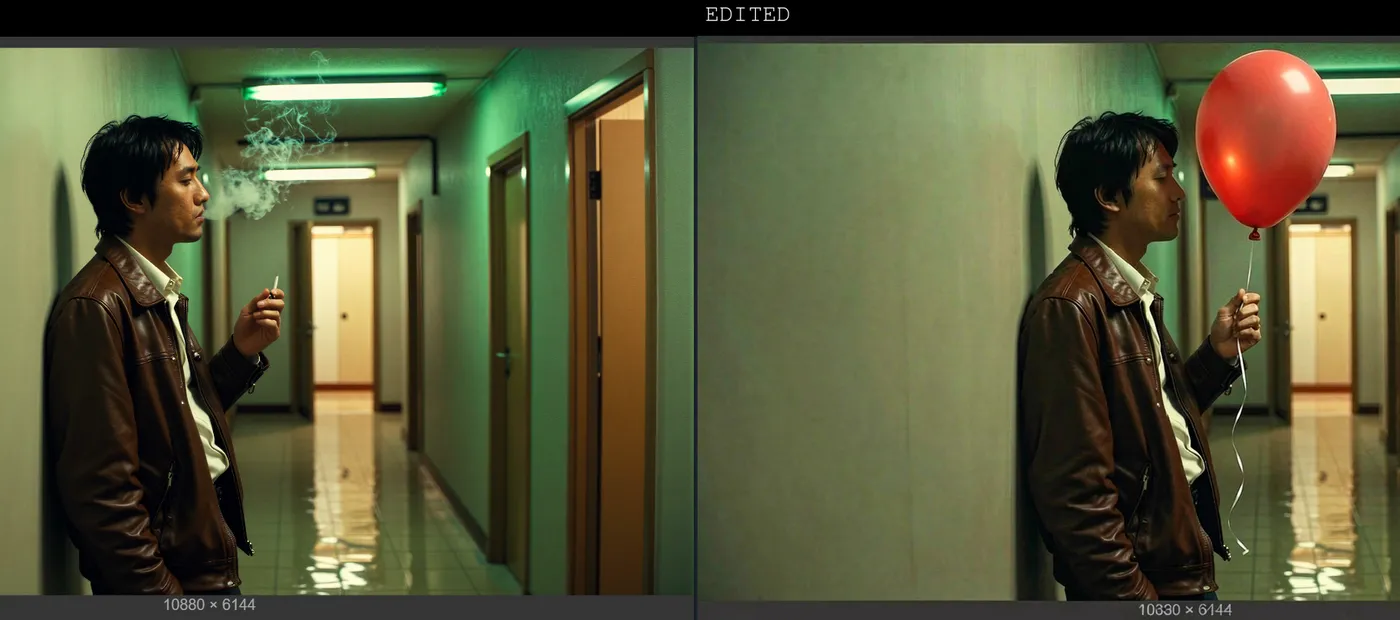
Image Editing Upload an image and describe the change in plain language. The model applies the edit and shows you a before-and-after. That's it.
Open weights, so you only pay for generation time. All models pre-loaded on Floyo.
Model
FLUX.2 [klein] 9B. Black Forest Labs' fast open-weight model that generates and edits images from plain-text instructions, with single or multi-image references.
HOW IT WORKS
Step 1. Upload your image The image you want to edit. You can add more than one to pull an object, a logo, or a style from each. Works great with: portraits · products · objects · scenes
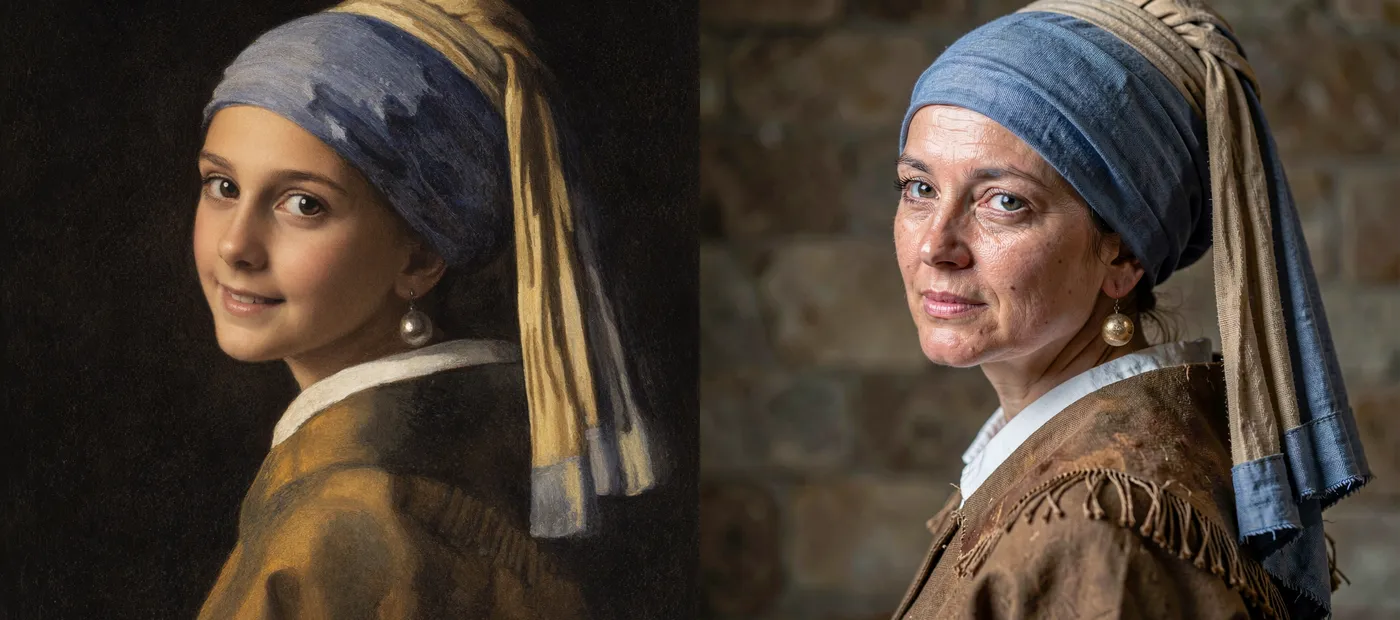
Step 2. Describe the edit Say what to change in plain language, like "turn this into a realistic photo," "apply the logo to the center hub," or "change the car to matte blue."
Step 3. Hit run and download The model applies the edit and outputs a before-and-after so you can compare. Preview it in the workflow, then download. Ready for: Photoshop · Figma · Canva · any editor
First time? Leave every setting as-is. The defaults (1024px · 20 steps · CFG 5 · single image) are the right starting point for almost everyone.
RECOMMENDED SETTINGS
Quick-start guide. Find the goal that matches yours and copy the settings.
Standard edit (most people) ★ Start here — 1024px · 20 steps · CFG 5. The right starting point for almost everyone.
The edit should follow the instruction more closely — Raise the CFG toward 6 to 7. Higher sticks closer to your wording, though too high can look harsh.
The edit is too aggressive — Lower the CFG toward 3 to 4 for a gentler change that keeps more of the original.
Combine elements from several images — Add more reference images and say what comes from which. Good for placing a logo, an object, or a style from one image onto another.
Keep prompts specific — Name the object, the location, and the change. "Change the steering wheel to royal blue matte" beats "make it blue."
Reproduce a result you liked — Lock the seed to the number that produced it.
Prompt: Write a clear instruction, not a description of the whole scene. Klein 9B edits what you point it to, so name the exact change and where it goes, and leave the rest unsaid so it stays put.
USE CASES
🎨 Object & Color Edits Change colors, swap objects, and add or remove elements with a single sentence.
🛍️ Product & Branding Drop a logo onto a product, restyle materials, or adjust a product shot without a manual mask.
🔄 Style & Subject Changes Transform a subject or restyle an image while the composition holds.
🧩 Multi-image Composites Pull an object or a style from one image and apply it to another.
WHAT WORKS BEST / WHAT TO AVOID
✅ Works great
Clear, specific edit instructions
Single, well-lit source images
Object, color, and style changes
Combining elements from a few references
⚠️ May produce softer results
Vague instructions like "make it better"
Heavy in-image text, which can distort
Too many references at once
Edits that fight the original lighting
LEARN
📹 Videos
ComfyUI 101 Free Course ft. Sebastian Kamph
Floyo 101 for Team Collaboration
✨ Quick links
FAQ
What is FLUX.2 Klein 9B? FLUX.2 Klein 9B is a fast open-weight image model from Black Forest Labs, part of the FLUX.2 family. It is a 9-billion parameter model that unifies generation and editing in one compact architecture, with single-reference and multi-reference editing, and it uses an 8B Qwen3 text embedder to read your instructions.
How does instruction-based editing work? You describe the change in plain text and the model applies it, with no manual masks. It reads your uploaded image as a reference and edits what you point to, so prompts like "apply the yellow logo to the center hub" or "turn this into a realistic photo" work directly. This workflow then outputs a before-and-after view so you can compare the result to the original.
Can I edit with more than one image? Yes. Klein 9B supports multi-reference editing, so you can load several images and tell the model what to take from each. That makes it useful for placing an object, a logo, or a style from one image onto another, or for blending elements into a single composition.
What settings should I use? Use 1024px, 20 steps, and CFG 5 with the euler sampler. Raise the CFG toward 6 or 7 when you want the edit to follow your instruction more strictly, and lower it toward 3 or 4 for a gentler change that preserves more of the original image.
Does FLUX.2 Klein render text well? Text is not its strength. Black Forest Labs notes that rendered text may be inaccurate or distorted, so for images that depend on clean, legible typography, a dedicated text-rendering model such as Seedream 4.5 will give better results.
Can I use the results commercially? Be careful here. FLUX.2 Klein 9B is released under the FLUX Non-Commercial License, and only the smaller 4B Klein models are Apache 2.0. That means commercial use of the 9B model requires a separate commercial license from Black Forest Labs. Review the license and the self-serve options at bfl.ai/licensing before using it commercially.
How to run FLUX.2 Klein 9B online? You can run FLUX.2 Klein 9B online through Floyo. No installation, no setup, no GPU to rent. Open the workflow in your browser, upload an image, describe the edit, and hit run. Free to try.
WHY FLOYO?
Floyo is the only platform with team collaboration for ComfyUI in the browser. You run workflows with no install. You share run history, assets, and models across your team. You pay only when you generate. Floyo supports open-source and closed-source models.
A designer runs an edit and likes the result. A teammate opens that exact run from shared history and keeps going. No file handoffs. No version confusion.
For studios and enterprise teams, Floyo adds private workspaces, pooled resources, and a team usage dashboard. Other ComfyUI cloud tools run for one person at a time. Floyo runs for the whole team, with transparent per-generation costs.
Ready to try it? Upload an image, describe the change, and run it. The settings are already set.
Questions? Watch the free course or check the FAQ above.
Read more
_1786516256661.png?width=400&height=300&quality=80&resize=cover)