

Dissolve image lighting Kontext V2
Flux
Image
Image to Image
503





Nodes & Models
LoadImage
UNETLoader
FLUX1/flux1-dev-kontext_fp8_scaled.safetensors
DualCLIPLoader
clip_l.safetensors
t5xxl_fp16.safetensors
t5xxl_fp8_e4m3fn.safetensors
VAELoader
UpscaleModelLoader
4xNomos8kDAT.pth
OrchestratorNodeGroupBypasser
RMBG
LoraLoaderModelOnly
flux-klein-tryon-comfy-flux-2-klein-9b-virtua-9AKqeuHM.safetensors
CLIPTextEncode
ImageUpscaleWithModel
VAEEncode
GrowMaskWithBlur
FluxGuidance
ConditioningZeroOut
ImageScaleToTotalPixels
ReferenceLatent
TTP_Tile_image_size
TTP_Image_Tile_Batch
KSampler
VAEDecode
VAEDecodeTiled
SaveImage
Image Comparer (rgthree)
TTP_Image_Assy
PreviewImage
ConstrainImage|pysssss
ImpactImageBatchToImageList
ImageListToImageBatch
LayerUtility: ImageMaskScaleAs
LayerUtility: HLFrequencyDetailRestore
ImageListToImageBatch
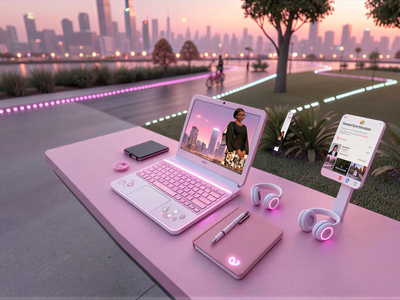
What this workflow is: A Flux Kontext-powered product relighting and scene-blending pipeline. It takes a product image, reconstructs its lighting to match a target scene with luxury advertising quality, restores fine material detail via frequency separation, and optionally upscales to commercial resolution.
Two groups organize the canvas: "Click to Run" handles the core generation, and "HD Upscale" handles the optional hi-res refinement pass.
What this workflow does (at a glance)
It takes a product image, runs it through Flux Kontext with a custom relighting LoRA, reconstructs sophisticated studio-quality lighting on the product surface, then restores high-frequency material detail using frequency separation — outputting a clean, upscale-ready result suitable for e-commerce or luxury advertising.
What the node chain is doing (in practical terms)
1) Input & preprocessing
LoadImagefeeds the product photoConstrainImagecaps it at 2048×2048 before encoding to avoid VRAM blowouts
2) Core model stack (Flux Kontext)
UNETLoaderloads flux1-kontext-dev — the edit-capable Flux modelDualCLIPLoaderloadsclip_l+t5xxl_fp8for dual-encoder text conditioningVAELoaderloads the standard Flux AE (ae.sft)LoraLoaderModelOnlyinjects the Adaptive Dissolve/Blend LoRA (自适应溶图V3, strength 1.1) — the key driver of lighting reconstruction behaviorFluxGuidancesets guidance to 3.5
3) Relighting prompt
CLIPTextEncodeencodes a carefully engineered prompt that instructs Flux to:Reconstruct directional hard light with luxury-advertising character on key product surfaces
Maintain a soft ambient base layer for e-commerce brightness standards
Add sharp highlights, micro-reflective surface detail, and natural contact shadows
Generate controlled reflections on smooth/glass/metal surfaces, matched to the main light direction
Strictly preserve the product's original color, hue, proportions, and geometry — no color drift allowed
4) Reference-conditioned generation
ReferenceLatentfeeds the encoded input as a latent reference into the conditioning chain, anchoring the edit to the product's original structureKSamplerruns 30 steps at denoise 1.0 (full generation from the reference), producing the relit image
5) Detail restoration — the frequency separation pass
RMBG(RMBG-2.0) generates an alpha mask isolating the product from its backgroundLayerUtility: ImageMaskScaleAsrescales the generated result to match original input dimensionsLayerUtility: HLFrequencyDetailRestorecomposites high-frequency detail (texture, fine edges, material grain) from the original image back onto the relit result, masked to the product regionThis is the critical step that prevents the generation from losing fine surface texture — fabric weave, metal grain, label print, etc. all survive
6) Output & comparison
SaveImagesaves the final composited resultImage Comparer (rgthree)shows a live before/after slide comparison directly in the canvas
7) Optional HD upscale pass (disabled by default)
UpscaleModelLoader→ImageUpscaleWithModelruns a model-based 2× upscale using 2xNomosUni_span_multijpg_ldlImageScaleToTotalPixelsnormalizes the result to 8 megapixels via LanczosTTP_Image_Tile_Batch+TTP_Tile_image_sizesplit the upscaled image into overlapping tiles (2×3 grid, 5% overlap) for tile-level refinementImpactImageBatchToImageList/ImageListToImageBatchhandle list↔batch conversion around the tile processing loopA second
KSampler(6 steps, denoise 0.4, Euler/kl_optimal) runs per-tile refinement using a separate e-commerce 3D rendering LoRA (strength ~0.39)VAEDecodeTileddecodes with 1536px tiles to stay within memory limitsTile stitching uses stored position and grid metadata from
TTP_Image_Tile_Batchto seamlessly reassemble the final image
The "big win": geometry-locked, detail-preserving relighting
Most product relighting workflows fail in two places: the generation drifts from the original product geometry, or it smears fine surface detail during synthesis. This workflow solves both by:
Using Flux Kontext with a latent reference to lock in the product's original shape and proportions
Running a frequency separation restoration step that injects original high-frequency texture back onto the relit surface — so the lighting changes, but the material stays sharp
The result meets e-commerce clarity standards while carrying the contrast and depth of luxury advertising photography.
Where this shines (real use cases)
E-commerce product shots: Drop any product in, get back consistent studio lighting with clean shadows and sharp material texture
Scene matching: Relight a product to match the ambient character of a target environment without reshooting
Batch catalog work: Tune the LoRA strength and prompt once, run multiple products through the same lighting treatment for a consistent collection look
Hi-res output: Enable the upscale branch for print-ready or large-format deliverables without losing fine detail
Read more




_1783028563354.gif?width=400&height=300&quality=80&resize=contain&format=origin)


