

Floyo
Floyo
Workflows
API
料金
Floyo
Floyo
Workflows
API
料金
探索

動画のアップスケール

動画のアップスケール

動画のアップスケールのワークフローを Floyo で実行できます。

Workflow を開く

約 2 分 25 秒で生成

すべて見る

動画のアップスケールのワークフロー一覧動画のアップスケールのワークフロー

すべての Workflows
Z-Image Turbo + DyPE + SeedVR2 2.5 + TTP  16k reso
Image

Image generation

SeedVR

SeedVR2

Video

Video upscaling

Z-Image

Z-Image Turbo

Z-Image Turbo + DyPE + SeedVR2 2.5 + TTP 16k reso

SeedVR2 and TTP Toolset 8k Image Upscale
Image

Image editing

Image to image

SeedVR

SeedVR2

Upscaling

Video

Video upscaling

SeedVR2 and TTP Toolset 8k Image Upscale

LTX 2.3 Image to Video with Two-Pass Upscaling

Image to video

LTX

Video

Video upscaling

LTX 2.3 Image to Video with Two-Pass Upscaling

Topaz Video Upscaler for Sharper Results

Topaz

Video

Video to video

Video upscaling

Upload a video, pick your enhancement model and quality level, and Topaz Video AI sharpens, denoises, and upscales it. Audio is preserved. Output is H265 MP4.

Topaz Video Upscaler for Sharper Results

Upload a video, pick your enhancement model and quality level, and Topaz Video AI sharpens, denoises, and upscales it. Audio is preserved. Output is H265 MP4.

FlashVSR for Video Upscale

FlashVSR

Upscaling

Video

Video to video

Video upscaling

Upscale your videos

FlashVSR for Video Upscale

Upscale your videos

Vertical Video Background & Scene Rebuild
Face swap

Image to image

Qwen

Video

Video editing

Video upscaling

Wan

Wan 2.1 Funcontrol

Vertical Video Background & Scene Rebuild

Vertical Video FX Insterter / Element Pass with Seedream + Wan
Reference-image

Seedream

Upscaling

Video

Video-conditioning

Video upscaling

Wan

Wan 2.1funcontrol

Vertical Video FX Insterter / Element Pass with Seedream + Wan

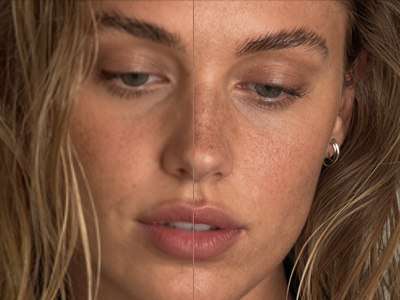
Vertical Video FX Inserter - Qwen + Wan 2.1 FunControl
Image

Image editing

Qwen

Video

Video to video

Video upscaling

Wan

Wan 21-funcontrol

Vertical Video FX Inserter - Qwen + Wan 2.1 FunControl

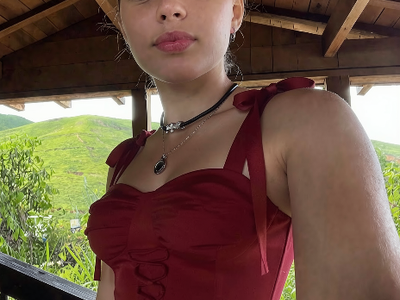
SeedVR 2 ultra resolution upscale

Image

Image editing

Image to image

SeedVR

Video

Video upscaling

Z-Image

Z-Image Turbo

Using SeedVR 2 + UltimateSD Upscale + Z-Image Turbo to achieve extremely high resolution and sharp images.
SeedVR 2 ultra resolution upscale

Using SeedVR 2 + UltimateSD Upscale + Z-Image Turbo to achieve extremely high resolution and sharp images.

Z-Image AI Influencer + Clothes & Pose Transfer

AI Influencer

Clothes transfer

Motion transfer

SeedVR

Video

Video upscaling

Z-Image

Z-Image Turbo

Create realistic AI influencer images with advanced clothes transfer, pose transfer, and cinematic styling using Z-Image Turbo + ControlNet in ComfyUI. Includes QwenVL prompt generation, Lineart ControlNet guidance, LoRA styling, and SEEDVR upscaling for ultra-detailed profession

Z-Image AI Influencer + Clothes & Pose Transfer

Create realistic AI influencer images with advanced clothes transfer, pose transfer, and cinematic styling using Z-Image Turbo + ControlNet in ComfyUI. Includes QwenVL prompt generation, Lineart ControlNet guidance, LoRA styling, and SEEDVR upscaling for ultra-detailed profession

SeedVR2 · Video Upscaler For Anime

4x upscale

SeedVR

SeedVR2

Video

Video restoration

Video upscaling

Upload a low-resolution video and SeedVR2 upscales it to 1080p in a single diffusion step, restoring fine detail, removing compression artifacts, and maintaining temporal consistency across every frame.

SeedVR2 · Video Upscaler For Anime

Upload a low-resolution video and SeedVR2 upscales it to 1080p in a single diffusion step, restoring fine detail, removing compression artifacts, and maintaining temporal consistency across every frame.

LTX 2.3 Two-Pass · Image to Video For Anime

Image to video

LTX

LTX 2.3

Two-pass

Video

Video upscaling

Upload an image and LTX Video 2.3 22B generates a 5-second video at 1080p with synchronized audio, using a two-pass pipeline that renders at low resolution first then upscales in latent space for sharp, detailed output.

LTX 2.3 Two-Pass · Image to Video For Anime

Upload an image and LTX Video 2.3 22B generates a 5-second video at 1080p with synchronized audio, using a two-pass pipeline that renders at low resolution first then upscales in latent space for sharp, detailed output.

Workflows = API

すべてのワークフローが API エンドポイントです。 バックエンドを作らずに、AI 生成を自社のプロダクトに組み込めます。 ワークフローを選んでカスタマイズし、「Floyo API スニペットをコピー」をクリックすれば完了です。

API について詳しく見る

MCP

プラットフォーム上のすべてのワークフローに、自分のエージェントや社内ツールから、同じ管理設定のもとでアクセスできます。

mcp.floyo.ai/mcp

MCP のドキュメントを読む

かんたんテンプレート

既製のワークフローを開き、説明を読んで入力を変え、Run をクリックするだけ。ほとんどの人はノードを開くこともありません。複雑な部分は、必要なときのために裏側にあります。

ワークフローを見る

Trust Center

誰かが実行する前に、安全かどうかがわかります。すべてのモデルに Verified Private と Commercial Use のステータスがあり、承認していないモデルはチームの管理設定でブロックできます。管理者は、チームが使えるモデル、プロバイダー、ノードを選べます。

Trust Center を見る

はじめよう

無料コース

ComfyUI 101

Sebastian Kamph による無料コースSebastian Kamph による無料コース

白紙のキャンバスから ControlNet まで、全 10 回のレッスン。ノード、テキストから画像、モデル、LoRA、アップスケール、KSampler の設定を学べます。インストールは不要。すべてのレッスンがここで動くので、自分で作ったワークフローが手元に残ります。

コースを始める

Sebastian Kamph による ComfyUI 101
