



Explora más casos de uso
Ver todo



Todos los flujos de trabajo de intercambio de rostrosFlujos de trabajo de Intercambio de rostros
Todos los Workflows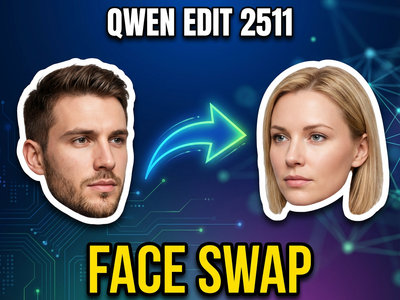

Qwen Edit 2511 Face Swap
Face Swap


Qwen Image Edit 2509 · Face Swap
Swap a face between two photos with Qwen Image Edit 2509. Upload a main image and a reference, paint a mask on each face, hit run. Apache 2.0 open weights.


ReActor - Simple Face Swap

SMART FACE SWAPPER - Ace++ Flux Face swap
Face swapper built with Flux and ACE++. Works with added details too, like hats, jewelry. Smart features, use natural language.
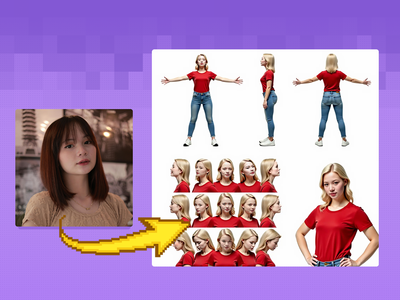
Image to Image Character Sheet Face Swap with Ace+
Take a character sheet and use a reference image to replace all the faces with that new person. Key Inputs Load Image: Use any JPG or PNG showing your pose sheet Load New Face: Use any JPG or PNG showing your subject clearly that you would like to swap into the pose sheet. Prompt: as descriptive a prompt as possible Width & height: Optimal resolution settings are noted at 1024px x 1024px Keep Proportion: Enable keep_proportion if you want to keep the same size with input and output Denoise: The amount of variance in the new image. Higher has more variance.

Vertical Video Background & Scene Rebuild


Qwen Image 2.1 Face Swap
Upload a photo and a new face. Qwen Image 2.1 swaps in the whole head and keeps the body, pose, outfit, and scene from your original. Two uploads, one prompt.
Workflows = APIs
Cada flujo de trabajo es un endpoint de API. Integra generación con IA en tu producto sin crear un backend. Elige un flujo de trabajo, personalízalo, haz clic en «Copiar fragmento de Floyo API» y listo.

MCP
Todos los flujos de trabajo de la plataforma, al alcance de tus agentes y herramientas internas, con los mismos controles de administración.
mcp.floyo.ai/mcp
Plantillas fáciles
Abre un flujo de trabajo listo, lee las instrucciones, cambia tu entrada y haz clic en Run. La mayoría nunca abre un nodo. La complejidad es opcional y queda tras bambalinas.

Trust Center
Sabe qué es seguro antes de que alguien lo ejecute. Estado Verified Private y Commercial Use para cada modelo, además de controles de equipo para bloquear los que no apruebes.Los administradores eligen qué modelos, proveedores y nodos puede usar el equipo.

Plantillas fáciles
Abre un flujo de trabajo listo, lee las instrucciones, cambia tu entrada y haz clic en Run. La mayoría nunca abre un nodo. La complejidad es opcional y queda tras bambalinas.
Trust Center
Sabe qué es seguro antes de que alguien lo ejecute. Estado Verified Private y Commercial Use para cada modelo, además de controles de equipo para bloquear los que no apruebes.Los administradores eligen qué modelos, proveedores y nodos puede usar el equipo.
Workflows = APIs
Cada flujo de trabajo es un endpoint de API. Integra generación con IA en tu producto sin crear un backend.Elige un flujo de trabajo, personalízalo, haz clic en «Copiar fragmento de Floyo API» y listo.
Empieza ya
Curso gratuito
ComfyUI 101
curso gratuito de Sebastian KamphCurso gratuito de Sebastian Kamph
Diez lecciones, del lienzo en blanco a ControlNet. Nodos, texto a imagen, modelos, LoRA, escalado y ajustes de KSampler. Nada que instalar. Cada lección se ejecuta aquí, así que terminas con flujos de trabajo creados por ti.
