LongCat-Image-Edit - Instruction Image Editing
Upload one image, write an instruction, and LongCat-Image-Edit rewrites the parts you describe while keeping the rest identical. Bilingual prompts, 8 steps.
concept art
consistency
Image
image to image
longcat-image-edit
portrait
style transfer
406
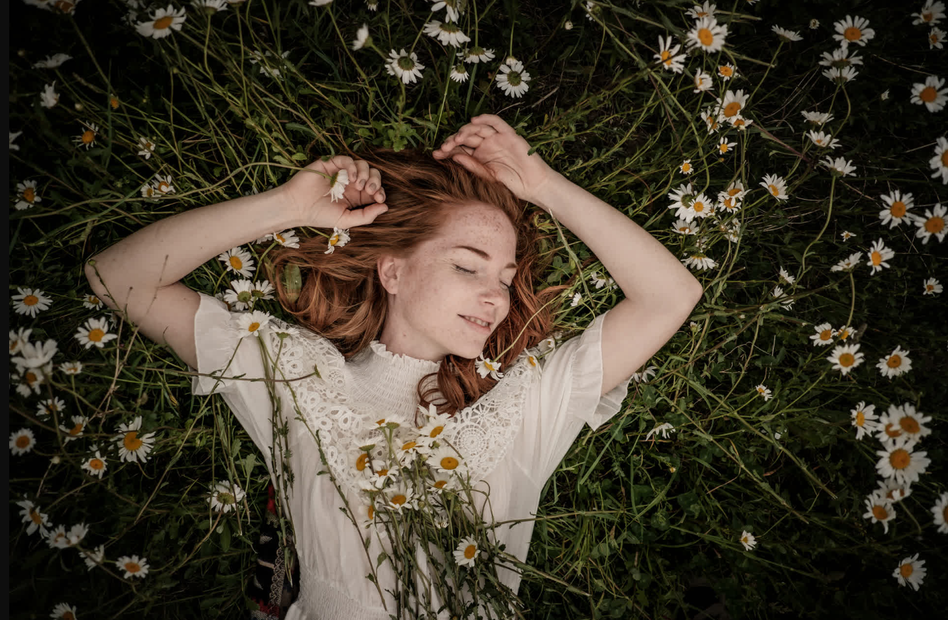
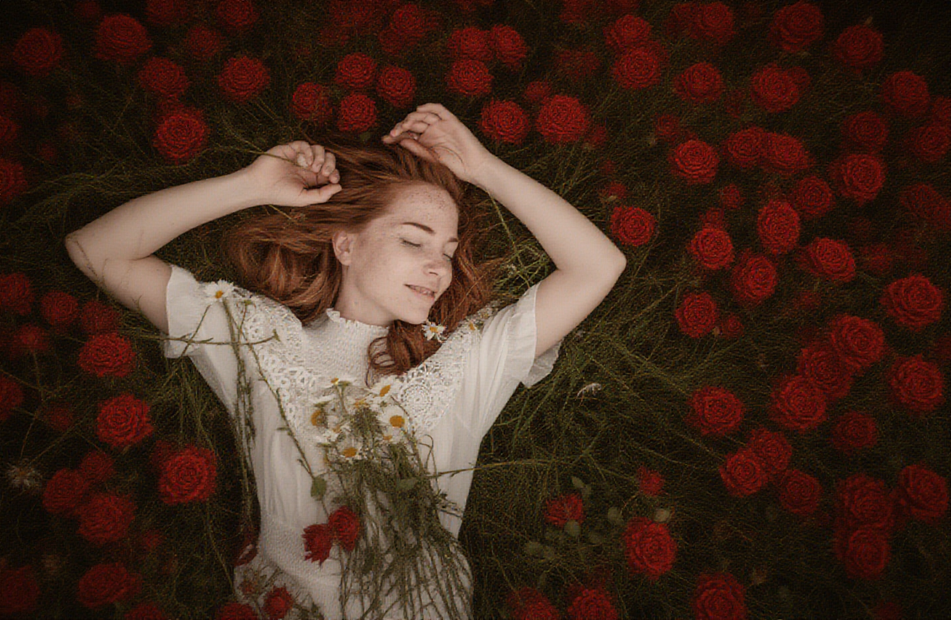
_1776828245584.png?width=1400&height=620&quality=80&resize=contain)


_1776828245584.png?width=104&height=104&quality=80&resize=cover)


Nodes & Models
VAELoader
ae.safetensors
CLIPLoader
qwen_2.5_vl_7b_fp8_scaled.safetensors
UNETLoader
longcat_image_edit_bf16.safetensors
LoadImage
CFGNorm
FluxKontextImageScale
VAEEncode
TextEncodeQwenImageEditPlus
FluxGuidance
FluxKontextMultiReferenceLatentMethod
KSampler
VAEDecode
SaveImage
LongCat-Image-Edit rewrites parts of your image based on a written instruction, while keeping everything else locked in place.
Upload one image, describe what you want changed, run it. Backgrounds, layout, lighting, and subject identity stay intact unless your prompt targets them. Eight steps per run, and prompts work in English or Chinese.
How do you edit an image with LongCat-Image-Edit?
Upload one image and write an instruction like "change the shirt to red" or "make this an anime style". LongCat-Image-Edit rewrites those parts while preserving the rest of the scene. Default guidance is 2.5, steps are 8, and denoise stays at 1 for clean edits.
Edit instruction (positive prompt) Write what you want done, not what you want to see. "Change the jacket to leather" works better than "a person in a leather jacket". The model handles both English and Chinese. Want text in the output to stay crisp? Put it in quotation marks, that's how the model knows to preserve it character-by-character.
Input image One image. Drop it in. Resolution is read from the file and matched automatically, so a 1024x1536 portrait stays 1024x1536.
Steps Default is 8. That's already tuned by Meituan for this model. Want sharper detail on complex edits? Push to 12-16. Going below 6 usually breaks the edit.
Guidance (FluxGuidance) Default 2.5 follows your instruction closely while leaving room for the model to match lighting and texture. Want stricter adherence to the prompt? Try 3.5. Want softer, more creative interpretation? Drop to 1.5.
Sampler and scheduler Euler + simple. The defaults work. Leave them unless you have a reason to change them.
What is LongCat-Image-Edit good for?
LongCat-Image-Edit is built for single-image editing where the rest of the frame has to stay identical. Product shots with background swaps, outfit changes on portraits, style transfers, text rewrites, and Chinese character rendering. It handles instruction-following better than most open-source editors right now.
Good fit: product photography where the item has to look identical across different backgrounds. Style transfer on portraits without warping the face. Swapping text in signs, posters, or packaging. Cleaning up unwanted objects from a scene. Multi-turn editing where each pass preserves prior edits.
Less good fit: multi-image composition (this workflow loads one image). Full scene regeneration from scratch, use a text-to-image model for that. Abstract prompts like "make it more moody" often produce inconsistent results. Keep instructions concrete and action-based.
The model is from Meituan's LongCat team, 6B parameters, Apache 2.0 licensed. The text encoder is Qwen 2.5 VL, which is why the prompt understanding is strong on bilingual and multi-part instructions.
FAQ
What resolution works best with LongCat-Image-Edit? The workflow reads resolution from your uploaded image and matches it. LongCat-Image models handle up to around 4 megapixels (2048x2048) with aspect ratios between 1:2 and 2:1. For heavier edits, stick closer to 1024x1024 for the most reliable output.
How do I write a good prompt for LongCat-Image-Edit? Write an instruction, not a description. "Change the background to a beach at sunset" beats "a beach at sunset". Put any text you want rendered in quotation marks, it triggers the character-level encoding that makes LongCat's text rendering clean. Bilingual (English or Chinese) works.
Does LongCat-Image-Edit keep faces and backgrounds consistent? Yes. Consistency preservation is what this model is trained for. Layout, texture, color tone, and subject identity stay invariant unless your instruction targets them. That makes it strong for multi-turn editing where each pass builds on the last without drift.
How many steps does LongCat-Image-Edit need? The workflow defaults to 8 steps, which is what Meituan tuned for this model. For most edits that's the right number. Push to 12-16 for complex instructions with multiple changes. Below 6 and the edit starts to break down.
Read more