


画像でさらにできること
すべて見る



リライティングのワークフロー一覧リライティングのワークフロー
すべての Workflows

Qwen Image Edit 2509 · Relight
Remove harsh light and shadow from any photo and relight it with soft, even illumination using Qwen Image Edit 2509 and a Relight LoRA. Upload and run.
IC-Light
[Test]

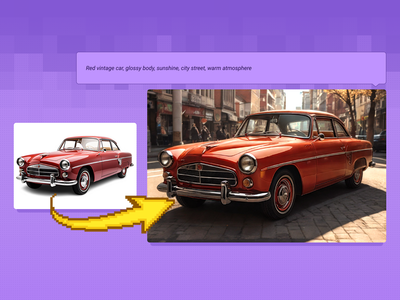
Studio Relighting for Composited Products


Copy Lighting from Any Photo | Flux2 Klein 9B
Transfer the lighting, color grade, and mood from one image onto another while keeping the subject's face, pose, and composition untouched.

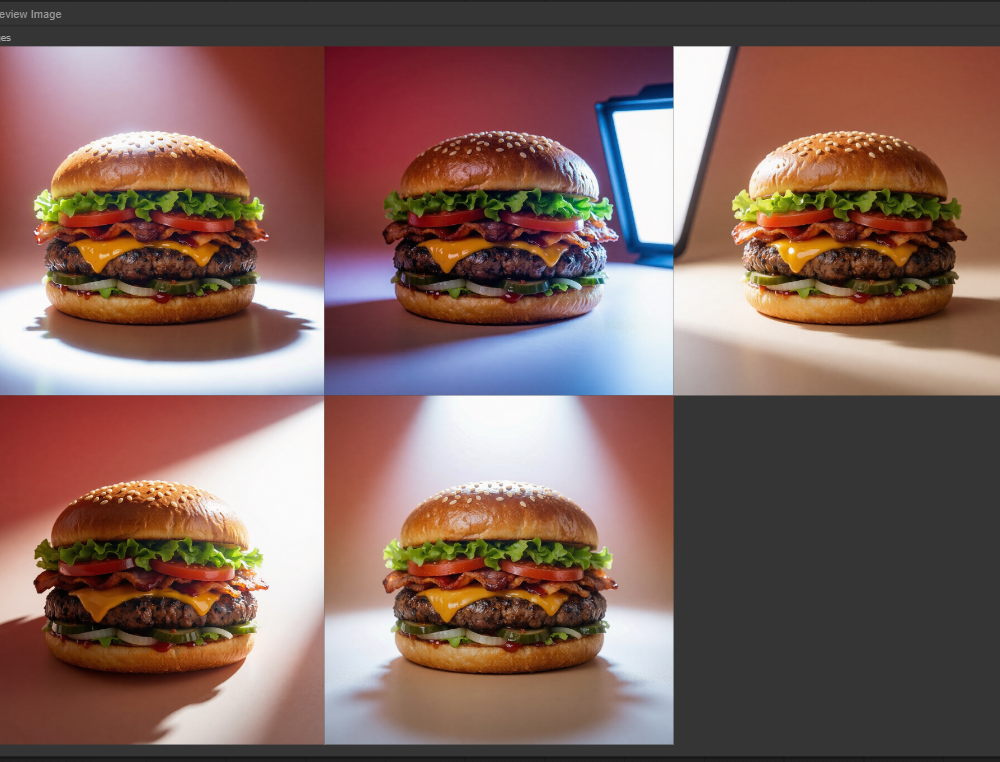
Qwen Multiangle Light · Image to Image For AD Film
Upload one image and this workflow generates five relighted versions simultaneously, each lit from a different angle and direction, with full control over azimuth, elevation, intensity, and color.

Qwen Multiangle Light · Image to Image For Anime
Upload one image and this workflow generates five relighted versions simultaneously, each lit from a different angle and direction, with full control over azimuth, elevation, intensity, and color.

Qwen Multiangle Light · Img to Img For Short Drama
Upload one image and this workflow generates five relighted versions simultaneously, each lit from a different angle and direction, with full control over azimuth, elevation, intensity, and color.

Qwen Multiangle Light · I2I For Viral SNS
Upload one image and this workflow generates five relighted versions simultaneously, each lit from a different angle and direction, with full control over azimuth, elevation, intensity, and color.

Qwen Multiangle Light · Image to Image For Kids Ed
Upload one image and this workflow generates five relighted versions simultaneously, each lit from a different angle and direction, with full control over azimuth, elevation, intensity, and color.
Workflows = API
すべてのワークフローが API エンドポイントです。 バックエンドを作らずに、AI 生成を自社のプロダクトに組み込めます。 ワークフローを選んでカスタマイズし、「Floyo API スニペットをコピー」をクリックすれば完了です。

MCP
プラットフォーム上のすべてのワークフローに、自分のエージェントや社内ツールから、同じ管理設定のもとでアクセスできます。
mcp.floyo.ai/mcp
かんたんテンプレート
既製のワークフローを開き、説明を読んで入力を変え、Run をクリックするだけ。ほとんどの人はノードを開くこともありません。複雑な部分は、必要なときのために裏側にあります。

Trust Center
誰かが実行する前に、安全かどうかがわかります。すべてのモデルに Verified Private と Commercial Use のステータスがあり、承認していないモデルはチームの管理設定でブロックできます。管理者は、チームが使えるモデル、プロバイダー、ノードを選べます。

かんたんテンプレート
既製のワークフローを開き、説明を読んで入力を変え、Run をクリックするだけ。ほとんどの人はノードを開くこともありません。複雑な部分は、必要なときのために裏側にあります。
Trust Center
誰かが実行する前に、安全かどうかがわかります。すべてのモデルに Verified Private と Commercial Use のステータスがあり、承認していないモデルはチームの管理設定でブロックできます。管理者は、チームが使えるモデル、プロバイダー、ノードを選べます。
Workflows = API
すべてのワークフローが API エンドポイントです。 バックエンドを作らずに、AI 生成を自社のプロダクトに組み込めます。ワークフローを選んでカスタマイズし、「Floyo API スニペットをコピー」をクリックすれば完了です。
