


Allez plus loin avec l’image
Tout explorer



Tous les workflows de type rééclairageWorkflows : Rééclairage
Tous les Workflows

Qwen Image Edit 2509 · Relight
Remove harsh light and shadow from any photo and relight it with soft, even illumination using Qwen Image Edit 2509 and a Relight LoRA. Upload and run.
IC-Light
[Test]

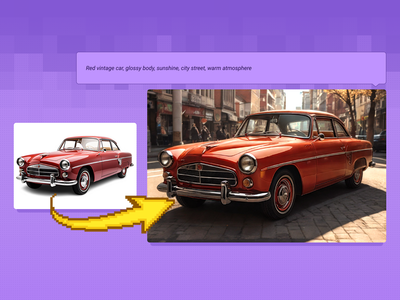
Studio Relighting for Composited Products

Copy Lighting from Any Photo | Flux2 Klein 9B
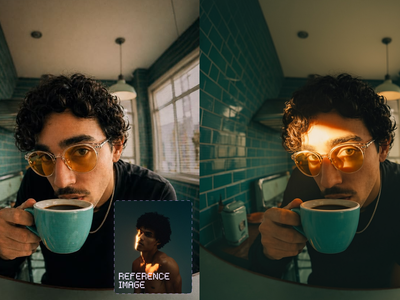
Transfer the lighting, color grade, and mood from one image onto another while keeping the subject's face, pose, and composition untouched.

Qwen Multiangle Light · Image to Image For AD Film
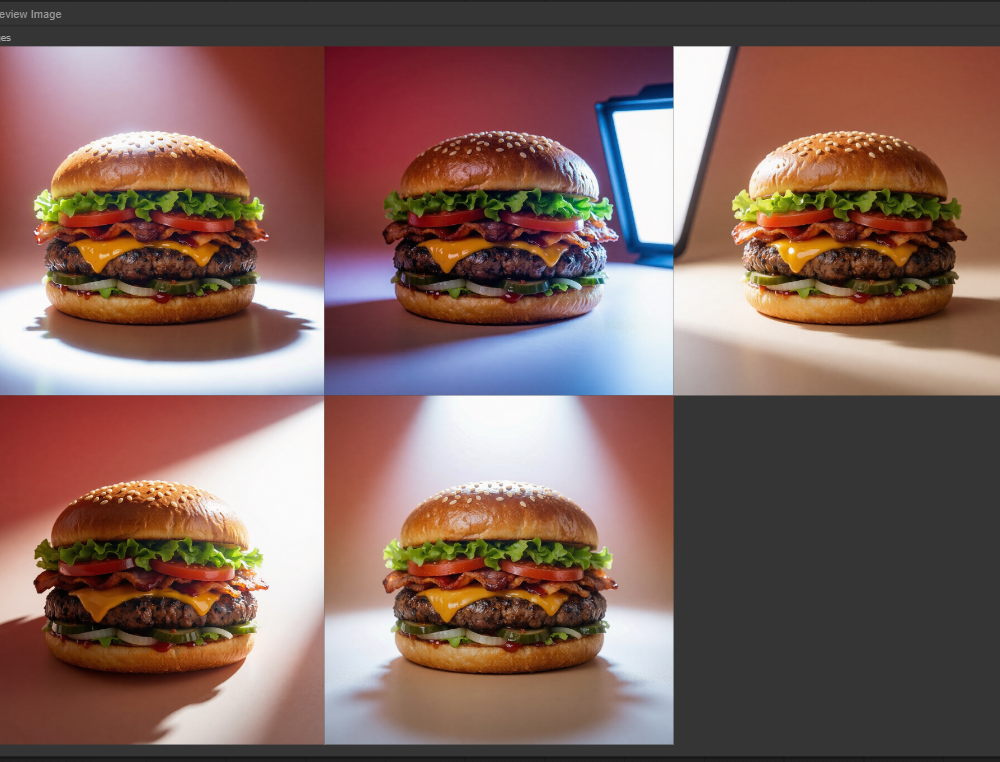
Upload one image and this workflow generates five relighted versions simultaneously, each lit from a different angle and direction, with full control over azimuth, elevation, intensity, and color.

Qwen Multiangle Light · Image to Image For Anime
Upload one image and this workflow generates five relighted versions simultaneously, each lit from a different angle and direction, with full control over azimuth, elevation, intensity, and color.

Qwen Multiangle Light · Img to Img For Short Drama
Upload one image and this workflow generates five relighted versions simultaneously, each lit from a different angle and direction, with full control over azimuth, elevation, intensity, and color.

Qwen Multiangle Light · I2I For Viral SNS
Upload one image and this workflow generates five relighted versions simultaneously, each lit from a different angle and direction, with full control over azimuth, elevation, intensity, and color.

Qwen Multiangle Light · Image to Image For Kids Ed
Upload one image and this workflow generates five relighted versions simultaneously, each lit from a different angle and direction, with full control over azimuth, elevation, intensity, and color.
Workflows = API
Chaque workflow est un endpoint d’API. Intégrez la génération par IA à votre produit sans développer de backend. Choisissez un workflow, personnalisez-le, cliquez sur « Copier l’extrait de code Floyo API », et c’est fait.

MCP
Tous les workflows de la plateforme, accessibles depuis vos propres agents et outils internes, avec les mêmes contrôles d’administration.
mcp.floyo.ai/mcp
Templates simples
Ouvrez un workflow prêt à l’emploi, lisez les instructions, changez votre entrée, cliquez sur Exécuter. La plupart des gens n’ouvrent jamais un nœud. La complexité est facultative et reste sous le capot.

Trust Center
Sachez ce qui est sûr avant que quiconque ne l’exécute. Statuts Verified Private et Commercial Use pour chaque modèle, et des contrôles d’équipe pour bloquer ceux que vous n’approuvez pas.Les administrateurs choisissent les modèles, les fournisseurs et les nœuds que l’équipe peut utiliser.

Templates simples
Ouvrez un workflow prêt à l’emploi, lisez les instructions, changez votre entrée, cliquez sur Exécuter. La plupart des gens n’ouvrent jamais un nœud. La complexité est facultative et reste sous le capot.
Trust Center
Sachez ce qui est sûr avant que quiconque ne l’exécute. Statuts Verified Private et Commercial Use pour chaque modèle, et des contrôles d’équipe pour bloquer ceux que vous n’approuvez pas.Les administrateurs choisissent les modèles, les fournisseurs et les nœuds que l’équipe peut utiliser.
Workflows = API
Chaque workflow est un endpoint d’API. Intégrez la génération par IA à votre produit sans développer de backend.Choisissez un workflow, personnalisez-le, cliquez sur « Copier l’extrait de code Floyo API », et c’est fait.
Premiers pas
Cours gratuit
ComfyUI 101
cours gratuit de Sebastian KamphCours gratuit de Sebastian Kamph
Dix leçons, d’un canevas vierge jusqu’à ControlNet. Nœuds, texte vers image, modèles, LoRA, upscaling et réglages du KSampler. Rien à installer. Chaque leçon s’exécute ici : vous terminez avec des workflows que vous avez construits vous-même.
