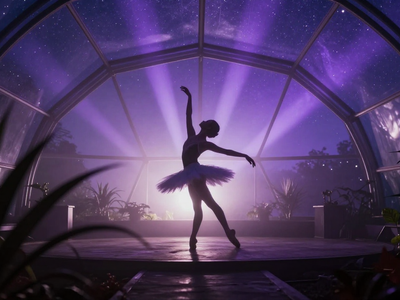
Pika_H3_Flex_Text_to_Video
Pika H3 Flexを使用したText to Videoワークフローです。promptに作りたい映像を入力し、aspect_ratio、megapixels、durationを設定するだけで、すぐに音付きの動画を生成できます。This is a Text to Video workflow using Pika H3 Flex. Just enter a prompt and set aspect_ratio, megapixels, and duration to generate a video with sound right away.
Open Weight
Pika H3 Flex
Text to Video
Video
323
节点与模型
ResolutionSelector
VAELoader
minimax_h3_video_vae_int8_convrot.safetensors
minimax_h3_audio_vae_fp32.safetensors
KSamplerSelect
UNETLoader
minimax_h3_fl2va_pruned_int8_convrot.safetensors
CLIPLoader
qwen3vl_32b_minimax_h3_nvfp4_awq.safetensors
RandomNoise
PrimitiveFloat
ManualSigmas
PrimitiveInt
LoraLoaderModelOnly
pika_h3_flex_fl2va_v1_bf16-pika-h3-flex-for-text-to-ZzUcS9pH.safetensors
ComfyMathExpression
MiniMaxH3ImageToVideo
BasicGuider
SamplerCustomAdvanced
VAEDecode
VAEDecodeAudio
CreateVideo
SaveVideo
1. Overview|概要
このワークフローは、Pika H3 Flexを使用したText to Video用の動画生成ワークフローです。 This workflow is a Text to Video generation workflow using Pika H3 Flex.
画像を用意しなくても、テキストのプロンプトだけで動画を生成できます。 You can generate videos from a text prompt alone, without preparing any images.
セリフや環境音を含めた、音付きの動画を生成できます。 You can generate videos with sound, including dialogue and ambient sound.
Partner Nodeは使わず、FloyoのGPUで動作するため、API課金なしでFlo Timeで動きます。 It runs on Floyo GPU without a Partner Node, so it works with Flo Time and no API charges.
2. How It Works|使い方
promptに、生成したい映像の内容を入力してください。 Enter the content of the video you want to generate in prompt.
aspect_ratioで、生成したい動画のアスペクト比を選択してください。 Select the aspect ratio of the generated video in aspect_ratio.
durationで、生成する動画の長さを秒数で指定してください。 Set the video length in seconds in duration.
実行ボタンを押すと、プロンプトをもとに動画が生成されます。 Press the Run button to create a video based on your prompt.
初めて使う場合は、まずデフォルト設定のまま試すのがおすすめです。 For first-time use, it is recommended to start with the default settings.
3. Prompt Control|プロンプトによる調整
プロンプトには、登場人物、服装、場所、時間帯、動き、カメラワーク、音、雰囲気を具体的に書いてください。 In the prompt, clearly describe the characters, outfits, location, time of day, movement, camera work, sound, and mood.
カットごとに動きを指定したい場合は、0:00-0:03 のように時間で区切って書いてください。 If you want to set the action for each cut, separate it by time, such as 0:00-0:03.
セリフを入れたい場合は、話す言語と内容を書き、不要な言語は使わないと指定してください。 To add dialogue, write the language and the lines, and state that no other language should be used.
動きがおかしいときは、設定を変える前にプロンプトを書き直してください。 If the motion looks wrong, rewrite the prompt before changing any settings.
4. Settings|設定
基本設定では、prompt、aspect_ratio、megapixels、durationを設定するだけで使えます。 With the basic settings, you only need to set prompt, aspect_ratio, megapixels, and duration.
aspect_ratioの初期値は16:9、megapixelsの初期値は1.0です。 The default aspect_ratio is 16:9 and the default megapixels is 1.0.
durationの初期値は5秒で、この例では15秒に設定しています。 The default duration is 5 seconds, and this example sets it to 15 seconds.
fpsは24、seedを同じ数字にすると同じ結果を再現できます。 fps is 24, and using the same seed reproduces the same result.
展开