



ทำได้มากขึ้นกับเสียง
สำรวจทั้งหมด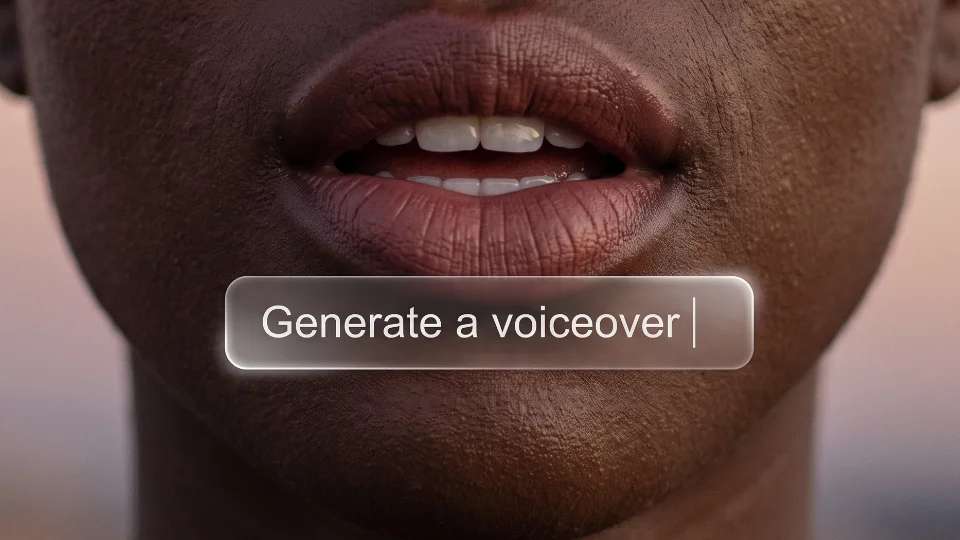



เวิร์กโฟลว์สำหรับ โคลนเสียง ทั้งหมดเวิร์กโฟลว์สำหรับ โคลนเสียง
Workflows ทั้งหมด

VibeVoice · Text to Speech
Clone any voice from a short clip and read your text in it using VibeVoice Large by Microsoft. Upload a voice sample, type your script, hit run. MIT license.

Voice Changer using TTS Audio Suite (ChatterBox)
Convert any voice to match a target speaker using ChatterBox TTS. Upload source and narrator audio, run it, get back a converted MP3. No voice training needed.

Timbre Transfer (SeedVC) for Voice Change
Convert any voice into another with Seed-VC. Upload a source audio and a short reference clip, and the model rebuilds the audio in the reference voice.

Fish Speech Voice Cloning TTS with Emotion Tags
Emotion Tags

IndexTTS2 · Voice Cloning With Emotion Control
Clone any voice and control emotional delivery with IndexTTS2, the open-weight TTS model. Upload a voice sample, type the text, and hit run. MIT license.

Change Emotion using IndexTTS2
Clone any voice and change the emotional delivery. Upload audio, type new text, adjust emotions, and get speech with different feelings using the same voice.

LongCat AudioDiT for Multi Speaker TTS
Clone two voices from short audio samples and generate dialogue between them with LongCat AudioDiT 3.5B. Upload your references, write your script, hit run.

Step Audio EditX for Voice Editing
Edit existing voice recordings with Step-Audio EditX. Change emotion, dialect, or style. Whisper transcribes your audio so you describe the edit, not the source.

LongCat AudioDiT for Voice Clone
Clone any voice from a short audio sample with LongCat AudioDiT 3.5B. Upload a reference clip, type what you want it to say, and get speech in that voice.

LongCat AudioDiT 3.5B - TTS, Voice Clone, Multi-Sp

Step Audio EditX for Voice Cloning
Upload a voice sample, transcribe it automatically with Whisper, then use Step-Audio EditX to clone that voice speaking your custom script. No trigger word needed.

CosyVoice3 for Voice Conversion
Convert any voice recording into a different speaker using CosyVoice 3 by Alibaba. Upload two audio clips, hit run, and get it re-spoken in a new voice.
Workflows = API
ทุกเวิร์กโฟลว์คือ API endpoint ใส่การสร้างงานด้วย AI ลงในผลิตภัณฑ์ของคุณได้โดยไม่ต้องสร้างแบ็กเอนด์ เลือกเวิร์กโฟลว์ ปรับแต่ง คลิก "คัดลอกโค้ด Floyo API" เท่านี้ก็เสร็จ

MCP
ทุกเวิร์กโฟลว์บนแพลตฟอร์มเข้าถึงได้จากเอเจนต์และเครื่องมือภายในของคุณเอง ภายใต้การควบคุมของผู้ดูแลแบบเดียวกัน
mcp.floyo.ai/mcp
เทมเพลตใช้ง่าย
เปิดเวิร์กโฟลว์สำเร็จรูป อ่านคำแนะนำ เปลี่ยนอินพุต แล้วคลิกรัน คนส่วนใหญ่ไม่เคยต้องเปิดดูโหนดเลย ความซับซ้อนเป็นทางเลือก และซ่อนอยู่เบื้องหลัง

Trust Center
รู้ว่าอะไรปลอดภัยก่อนที่ใครจะรัน ทุกโมเดลมีสถานะ Verified Private และ Commercial Use พร้อมการควบคุมระดับทีมเพื่อบล็อกโมเดลที่คุณไม่อนุมัติผู้ดูแลเลือกได้ว่าทีมใช้โมเดล ผู้ให้บริการ และโหนดใดได้บ้าง

เทมเพลตใช้ง่าย
เปิดเวิร์กโฟลว์สำเร็จรูป อ่านคำแนะนำ เปลี่ยนอินพุต แล้วคลิกรัน คนส่วนใหญ่ไม่เคยต้องเปิดดูโหนดเลย ความซับซ้อนเป็นทางเลือก และซ่อนอยู่เบื้องหลัง
Trust Center
รู้ว่าอะไรปลอดภัยก่อนที่ใครจะรัน ทุกโมเดลมีสถานะ Verified Private และ Commercial Use พร้อมการควบคุมระดับทีมเพื่อบล็อกโมเดลที่คุณไม่อนุมัติผู้ดูแลเลือกได้ว่าทีมใช้โมเดล ผู้ให้บริการ และโหนดใดได้บ้าง
Workflows = API
ทุกเวิร์กโฟลว์คือ API endpoint ใส่การสร้างงานด้วย AI ลงในผลิตภัณฑ์ของคุณได้โดยไม่ต้องสร้างแบ็กเอนด์เลือกเวิร์กโฟลว์ ปรับแต่ง คลิก "คัดลอกโค้ด Floyo API" เท่านี้ก็เสร็จ
