


สำรวจตัวอย่างการใช้งานเพิ่มเติม
สำรวจทั้งหมด


เวิร์กโฟลว์สำหรับ VFX และโพสต์โปรดักชัน ทั้งหมดเวิร์กโฟลว์สำหรับ VFX และโพสต์โปรดักชัน
Workflows ทั้งหมด

Wan 2.6 Reference to Video
Wan 2.6 · Multi-Shot Image to Video
Turn a still image into a multi-shot video with sound using Wan 2.6 by Alibaba. The model plans camera cuts and syncs audio in one pass. Upload and run.
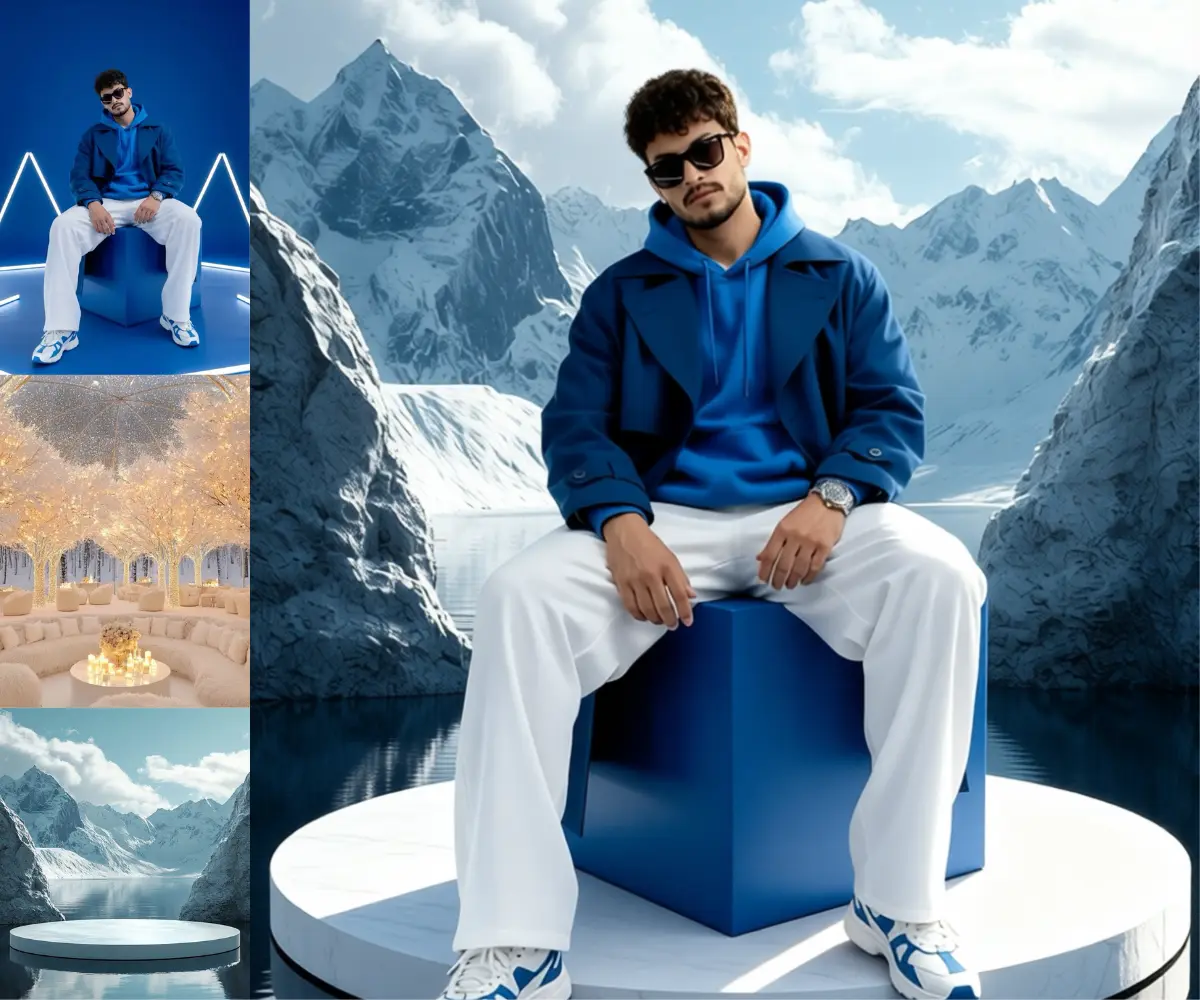
Qwen Image Edit 2511 · Composite
Place a subject into a new scene using Qwen Image Edit 2511 and the Kontext multi-reference method. Upload a subject and a background, describe the edit, run.
Seedance 2.0: Reference to Video
Composite up to nine reference images into one video clip with Seedance 2.0 by ByteDance. Tag each image in the prompt, describe the scene, and hit run.

Wan Alpha Create Transparent Videos
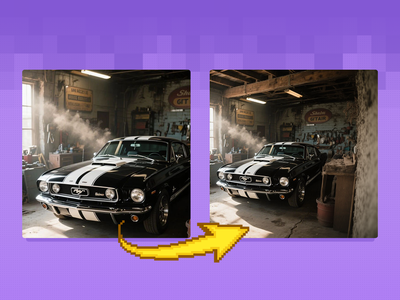
Flux Fill Dev Image Outpainting
Extend your images out for a wider field of view or just to see more of your subject. Expand compositions, change aspect ratios, or add creative elements while maintaining consistency in style, lighting, and detail while seamlessly blending with the existing artwork.
Corridor Key Green Screen Keying for Video
Upload green screen footage and get a clean alpha matte plus composite preview. Corridor Key's neural network handles hair, motion blur, and transparency.
Video Masking with Sam2 Comparison
Use a video clip and visual markers to segment/create masks of the subject or the inverse. Key Inputs Load Video: Use any Mp4 that you would like to segment or create a mask from Select subject: Use 3 green selectors to identify your subject and one red selector to identify the space outside your subject Modify markers: Shift+Click to add markers, Shift+Right Click to remove markers

Seedance 2.0 · Image to Video
Animate any still into a video clip with Seedance 2.0 by ByteDance. Upload a start image, add an optional end frame, describe the motion, and hit run.
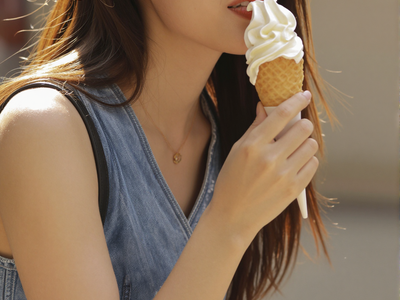
Z-Image Turbo · Text to Image With Diversity LoRA
Generate a different composition on every seed with Z-Image Turbo and the SDA diversity LoRA. Write a prompt, hit run, get layout variety. Apache 2.0.
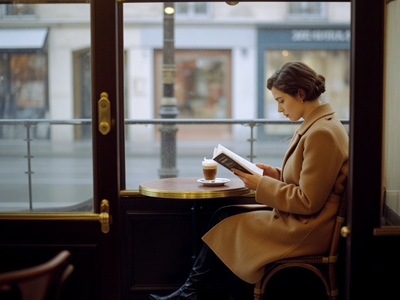
Z-Image Turbo + SDA LoRA for Diverse Text to Image
Generate images with Z-Image Turbo while the SDA diversity LoRA stops every seed from producing the same pose and composition. 8 steps, 2x upscale to 2048.
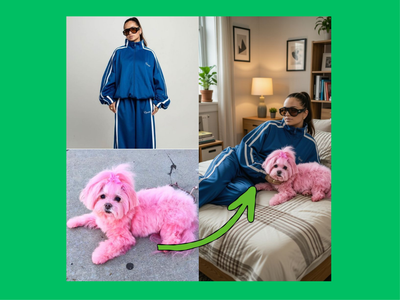

FireRed Image Edit 1.1 workflow
An open-source AI image editing model tuned for high-fidelity editing, character consistency, and multi-element composition. Excellent at changing visuals with straightforward prompts that may be used locally in ComfyUI.
Workflows = API
ทุกเวิร์กโฟลว์คือ API endpoint ใส่การสร้างงานด้วย AI ลงในผลิตภัณฑ์ของคุณได้โดยไม่ต้องสร้างแบ็กเอนด์ เลือกเวิร์กโฟลว์ ปรับแต่ง คลิก "คัดลอกโค้ด Floyo API" เท่านี้ก็เสร็จ

MCP
ทุกเวิร์กโฟลว์บนแพลตฟอร์มเข้าถึงได้จากเอเจนต์และเครื่องมือภายในของคุณเอง ภายใต้การควบคุมของผู้ดูแลแบบเดียวกัน
mcp.floyo.ai/mcp
เทมเพลตใช้ง่าย
เปิดเวิร์กโฟลว์สำเร็จรูป อ่านคำแนะนำ เปลี่ยนอินพุต แล้วคลิกรัน คนส่วนใหญ่ไม่เคยต้องเปิดดูโหนดเลย ความซับซ้อนเป็นทางเลือก และซ่อนอยู่เบื้องหลัง

Trust Center
รู้ว่าอะไรปลอดภัยก่อนที่ใครจะรัน ทุกโมเดลมีสถานะ Verified Private และ Commercial Use พร้อมการควบคุมระดับทีมเพื่อบล็อกโมเดลที่คุณไม่อนุมัติผู้ดูแลเลือกได้ว่าทีมใช้โมเดล ผู้ให้บริการ และโหนดใดได้บ้าง

เทมเพลตใช้ง่าย
เปิดเวิร์กโฟลว์สำเร็จรูป อ่านคำแนะนำ เปลี่ยนอินพุต แล้วคลิกรัน คนส่วนใหญ่ไม่เคยต้องเปิดดูโหนดเลย ความซับซ้อนเป็นทางเลือก และซ่อนอยู่เบื้องหลัง
Trust Center
รู้ว่าอะไรปลอดภัยก่อนที่ใครจะรัน ทุกโมเดลมีสถานะ Verified Private และ Commercial Use พร้อมการควบคุมระดับทีมเพื่อบล็อกโมเดลที่คุณไม่อนุมัติผู้ดูแลเลือกได้ว่าทีมใช้โมเดล ผู้ให้บริการ และโหนดใดได้บ้าง
Workflows = API
ทุกเวิร์กโฟลว์คือ API endpoint ใส่การสร้างงานด้วย AI ลงในผลิตภัณฑ์ของคุณได้โดยไม่ต้องสร้างแบ็กเอนด์เลือกเวิร์กโฟลว์ ปรับแต่ง คลิก "คัดลอกโค้ด Floyo API" เท่านี้ก็เสร็จ
