


TRANG CỘNG ĐỒNG
Create UGC Ad videos on Floyo
What are UGC Ads?
UGC ads are user-generated content ads, paid social media advertisements designed to look like authentic, unpolished videos or photos made by everyday customers or creators rather than by a professional studio.
Key Characteristics
Low-Fi Aesthetic: Shot on mobile phones with natural lighting and handheld framing.
First-Person Voice: Features casual language, personal stories, reviews, or unboxing reactions.
Native Feel: Built to blend seamlessly into user feeds on platforms like TikTok, Instagram, and Facebook without looking like traditional commercials.
Why Brands Use Them
Higher Trust: Consumers generally trust peer recommendations and real customer experiences far more than polished corporate marketing.
Lower Ad Fatigue: Because they look like normal social posts, viewers are less likely to scroll past them immediately.
Cost-Effective Testing: Brands can test multiple raw, creator-filmed concepts much cheaper than a single high-budget studio commercial.
Guide to Create
Prompt Engineering
The best AI LLM models right now for prompt generation are OpenAI's GPT-5 series, Anthropic's Claude 4.6 / Sonnet, and Google's Gemini 3 Pro. These models excel at understanding context, structuring meta-instructions, and refining user intent into production-ready prompts.
Character Creation
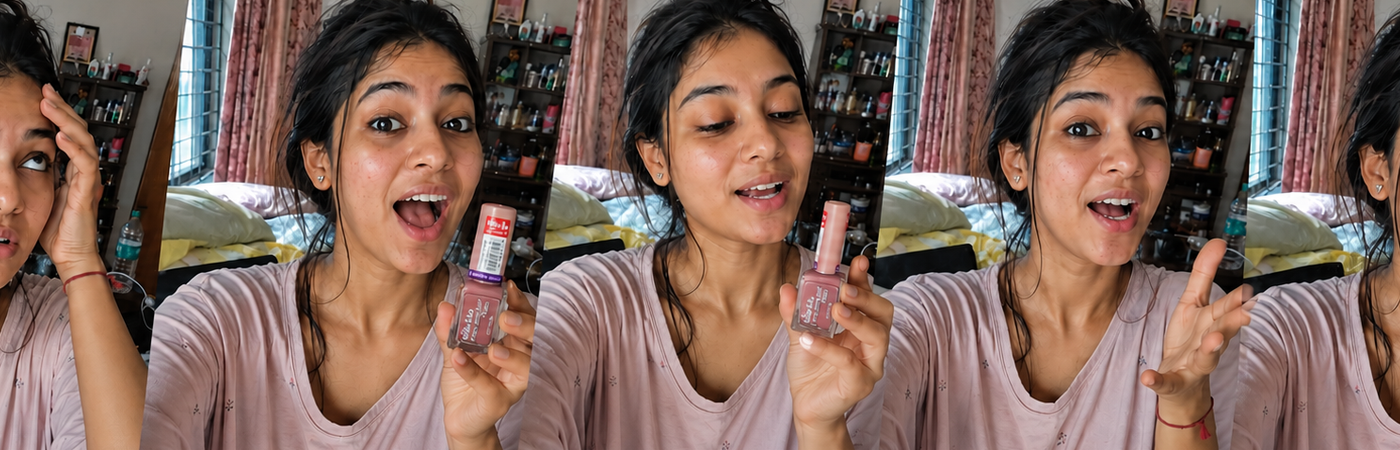
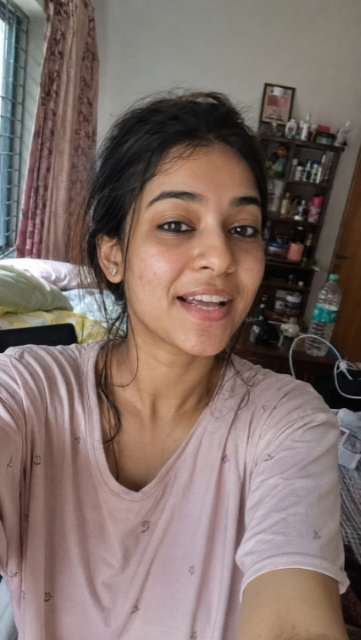
I used Claude and wrote a prompt: Create a single image generation prompt for this: "Create a hyper-realistic photo of a young Indian woman, age 22-26, for a UGC-style ad. Please make it look like a real person filming herself on her phone—not a model or a photoshoot."
You can be very specific about the details of the character and include them in the prompt.
Example:
"CHARACTER:
- North Indian features, warm medium-brown skin tone with realistic texture — visible pores, slight unevenness, a tiny blemish or two on the cheek, subtle dark circles. NO airbrushed or flawless AI skin.
- Minimal "no-makeup makeup" look: light kajal, lip balm, nothing glossy or heavy.
- Hair: dark brown/black, tied in a slightly messy bun with a few loose strands falling near her face — like she's at home, not styled.
- Outfit: casual everyday wear — an oversized pastel t-shirt or simple kurti. Slightly wrinkled. Small stud earrings, maybe a thin thread bracelet. Nothing branded, nothing glamorous.
- Expression: mid-conversation energy — warm, genuine smile with slightly squinted eyes, like she's excitedly telling a friend about something she discovered. Mouth slightly open as if speaking. NOT a posed camera smile."
Also include the CAMERA & FRAMING (critical — this is what makes UGC real):
- Shot on iPhone front camera, arm's-length selfie framing — face fills about 40% of frame, positioned slightly off-center, camera marginally below eye level (typical selfie angle).
- Very slight motion blur or softness, like a casual handheld phone shot. Vertical 9:16 format.
- Slight fisheye/wide distortion typical of front cameras.
SETTING & LIGHTING:
- Real Indian bedroom/living room background, slightly messy and lived-in: an unmade bed corner, a cluttered shelf, a window with daylight, maybe a water bottle or charger cable visible. Background softly out of focus.
- Natural window daylight from one side — slightly uneven lighting, one side of face a bit brighter. NO studio lighting, NO ring light glow in the eyes, NO perfect exposure.
FINISH:
- Colors natural and slightly muted like an unedited phone photo — NOT saturated, NOT filtered.
- Absolutely avoid: perfect symmetry, glossy skin, studio background, professional color grading, model-like posing. If it looks like an ad, it's wrong. It should look like a screenshot from a real girl's Instagram story.
You can use the whole thing as the prompt for image generation. But I told Claude to consolidate and make a single-block image generation prompt for this.
Here's a consolidated, single-block image generation prompt:
"Hyper-realistic UGC-style selfie photo of a young Indian woman, aged 22-26, North Indian features, warm medium-brown skin with authentic texture — visible pores, slight unevenness, a small blemish or two on the cheek, subtle dark circles. No airbrushing, no flawless AI skin. She has a minimal "no-makeup makeup" look: light kajal, plain lip balm, nothing glossy. Dark brown/black hair tied in a slightly messy bun with loose face-framing strands, like she just got home. She wears an oversized pastel t-shirt or simple kurti, slightly wrinkled, with small stud earrings and a thin thread bracelet — no logos, nothing glamorous.
Her expression has mid-conversation energy: a warm, genuine smile with slightly squinted eyes, mouth a little open as if excitedly talking to a friend — not a posed camera smile.
Shot as if taken on an iPhone front camera at arm's length: her face fills about 40% of the frame, positioned slightly off-center, camera angled marginally below eye level. Slight handheld softness or motion blur, mild fisheye/wide-angle distortion typical of front cameras, vertical 9:16 format.
Background is a real Indian bedroom or living room, softly out of focus and slightly messy — an unmade bed corner, a cluttered shelf, a window letting in daylight, maybe a water bottle or charger cable visible. Lighting is natural window daylight from one side, slightly uneven with one side of her face a touch brighter — no studio lighting, no ring-light catchlights, no perfectly even exposure.
Color grading is natural and slightly muted, like an unedited phone photo — not saturated, not filtered, not professionally graded. Avoid perfect symmetry, glossy skin, studio backdrops, model-like posing, or anything that reads as a polished ad. It should look exactly like a candid screenshot from a real girl's Instagram story."
Image Generation
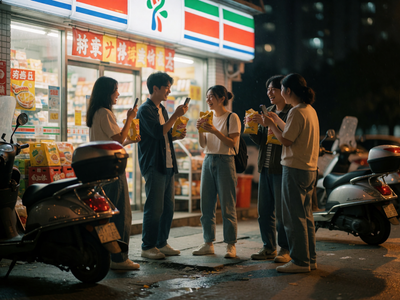
We can now use this prompt in any Text-to-Image workflow or tool to generate the character image.

Image
Image generation
Krea
Krea 2
Text to image
Write a prompt and Krea 2 Turbo generates a high-resolution image at 1920x1280 in 8 steps, using a fast turbo-distilled model with a Qwen 3 VL text encoder.
Krea 2 Turbo · Text to Image For Viral SNS
Write a prompt and Krea 2 Turbo generates a high-resolution image at 1920x1280 in 8 steps, using a fast turbo-distilled model with a Qwen 3 VL text encoder.
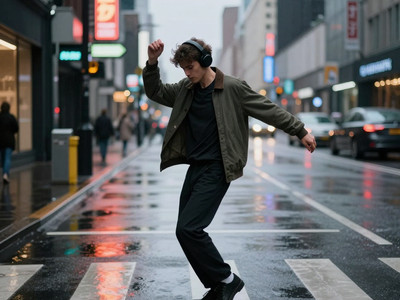
Z-Image Turbo: Fast Image Generation For Viral SNS
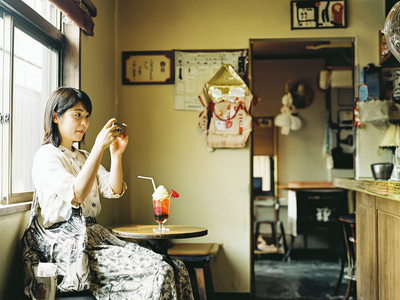
Concept art
Image
Image generation
Text to image
Z-Image
Z-Image Base
Create sunning images using z-image base model (non distlled).
Z-Image Base: High-Detail T2I For Viral SNS
Create sunning images using z-image base model (non distlled).
Flux
Flux 2 Klein
Image
Image generation
Photography
Text to image
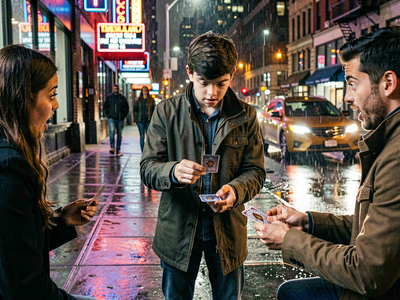
Create a high quality image using 9B model of Flux 2 Klein
FLUX.2 Klein 9B: Text to Image For Viral SNS
Create a high quality image using 9B model of Flux 2 Klein
Image
Image generation
Photorealistic
Qwen
Qwen Image 2512
Text to image
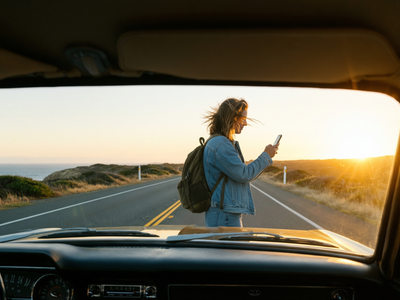
Write a prompt and Qwen Image 2512 generates a high-resolution image at up to 1920x1280 in 50 steps, using Alibaba's latest dedicated image generation model with strong photorealism and bilingual prompt support.
Qwen Image 2512 · Text to Image For Viral SNS
Write a prompt and Qwen Image 2512 generates a high-resolution image at up to 1920x1280 in 50 steps, using Alibaba's latest dedicated image generation model with strong photorealism and bilingual prompt support.
I used ChatGPT to generate the character.
Create Images for Multiple Actions
We need to make multiple images for different actions of the same character. We can use the following workflow to do so.

Consistency lora
Flux
Flux 2 Klein
Image
Image editing
Image to image
LoRA
Edit any image with a text instruction using FLUX.2 Klein 9B by Black Forest Labs, with a Consistency LoRA to keep results close to the original. Upload a photo, describe the change, and hit run.
FLUX.2 Klein 9B Consistency LoRA · I2I For AD Film
Edit any image with a text instruction using FLUX.2 Klein 9B by Black Forest Labs, with a Consistency LoRA to keep results close to the original. Upload a photo, describe the change, and hit run.
You can use FLUX.2 Klein, Qwen Image Edit, or LLMs like ChatGPT or Grok to do that.
I used ChatGPT and wrote this prompt:
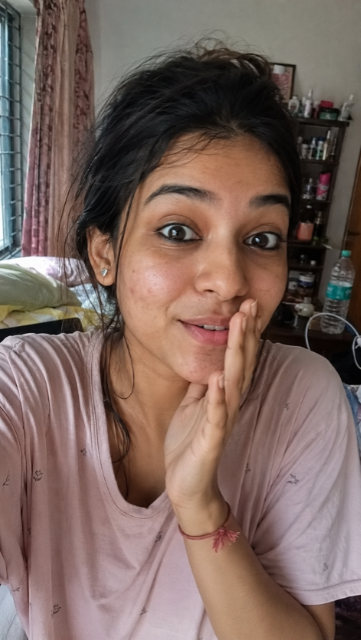
"Use the uploaded image as the exact character reference — same girl, same face, same hair, same t-shirt, same room, same selfie framing and natural window lighting. Only change what I describe. Keep the realistic phone-camera look: skin texture, slight softness, unedited colors. She leans slightly closer to the camera, eyebrows raised, eyes wide with a "you won't believe this" look, small smirk starting, one hand near her mouth like she's about to share a secret."
Make your character hold the product
Now it's time to prepare your product image. Please include a clear photo of your product. Or you can include multiple-angle shots of your product in a single image. The AI Image Editor will analyze this. Also, you can simply upload the multiple-angle shots if you use LLMs to generate the image.
Example:
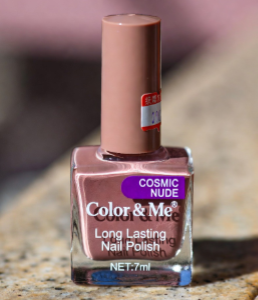
Then I wrote this prompt to ChatGPT:
"Use the uploaded image as the exact character reference — same girl, same face, same hair, same t-shirt, same room, same selfie framing and natural window lighting. Only change what I describe. Keep the realistic phone-camera look: skin texture, slight softness, unedited colors. She holds [product] at chest level, glancing at it while talking, natural loose grip — not presenting it like a model, just casually holding it."
Result:
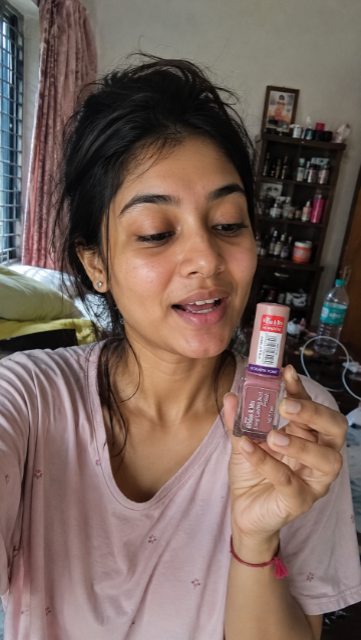
Video Creation
I used the following LTX 2.3 workflow in Floyo to generate the video.

Audio video
Image to video
LTX
LTX Video
Text to video
Video
Video generation
Animate a photo or generate video from text with synchronized audio using LTX-Video 2.3, Lightricks' 22B open-source model. Upload an image or toggle to text-only mode, describe the scene, and hit run.
LTX 2.3 · Image and Text to Video For Viral SNS
Animate a photo or generate video from text with synchronized audio using LTX-Video 2.3, Lightricks' 22B open-source model. Upload an image or toggle to text-only mode, describe the scene, and hit run.
The workflow is simple. Just upload the image, set your desired video resolution, write your prompt, and click render.
Once again, you can enhance the video generation prompt by using LLMs like Claude.
Example:
Based on the last prompt, create a video generation prompt for this: "She is holding a nail polish in her hand and giving a review of the product, saying in an Indian accent: I used this product, and I am really impressed."
Claude Created this Video Generation Prompt:
"Hyper-realistic UGC-style selfie video of a young Indian woman, aged 22-26, North Indian features, warm medium-brown skin with authentic texture — visible pores, slight unevenness, a small blemish or two on the cheek, subtle dark circles. No airbrushed or flawless skin. Minimal "no-makeup makeup" look: light kajal, plain lip balm. Dark brown/black hair tied in a slightly messy bun with loose face-framing strands. She wears an oversized pastel t-shirt or simple kurti, slightly wrinkled, small stud earrings, thin thread bracelet — nothing branded or glamorous.
Action: She holds up a small nail polish bottle in one hand, turning it slightly toward the camera at chest-to-chin height, then brings her attention back to the lens as she speaks with warm, genuine enthusiasm. Her expression is animated mid-conversation energy — eyebrows lifting slightly, a natural smile, mouth moving naturally as she talks, like she's genuinely telling a friend about a product she loves. Slight natural head tilts and hand gestures accompany her speech, not stiff or posed.
Dialogue (lip-synced, Indian-accented English): "I used this product, and I am really impressed."
Camera & framing: Shot as if filmed on an iPhone front camera at arm's length, vertical 9:16 format. Her face and upper body fill about 45-50% of the frame, slightly off-center, camera angled marginally below eye level — typical selfie angle. Slight handheld sway and micro-movements, natural wobble as if her arm is holding the phone, mild fisheye/wide-angle distortion typical of front cameras. No smooth gimbal stabilization — it should feel authentically handheld.
Setting & lighting: Real Indian bedroom or living room in the background, softly out of focus, slightly messy and lived-in — an unmade bed corner, a cluttered shelf, daylight through a window, maybe a charger cable or water bottle visible. Natural window daylight from one side, slightly uneven exposure with one side of her face marginally brighter. No studio lighting, no ring-light catchlights in the eyes.
Audio: Her voice sounds natural and warm, clearly Indian-accented English, conversational pacing (not scripted-sounding), with genuine enthusiasm on "really impressed." Faint ambient room tone in the background — maybe a distant fan or muffled household sound. No background music, no professional voiceover polish.
Finish: Natural, slightly muted colors like an unedited phone video — not saturated, not filtered, no cinematic color grading. Avoid: studio backdrop, perfect lighting, overly smooth motion, posed/model-like delivery. It should look exactly like a real Instagram Reel or WhatsApp status video, not a produced ad."
Conclusion
UGC Ad videos are the new trend on the internet. If you follow the instructions properly and apply your creativity when using AI tools, you will achieve better results.
Thanks to the "Tech Plus AI" YouTube Channel for making such a good tutorial video. That was very helpful. Here is the link to his channel: https://www.youtube.com/@Techplusaivideos