


Haz más con imágenes
Ver todo



Todos los flujos de trabajo de reiluminaciónFlujos de trabajo de Reiluminación
Todos los Workflows

Qwen Image Edit 2509 · Relight
Remove harsh light and shadow from any photo and relight it with soft, even illumination using Qwen Image Edit 2509 and a Relight LoRA. Upload and run.
IC-Light
[Test]

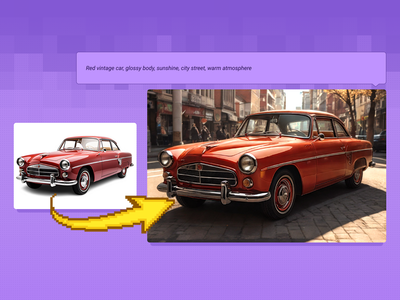
Studio Relighting for Composited Products


Copy Lighting from Any Photo | Flux2 Klein 9B
Transfer the lighting, color grade, and mood from one image onto another while keeping the subject's face, pose, and composition untouched.

Qwen Multiangle Light · Image to Image For AD Film
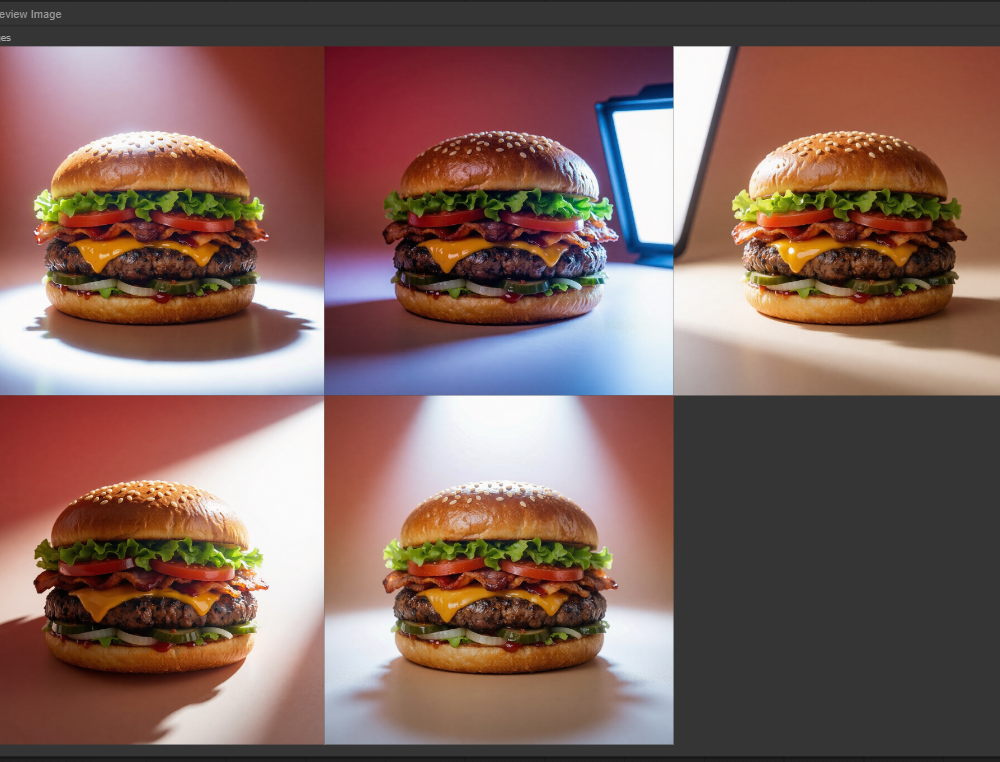
Upload one image and this workflow generates five relighted versions simultaneously, each lit from a different angle and direction, with full control over azimuth, elevation, intensity, and color.

Qwen Multiangle Light · Image to Image For Anime
Upload one image and this workflow generates five relighted versions simultaneously, each lit from a different angle and direction, with full control over azimuth, elevation, intensity, and color.

Qwen Multiangle Light · Img to Img For Short Drama
Upload one image and this workflow generates five relighted versions simultaneously, each lit from a different angle and direction, with full control over azimuth, elevation, intensity, and color.

Qwen Multiangle Light · I2I For Viral SNS
Upload one image and this workflow generates five relighted versions simultaneously, each lit from a different angle and direction, with full control over azimuth, elevation, intensity, and color.

Qwen Multiangle Light · Image to Image For Kids Ed
Upload one image and this workflow generates five relighted versions simultaneously, each lit from a different angle and direction, with full control over azimuth, elevation, intensity, and color.
Workflows = APIs
Cada flujo de trabajo es un endpoint de API. Integra generación con IA en tu producto sin crear un backend. Elige un flujo de trabajo, personalízalo, haz clic en «Copiar fragmento de Floyo API» y listo.

MCP
Todos los flujos de trabajo de la plataforma, al alcance de tus agentes y herramientas internas, con los mismos controles de administración.
mcp.floyo.ai/mcp
Plantillas fáciles
Abre un flujo de trabajo listo, lee las instrucciones, cambia tu entrada y haz clic en Run. La mayoría nunca abre un nodo. La complejidad es opcional y queda tras bambalinas.

Trust Center
Sabe qué es seguro antes de que alguien lo ejecute. Estado Verified Private y Commercial Use para cada modelo, además de controles de equipo para bloquear los que no apruebes.Los administradores eligen qué modelos, proveedores y nodos puede usar el equipo.

Plantillas fáciles
Abre un flujo de trabajo listo, lee las instrucciones, cambia tu entrada y haz clic en Run. La mayoría nunca abre un nodo. La complejidad es opcional y queda tras bambalinas.
Trust Center
Sabe qué es seguro antes de que alguien lo ejecute. Estado Verified Private y Commercial Use para cada modelo, además de controles de equipo para bloquear los que no apruebes.Los administradores eligen qué modelos, proveedores y nodos puede usar el equipo.
Workflows = APIs
Cada flujo de trabajo es un endpoint de API. Integra generación con IA en tu producto sin crear un backend.Elige un flujo de trabajo, personalízalo, haz clic en «Copiar fragmento de Floyo API» y listo.
Empieza ya
Curso gratuito
ComfyUI 101
curso gratuito de Sebastian KamphCurso gratuito de Sebastian Kamph
Diez lecciones, del lienzo en blanco a ControlNet. Nodos, texto a imagen, modelos, LoRA, escalado y ajustes de KSampler. Nada que instalar. Cada lección se ejecuta aquí, así que terminas con flujos de trabajo creados por ti.
